Downloadable Files
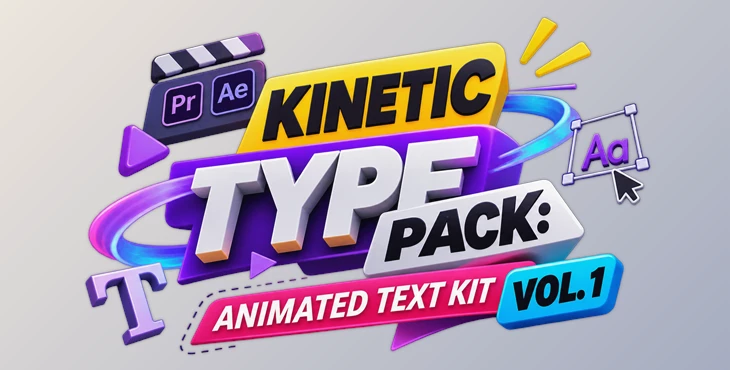
You can download KINETIC TYPE PACK: ANIMATED TEXT KIT VOL. 1 for free from the bottom of this page.
Add Eye-Catching Animated Text to Your Videos
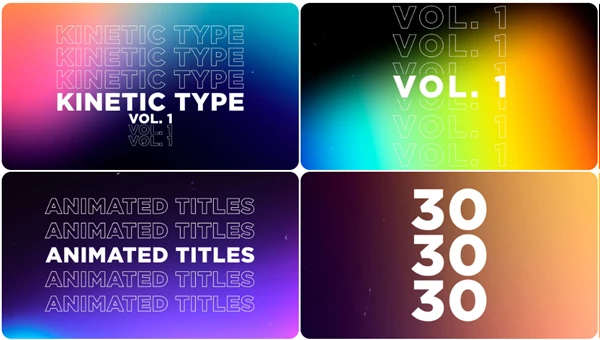
If you want to add some animated text to your video, you might find that it’s a lot of work because you may need to animate every word or title individually. With Kinetic Type Pack Vol. 1 by Sickboat, you are given 30 pre-made animated text options to use in After Effects and Adobe Premiere Pro.
This download includes both a project file (.AEP) and Motion Graphics Templates (.MOGRT). Because there is already a template created, you can modify the text, look at how it appears, and even adjust the timing without having to animate it all over again. These are for social media, video on the internet, and commercials.
Add Movement to Your Titles and Words
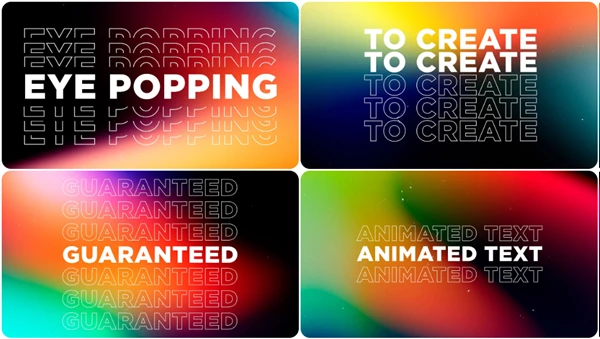
Kinetic typography uses moving text to make words more noticeable on screen. Text can become part of the action rather than staying in one place throughout a video.
This pack includes 30 different kinetic text animations. Each one gives you a starting point for adding movement to your words and titles.
You can use the templates for short messages, important words, or animated titles in your videos. They also work well when you want the text to match the energy of your footage.
Since the animations are already prepared, you can focus on choosing a suitable style and changing the text to fit your project.
What's Included in the Pack?
Kinetic Type Pack Vol. 1 comes with the following files and features:
30 Kinetic Type MOGRT Files: Ready-made animated text templates for Premiere Pro.
After Effects Project Template: An .AEP file for editing the animations in After Effects.
4K Resolution: Templates designed for high-resolution video projects.
Editable Text Settings: Controls for changing the appearance and placement of your text.
Drag-and-Drop Workflow: A simple way to add the templates to your Premiere Pro projects.
The pack provides both Premiere Pro templates and an After Effects project, so you can choose how to work with the animations.
Customize the Text Animations
The animations come with editable settings, so you don't have to keep their original appearance.
You can change several parts of each template:
| Setting | What You Can Change |
|---|---|
| Font | Choose a different typeface for your text |
| Color | Change the text color |
| Size | Make the text larger or smaller |
| Stroke Width | Adjust the thickness of the text outline |
| Kerning | Change the spacing between letters |
| Timing | Adjust when the text animation happens |
| Position | Move the text to a different place on screen |
These controls help you match the animated text to the rest of your video. You can use different fonts and colors for different projects while keeping the original animation style.
The timing controls also give you more freedom to decide how the movement fits into your edit.
Using the Pack in Premiere Pro and After Effects
There are two primary ways to use this pack.
Adobe Premiere Pro
This pack includes 30 .MOGRT files that can be used in Premiere Pro directly. To use this in your project, you can simply drag and drop the animated text template into your project.
After placing the template in your edited video, you can change the text and modify the settings without having to recreate the animation by adding keyframes.
Adobe After Effects
Another option to use in your video is to use the provided .AEP project to edit the animated text in After Effects before exporting it to be used in other video editing software. This may be useful if your preferred video editor does not allow you to directly use the provided Premiere Pro templates.
Can You Use It with DaVinci Resolve or Final Cut Pro?
Kinetic Type Pack Vol. 1 is made for Adobe Premiere Pro and After Effects, but the animations aren't limited to projects edited in those programs.
For DaVinci Resolve or Final Cut Pro, you can open and customize the titles in After Effects first. After exporting the animated text, you can bring the result into your preferred video editor.
Keep in mind that this is an export-based workflow. The pack doesn't provide native DaVinci Resolve or Final Cut Pro templates.
Where Can You Use These Animated Titles?
Based on the name and the content of the animations included, there are three main purposes for which this can be used:
Social media videos require animated text to immediately grab the viewer’s attention.
Web videos can use kinetic typography to describe a title, a short phrase, or another key element of the video.
Commercials and promotional videos can use moving text to add more energy to a title or to share a message.
Overall, I found this to be a great option for using kinetic typography without spending a lot of time creating all of the animations yourself. What makes this the best option is having 30 different animations, being able to edit the text, and being able to use either After Effects or Premiere Pro.

Files Password : gfxplugin.com OR 123456