Downloadable Files
You can download AiBow Manga Koma for free from the bottom of this page.
Turn Your Footage into Manga-Style Comic Pages
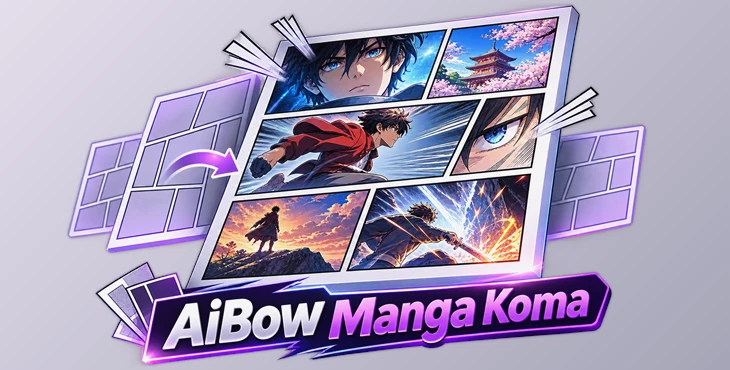
AiBow Manga Koma is a script for Adobe After Effects that helps you create manga and comic page layouts using your own footage. It divides a page into panels, places your clips inside them in reading order, and adds the frame lines automatically.
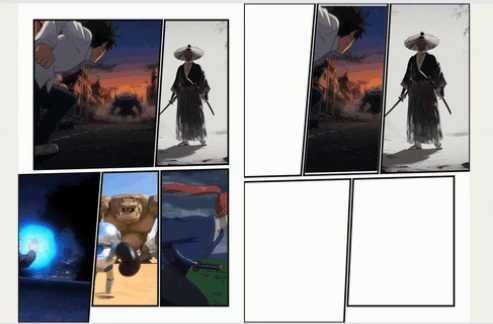
You can choose from different layout styles, change the size and shape of panels, and create animations that show each panel one by one. The script also lets you change the layout of an existing page without replacing the footage.
Each panel is a real After Effects precomposition with its own mask. This means you can open individual panels and edit their content directly.
Create and Customize Comic Page Layouts
AiBow Manga Koma provides six layout options at a time, with four different styles to choose from.
| Style | Description |
|---|---|
| Calm / Dialogue | Straight, regular panels for simple page layouts. |
| Standard | Panels with small tilts for a less regular appearance. |
| Action | Strong slanted lines, panels extending beyond the page, and split panels. |
| Splash / Title | Large panels that take up more space on the page. |
You can adjust each style using sliders for row slant, column slant, bleed, split panels, and big panels.
The script also provides three options for working with layouts:
New Batch: Generates six new layouts.
Mutate: Creates six variations of a selected layout.
Seed: Lets you recreate a previous batch of layouts.
These controls give you different ways to arrange your panels without building every layout from the beginning.
Change the Layout Without Losing Your Footage
One of the main features of AiBow Manga Koma is the ability to change the layout of a finished comic page.
Select another layout with the same number of panels and use Apply layout to selected page. The script updates the panel masks and frame lines while keeping the existing footage.
It also adjusts the footage to fit the new panel shapes. Any panel reveal animation or camera tour follows the updated layout.
However, footage that you have manually moved or scaled stays in its edited position.
Animate Your Manga Pages
AiBow Manga Koma includes two animation tools for turning static comic layouts into motion comics.
Panel Reveal
The Add panel reveal feature animates panels in their reading order. Each panel appears in sequence, while the frame lines gradually fade in.
This creates an animated introduction to the comic page without requiring you to animate each panel separately.
Camera Tour
The Create camera tour feature creates a 16:9 composition with an animated camera movement.
The animation follows this sequence:
Full page → First panel → Next panels → Full page
The camera starts by showing the entire page, moves between panels in reading order, pauses at each one, and returns to the full page at the end.
The camera animation uses editable keyframes, so you can change the timing of the movements and pauses in After Effects.
Reading Direction and Page Formats
AiBow Manga Koma supports both Japanese manga reading order and standard left-to-right reading.
You can switch between:
Right to left: For traditional Japanese manga layouts.
Left to right: For comics that follow a left-to-right reading direction.
Changing the direction mirrors the layout. The script also adds reading-order numbers as guide layers. These numbers help you identify the panel sequence but do not appear in the final render.
Supported Page Sizes
The script provides several page formats for different types of projects.
| Format | Page type |
|---|---|
| B5 | Manga page |
| A5 | Manga page |
| 4:5 | Social media |
| 1:1 | Square |
| 9:16 | Vertical video |
| 16:9 | Widescreen video |
You can also adjust frame width and the space between panels, known as the gutter, using pixel and percentage values.
Finished layouts can be saved as SVG files.
Editable After Effects Compositions
AiBow Manga Koma builds its pages using standard After Effects elements rather than a single flattened image.
Each generated page includes:
A paper background.
One masked precomposition for each panel.
A shape layer containing the panel frame lines.
A control null for changing line width and paper color.
Because the panels are separate precompositions, you can edit their footage individually while keeping the complete comic page organized.
How to Use AiBow Manga Koma
Creating a comic page follows a simple process:
Open Window > AiBow Manga Koma.jsxbin in After Effects.
Choose a layout style, page size, and reading direction.
Select one of the six available layouts.
Select your footage in the Project panel.
Click Create page comp to generate the comic page.
Use Add panel reveal or Create camera tour to animate it, or apply another layout to change the page design.
After creating the page, you can continue editing the individual panels and their content inside After Effects.

Files Password : gfxplugin.com OR 123456