Downloadable Files
You can download Preset Pack 4 for free from the bottom of this page.
Transform Your Photos with a Complete Lightroom Editing Toolkit
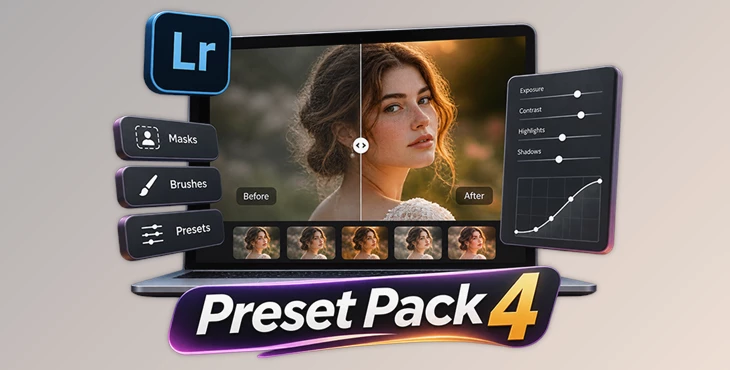
Preset Pack 4 by Neil Redfern is a Lightroom editing toolkit that includes colour presets, masks, and brushes for editing photographs. It brings together the tools Neil Redfern uses in his own photo editing process.
The pack includes 26 Magic Masks, 18 brushes, one base colour preset, and one base black and white preset. It also comes with a two-hour video tutorial showing how Neil edits 101 photographs from start to finish.
A Complete Toolkit for Lightroom Photo Editing
Preset Pack 4 combines different editing tools in one collection. The base presets provide a starting point for editing photos, while the masks and brushes give photographers more control over specific parts of an image.
The pack contains:
26 Magic Masks: A collection of masks for making selected adjustments to photographs.
18 Brushes: Tools for working on specific areas of an image.
1 Base Colour Preset: A starting point for editing colour photographs.
1 Base Black and White Preset: A starting point for editing black and white images.
2-Hour Editing Tutorial: A video showing the editing process for 101 photographs using the included tools.
These tools are part of Neil Redfern's personal Lightroom workflow. Photographers can use them together to build an editing process or choose individual tools based on the needs of each image.
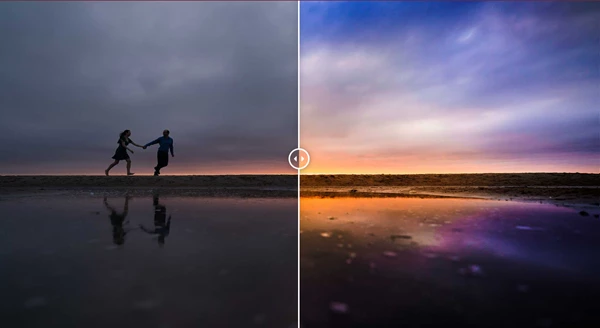
Editing with Presets, Masks, and Brushes
The toolkit includes three main types of editing tools, each with a different purpose.
Base Colour and Black and White Presets
The two base presets provide separate starting points for colour and monochrome photography.
The colour preset is designed for working with colour images, while the black and white preset provides a base for monochrome editing.
These presets can be used alongside the included masks and brushes when further adjustments are needed.
26 Magic Masks
The pack contains 26 Magic Masks for making adjustments to selected parts of a photograph.
Masks help photographers work on individual areas without applying the same changes to the entire image. They provide more control when an image needs local adjustments.
18 Lightroom Brushes
The 18 included brushes provide another way to make local adjustments.
Brushes are useful when photographers want to work directly on a particular area of an image. They can be used alongside the base presets and Magic Masks as part of the editing process.
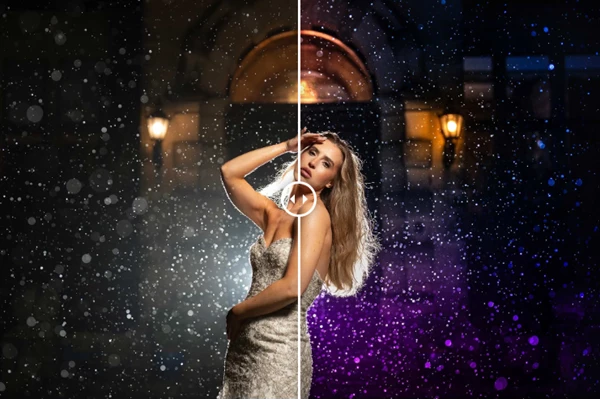
Learn the Editing Process with a 2-Hour Tutorial
One of the main parts of Preset Pack 4 is the included editing tutorial.
The video runs for approximately two hours and shows Neil Redfern editing 101 photographs from start to finish in Lightroom.
During the tutorial, he demonstrates how he uses the base presets, Magic Masks, and brushes in his own photographs.
This gives users more than a collection of editing tools. They can also see how the different parts of the pack work together during a real editing session.
The tutorial is particularly relevant for photographers who want to understand Neil Redfern's editing workflow rather than simply apply a preset to their images.

Files Password : gfxplugin.com OR 123456