Downloadable Files
You can download Messenger Chats 2026 - Text Message Pack for free from the bottom of this page.
Realistic and Editable Chat Animations for After Effects
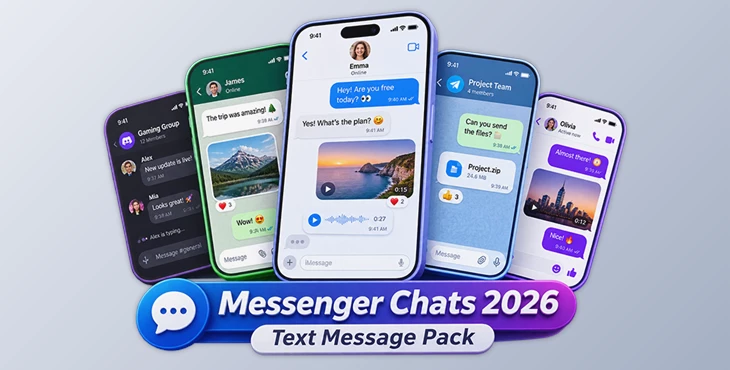
This After Effects template includes 12 editable chat screens based on popular messaging apps. You can write your own conversations, change the colors, add photos or videos, and create animated message scenes.
The template automatically adjusts message bubbles when you change the text. It also handles the chat layout and scrolling, so you do not need to resize every message by hand. The screens include modern iOS 26-style controls and are designed for vertical video projects.
Realistic Chat Screens for Your Videos
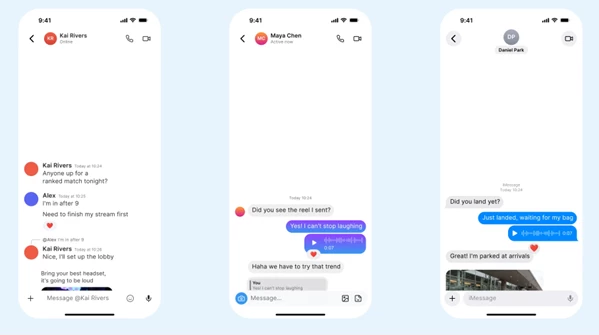
Messenger Chats 2026 includes chat interfaces that look similar to the messaging apps people use every day. Each screen has editable text, message bubbles, and interface elements.
You can use these screens to show a conversation between two people, display messages in a social media video, or add a chat scene to a story.
The pack includes 12 messaging styles:
Telegram
WhatsApp
iMessage
Messenger
Discord
Instagram Direct
Signal
Viber
WeChat
LINE
KakaoTalk
Snapchat
These are stylized recreations of the original interfaces. They are made for illustration and editorial projects, and no official app logos are included.
Message Types and Customization
Each chat style supports seven message elements, including typing indicators, reactions, read receipts, photo and video messages, voice messages, and replies. The interfaces also include a header and an input bar.
You can customize the conversation without changing every part of the composition separately.
Automatic Message Resizing
When you edit a message, its bubble changes size to fit the new text. The other messages also adjust their positions, and the chat feed scrolls automatically.
This works with both short and long messages, helping the conversation stay organized as you edit it.
Colors, Themes, and Media
The template provides several options for changing the appearance of your chat screens:
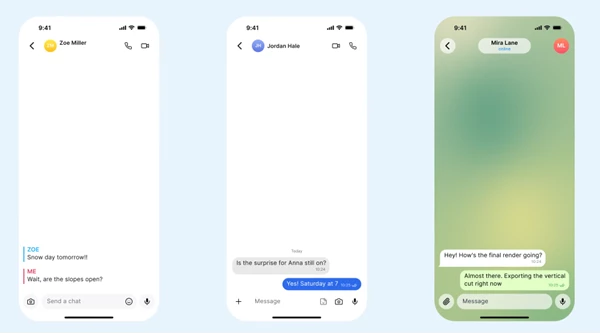
Light and dark themes: Switch between the two themes using one checkbox.
Accent colors: Change the main interface colors from one controller.
Avatar colors: Adjust the colors used for avatars.
Wallpaper colors: Customize the chat background.
Media messages: Replace the default media with your own photos or videos.
These settings let you change the appearance of a conversation while keeping the original chat layout.
How to Edit the Chat Templates
The project keeps its text controls in one place. You can find the EDIT_TXT layers inside the main composition and use them to write your conversation.
The basic editing process is:
Open the main composition for your chosen chat style.
Find the EDIT_TXT layers and replace the sample messages with your own text.
Choose a light or dark theme and adjust the colors using the controller.
Add your own photo or video if your conversation includes a media message.
Check the animated conversation with its automatic resizing and scrolling.
Every main composition is also prepared for Essential Graphics. The project uses clearly named compositions and layers to help you find the elements you need.
Where Can You Use These Chat Animations?
The pack is suitable for videos that need to show text conversations without recording a real messaging app.
You can use it for social media stories, short videos, fictional conversations, or scenes where messages are an important part of the content.
The two vertical sizes also give you a choice between showing a full-screen chat and placing the conversation inside an iPhone 17 Pro mockup.

Files Password : gfxplugin.com OR 123456