Downloadable Files
You can download YouTube Subscribe Pack for free from the bottom of this page.
Add Animated Subscribe Graphics to Your Videos
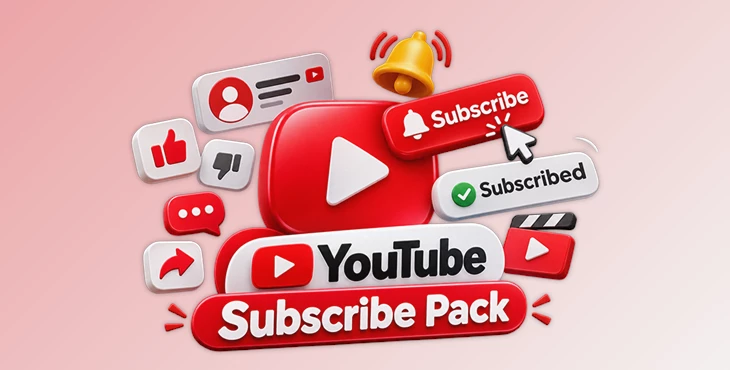
YouTube Subscribe Pack is a collection of 46 animated elements for After Effects. It includes subscribe buttons, channel cards, lower thirds, animated icons, and end screens. These elements help you add subscription animations to YouTube videos, vlogs, and live streams without creating each animation from scratch.
Every element has a complete animation. It appears on screen, shows a cursor clicking the button, changes to the Subscribed state, and then disappears. All elements have transparent backgrounds, so you can place them directly over your video footage.
Animated Subscribe Buttons and Channel Graphics
The pack includes 46 animated elements organized into 8 categories. You can choose different designs depending on how you want to show your channel information or encourage viewers to subscribe.
The collection includes:
Subscribe Buttons: Animated buttons with cursor clicks and Subscribed states.
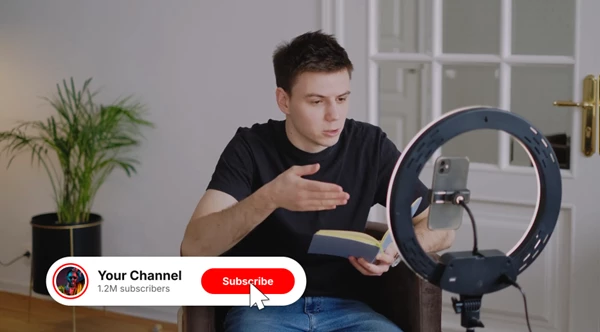
Channel Cards: Graphics for displaying channel information.
Lower Thirds: Animated elements that appear in the lower part of a video.
Icon and Text Combos: Designs that combine animated icons with text.
Animated Icons: Individual animated graphics for video content.
End Screens: Graphics designed for the ending of videos.
Each element is available as a separate composition in After Effects. You can select the design you need and customize it for your project.
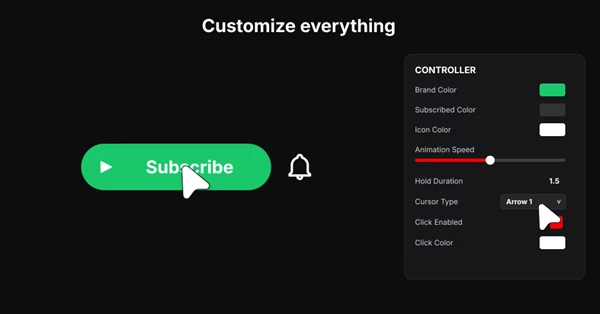
Customize Animations with One Controller
Every composition includes a single CONTROLLER that brings the main animation settings together. You can change the appearance and timing of an element without editing different parts of the animation separately.
The controller provides four main settings:
Setting | What You Can Change |
|---|---|
Colors | Change the colors of the graphics |
Cursor Type | Choose the cursor style |
Animation Speed | Control how quickly the animation plays |
Hold Time | Set how many seconds the element stays on screen |
You can also edit the text directly in the After Effects timeline. For designs that include an avatar, simply replace the photo placeholder with your own image.
These controls help you match the graphics to your channel's visual style and adjust their timing for different videos.
How the Subscribe Animations Work
Each animated element follows a simple sequence:
Animate In
Cursor Click
Subscribed
Animate Out
The cursor interaction is already part of the animation. You only need to adjust the available settings and replace the editable content.
Because the elements use transparent backgrounds, they can appear over different scenes without covering the entire video frame.
Technical Details and Compatibility
YouTube Subscribe Pack is designed for Adobe After Effects 2026 or newer. It does not require any third-party plugins.
Specification | Details |
|---|---|
Software | Adobe After Effects 2026+ |
Resolution | 1920 × 1080 (Full HD) |
Frame Rate | 30 fps |
Total Elements | 46 |
Categories | 8 |
Background | Transparent |
Expressions | Universal expressions |
Third-Party Plugins | Not required |
The package contains an After Effects project file, a help PDF, and a font link.
Where to Use These Animated Elements
These graphics help you show subscribe buttons and channel information in your videos. You can add subscribe buttons to YouTube videos, show names or information at the bottom of your vlogs, and use channel cards during live streams. You can also add animated end screens at the end of your videos.
The main advantage of YouTube Subscribe Pack is that the click animation, Subscribed state, and exit animation are already prepared. You can focus on choosing a suitable design, editing its content, and adjusting its timing to match your video.

Files Password : gfxplugin.com OR 123456


