Downloadable Files
You can download Smooth Weights for free from the bottom of this page.
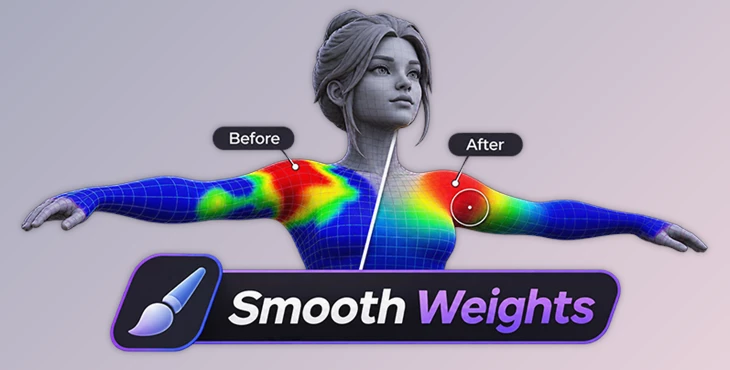
Smooth and Refine Skin Weights Without Mode Switching
Smooth Weights is a Blender extension designed to help character artists smooth and blend skin weights directly on posed models. It provides an interactive brush, different smoothing methods, and symmetry tools to improve character deformation without constantly switching between editing modes.
Smooth Skin Weights Directly on Posed Characters
Cleaning up skin weights is an important part of character rigging. Uneven weights can cause unwanted deformation when a character moves, especially around joints and areas influenced by several bones.
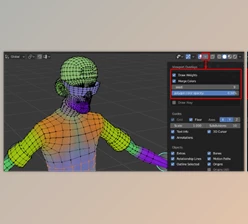
Smooth Weights provides a painting-style brush that blends these weights directly on the character. The tool works in both Object Mode and Weight Paint Mode, so artists can adjust weights while viewing the model in its current pose.
Brush settings can also be changed while the tool is running, without restarting the operation.
Surface and Volume Weight Smoothing
Smooth Weights offers two smoothing methods for different mesh structures.
Surface Smoothing: Blends weights based on the mesh surface and its topology.
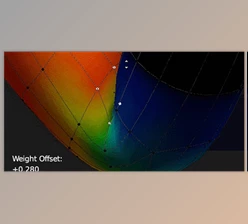
Volume Smoothing: Blends weights based on the distance between vertices, including areas separated by gaps or overlapping geometry.
Volume smoothing is particularly helpful when nearby parts of a model need similar weight values but are not directly connected.
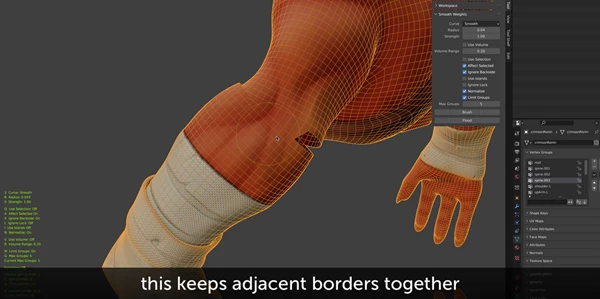
The extension also supports smoothing across island borders. It matches border vertices on neighboring mesh islands to help keep seams together during deformation.
Weight Control and Selection Painting
Smooth Weights includes several controls for managing how weights are distributed.
Vertex-Group Limiting: Limits the number of influences per vertex and keeps the strongest weights.
Vertex-Group Filtering: Controls which types of vertex groups are included in smoothing.
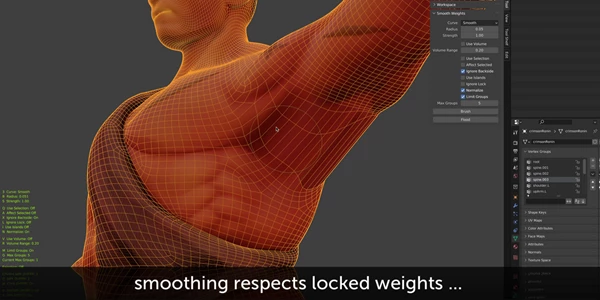
Locked Vertex Groups: Supports groups that should remain protected during weight editing.
Selection Painting: Lets artists paint selections directly on a posed character without entering Edit Mode.
Selection painting helps restrict smoothing to specific parts of the mesh while protecting areas that should remain unchanged.
For larger adjustments, the Flood Smoothing feature applies smoothing to an entire mesh or a selected area rather than requiring individual brush strokes.
Reliable Weight Mirroring with Symmetry Map
Symmetry mapping and mesh operations
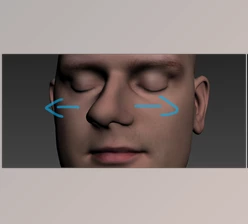
Character meshes are not always perfectly symmetrical. Some contain multiple disconnected islands, while others have small differences between their left and right sides.
Smooth Weights includes a built-in Symmetry Map designed to handle these situations.
The mapping system supports:
Position-Based Symmetry: Matches vertices according to their positions.
Topological Symmetry: Uses mesh topology to identify corresponding vertices.
Partial Symmetry: Maps matching areas even when the complete mesh is not symmetrical.
Multi-Island Support: Handles meshes containing several separate islands.
The tool processes the mesh to create a symmetry map once. Afterward, it reuses the stored vertex relationships for future mirroring operations.
The Symmetry Map supports symmetrical brush smoothing and three additional operators:
Operator | Function |
|---|---|
Mirror Weights | Mirrors skin weights using the symmetry map |
Symmetrise Mesh | Applies mesh symmetry operations |
Flip Mesh | Flips the mesh using the mapped symmetry |
The extension also automatically swaps left and right vertex-group names using common naming conventions.
Compatibility with SHAPES for Blender
Smooth Weights can share its Symmetry Map with SHAPES for Blender.
A map created in Smooth Weights can be imported automatically by SHAPES on first use, allowing artists to move from skinning work to shape key editing without rebuilding the symmetry information.
Performance on Large Character Meshes
Smooth Weights is made to work well with large 3D models that have many vertices and vertex groups. The tool was tested on a character with 90,500 vertices and 83 vertex groups using the default settings.
Operation | Measured time |
|---|---|
Surface Flood Smoothing | 0.7 seconds |
Volume Flood Smoothing | 3.5 seconds |
Volume Flood with Oversampling 4 | 6.6 seconds |
Brush Stroke Update | Approximately 8 ms |
These results show how the extension handles different smoothing operations on a large character mesh. Actual performance depends on the hardware and mesh structure.
The extension also provides customizable keymaps and a pie menu for accessing its tools.

Files Password : gfxplugin.com OR 123456