Downloadable Files
You can download Torn Paper Mask Transition for free from the bottom of this page.
Give Your Videos a Real Torn Paper Look
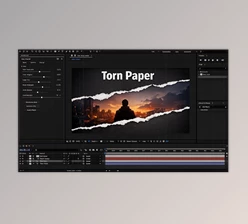
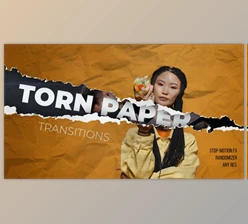
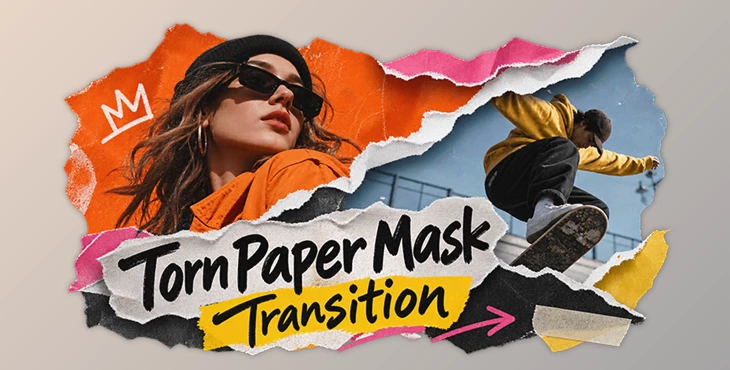
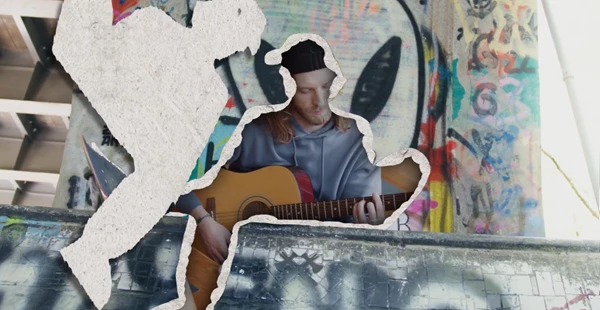
This template adds torn paper effects between video clips. Instead of a normal cut, the screen looks like a piece of paper being ripped to show the next scene.
The pack includes different paper tear animations, realistic textures, and colorful backgrounds. You can use it for music videos, fashion edits, sports clips, and social media videos.
Add Realistic Paper Tears to Your Videos
Torn Paper Mask Transition gives your videos a handmade paper look. When the transition starts, a torn paper edge moves across the screen and reveals the next clip.
The paper edges are not perfectly straight. They have small fibers, folds, and shadows that make them look more natural.
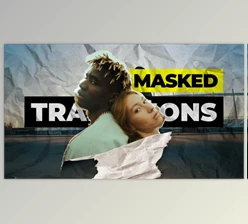
The template also uses a collage style. It places video clips over colorful and blurred backgrounds to give the scene more depth.
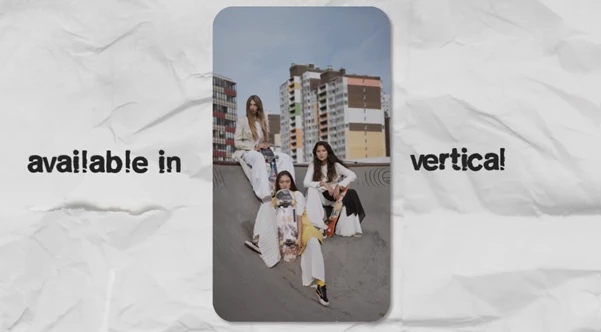
You can choose from different tear directions, including horizontal, vertical, diagonal, and freeform. This helps you use different transitions without making every cut look the same.
Main Features
The template comes with several options for changing the look and movement of the transitions.
Paper Tear Effects: Reveal the next video through animated torn paper.
Different Directions: Use horizontal, vertical, diagonal, or freeform tears.
Realistic Textures: Paper fibers, folds, and shadows make the edges look more natural.
Collage Style: Mix video clips with colorful and blurred background layers.
Editable Colors: Change the colors to match your video.
Timing Controls: Make transitions faster or slower.
Adjustable Masks: Change the size and position of the paper tears.
Separate Transitions: Use each transition on its own or combine several in one project.
You can also add bold, handwritten-style text during the transitions. This is a good option for showing names, short titles, or messages.
How to Customize the Transitions
The template lets you change several parts of the effect to match your video.
Replace the footage: Add your own videos to the placeholders.
Choose a tear style: Pick the paper tear direction you want.
Adjust the timing: Change how fast the paper moves across the screen.
Edit the colors: Match the colors to your video.
Change the mask: Resize or move the paper tear if needed.
Each transition is separate, so you can arrange them in any order. You can also use more than one transition in the same video.
Where Can You Use It?
Torn paper transitions work well in videos that need a rough, colorful, or creative style.
Music Videos: Add paper tear effects between different shots.
Fashion Videos: Give clothing and sneaker promotions a street-style look.
Sports Videos: Use quick paper transitions between action clips.
Social Media: Add interesting cuts to Instagram Reels and short videos.
YouTube Intros: Show titles and video clips with paper effects.
Event Videos: Connect shots from concerts, festivals, and dance performances.
Photo Presentations: Show pictures with a collage-style transition.
The pack is a good fit for projects that use bold colors, fast editing, and handmade textures.
Technical Details
Here are the main technical details of the template.
| Feature | Details |
|---|---|
| Resolution | Full HD (1920×1080) and 4K (3840×2160) |
| Frame Rate | 29.97 fps |
| Plugins | No plugins required |
| Project Files | Well-organized |
| Video Tutorial | Included |
| Fonts | Included |
| Images | Not included |
| Preview Music | Not included |
The project includes a video tutorial to help you work with the transitions. The preview images and music are not part of the pack.
Torn Paper Mask Transition is a simple way to add paper tear effects to your edits. You can change the footage, colors, timing, and tear direction to get a look that fits your video.

Files Password : gfxplugin.com OR 123456