Downloadable Files
You can download Real Display Scenes for free from the bottom of this page.
Bring Your Digital Content to Life on Real Laptop Screens
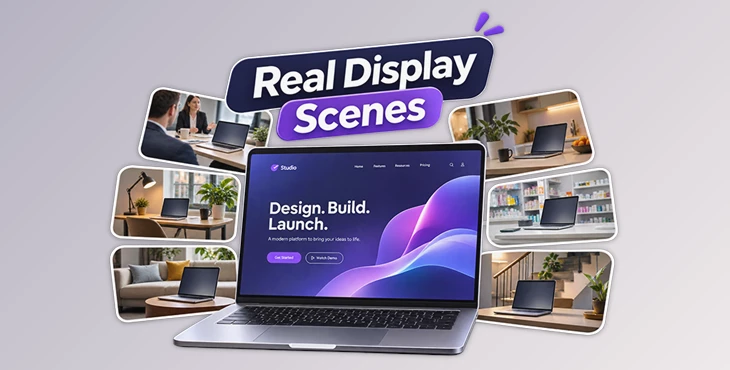
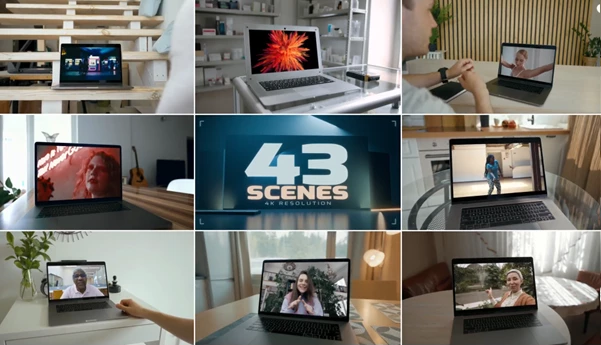
Real Display Scenes is an After Effects collection that lets you place your photos, videos, websites, and app demos into real filmed laptop scenes. The pack includes 43 scenes featuring real actors, natural interiors, and different camera angles.
Each scene already has the laptop screen movement ready, so your images or videos move with the screen and look natural. You can use these scenes to show your digital products in real places without recording your own laptop videos.
Present Your Content in Real Laptop Scenes
Real Display Scenes combines real-world footage with replaceable laptop screens. The original camera movement, screen angle, and surrounding environment are already part of each scene.
The collection includes both close-up laptop views and wider compositions showing more of the room. Close views help keep attention on the screen, while wider shots show the product in a natural setting.
The scenes also preserve the original laptop bezels and foreground overlaps. These details help your inserted content fit into the filmed environment.
You can use the pack to show website designs, app interfaces, product videos, or photography portfolios on laptop displays.
43 Scenes Across 9 Categories
The pack contains 43 scenes organized into nine categories. Each category offers a different environment for presenting your content.
Category | Scene environment |
|---|---|
Apartment 1 | Apartment interior |
Apartment 2 | Alternative apartment setting |
Consultation | Consultation environment |
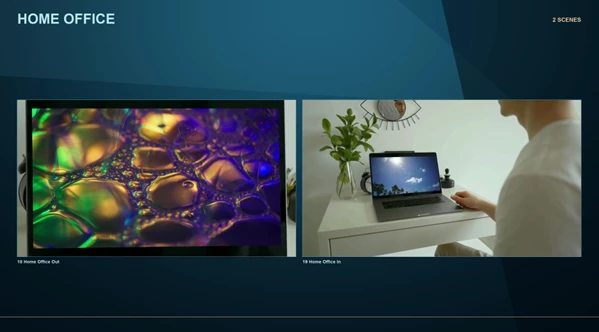
Home Office | Home working environment |
Kitchen | Kitchen interior |
Living Room | Living room setting |
Meeting Room | Professional meeting environment |
Pharmacy | Pharmacy environment |
Staircase | Staircase setting |
These environments give you different options for matching the scene to your project.
For example, a website presentation can appear in a home office, while a business promotion can use a meeting room scene. You can also choose a wider composition when you want to include the surrounding environment or actors.
How to Replace the Laptop Screen
Real Display Scenes uses matching compositions in After Effects to manage screen replacements.
Follow these steps to insert your own content:
Open the final composition: Choose the numbered final composition for the scene you want to use.
Find the screen-media composition: Open the matching composition that contains the replaceable screen content.
Replace the media: Hold Option on macOS or Alt on Windows while replacing the existing media layer. This preserves its linked controls.
Adjust the screen content: Use Fit / Fill, Scale, and Offset to position your media correctly inside the display.
The supplied tracking keeps your replacement aligned with the laptop's original camera movement and screen perspective.
You should also keep each scene at its supplied duration to maintain the intended composition.
Video Quality and Technical Details
All 43 scenes share the same resolution and frame rate, making the collection consistent across different presentations.
Specification | Details |
|---|---|
Software | Adobe After Effects |
Total scenes | 43 |
Categories | 9 |
Resolution | 3840 × 2160 (4K) |
Frame rate | 25 fps |
Supported content | Photos, videos, app demos, websites |
Screen adjustments | Fit / Fill, Scale, Offset |
Scene duration | Keep the original supplied duration |
The 4K resolution provides detailed footage for product presentations, while the included screen controls help you adjust how your content appears inside each laptop.
Where to Use Real Display Scenes
The collection supports several types of visual presentations.
Website showcases: Display website layouts and pages on real laptop screens.
App demonstrations: Present application interfaces in filmed environments.
Product Promotions: Show your digital products in a home or office.
Portfolio Videos: Show your photos, videos, and design work.
Business Presentations: Use meeting rooms or office scenes to make your business videos look professional.
Photo and video presentations: Place your media inside realistic laptop footage.
Real Display Scenes is particularly suited to projects that need real actors, natural interiors, and moving laptop footage rather than a simple static screen mockup.
Its main advantage is the combination of filmed environments and prepared screen tracking. You can focus on choosing a suitable scene and replacing the display content while keeping the original camera perspective and foreground details.

Files Password : gfxplugin.com OR 123456


