Downloadable Files
You can download System Monitor Pro for free from the bottom of this page.
Monitor Your PC Performance Directly in Cinema 4D
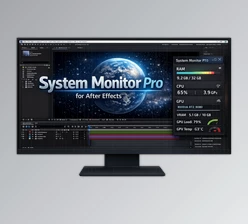
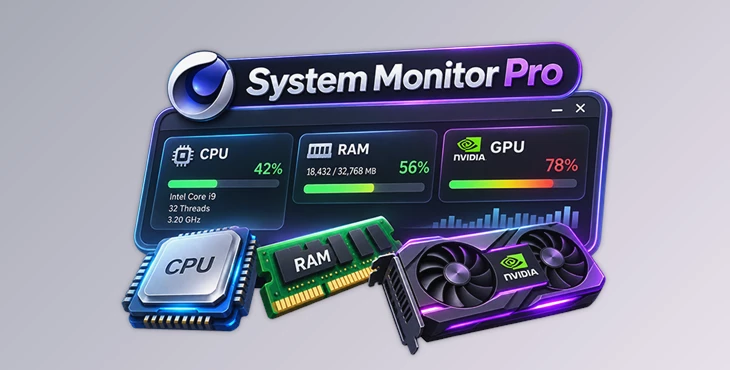
System Monitor Pro is a lightweight plugin that displays your computer's RAM, CPU, and GPU information directly inside Cinema 4D. It helps you check system performance while working on 3D projects without switching to another application.
The plugin uses a compact floating panel with live statistics and color-coded bars. You can quickly see how much memory your computer is using, check CPU activity, and monitor NVIDIA GPUs in one place.
Monitor Your System Without Leaving Cinema 4D
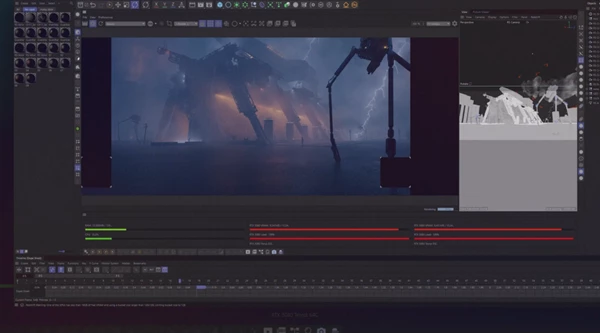
System Monitor Pro keeps important hardware information visible while you work. Its panel shows live system activity, so you can recognize high resource usage before it causes problems.
The panel can stay open alongside your Cinema 4D workspace. You do not need to open Windows Task Manager or another monitoring application to check your hardware.
The plugin focuses on three main areas:
RAM: Shows used and total system memory.
CPU: Displays overall processor usage and hardware details.
GPU: Monitors detected NVIDIA graphics cards, including systems with multiple GPUs.
Each section presents information in a simple format that is easy to understand.
Real-Time RAM and CPU Monitoring
RAM Usage with Live Updates
System Monitor Pro displays both used and total RAM in megabytes (MB). A progress bar shows how much memory is currently being used.
The RAM information updates every 500 milliseconds using the Windows API. This gives you a live view of memory consumption while working inside Cinema 4D.
The progress bar also changes color as usage increases, helping you recognize when your system is using a large amount of memory.
CPU Usage and Processor Information
The CPU monitoring section shows the overall processor load. It uses a delta-based calculation through the Windows GetSystemTimes function to measure CPU activity.
The plugin also displays important processor details in its header:
CPU Model: The name of your processor.
Thread Count: The number of processor threads.
Base Clock Speed: The processor's base operating frequency.
These details are read from the Windows registry when the plugin starts.
NVIDIA Multi-GPU Monitoring
One of the important features of System Monitor Pro is its support for multiple NVIDIA GPUs.
The plugin automatically detects available NVIDIA graphics cards and creates a separate monitoring column for each one.
Its layout adjusts based on the number of detected GPUs, so it can display information for systems with one or several graphics cards.
This feature is helpful for Cinema 4D users who work on computers with multiple NVIDIA GPUs and want to keep their graphics hardware information visible in the same panel.

Files Password : gfxplugin.com OR 123456