Downloadable Files
You can download BurnAway for free from the bottom of this page.
Create Stunning Fire Effects with BurnAway
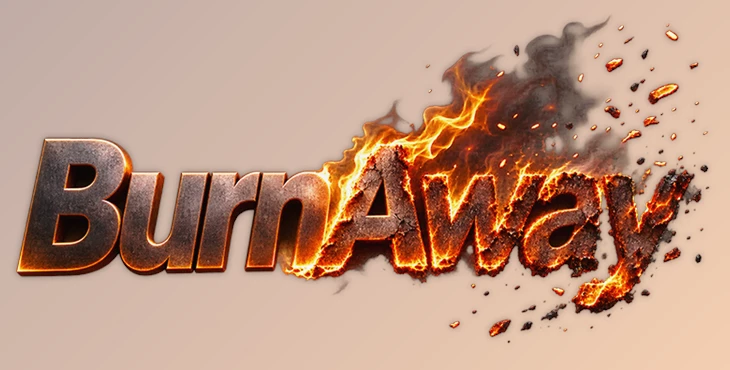
BurnAway is a fire and burning effect plugin for Adobe After Effects and Premiere Pro. It can burn text, logos, shapes, photos, and footage with animated char, glowing edges, embers, smoke, and heat distortion. You can apply it directly to a layer without creating a precomposition.
Create Realistic Burning Effects with One Plugin
BurnAway combines six fire-related effects into a single plugin. All effects are controlled by the Progress parameter, which you can animate from 0 to 100 to make a layer gradually burn away.
The six effects are:
Char: Creates the dark, burned appearance of the material.
Ember Rim: Adds a glowing edge along the burning area.
Smolder: Creates the appearance of material slowly burning.
Embers: Generates small burning particles.
Smoke: Adds smoke during the burning process.
Heat Haze: Creates heat distortion around the fire.
Each effect can be adjusted separately or turned off. This gives you control over the final appearance without building several effects on different layers.
Six Ignition Modes
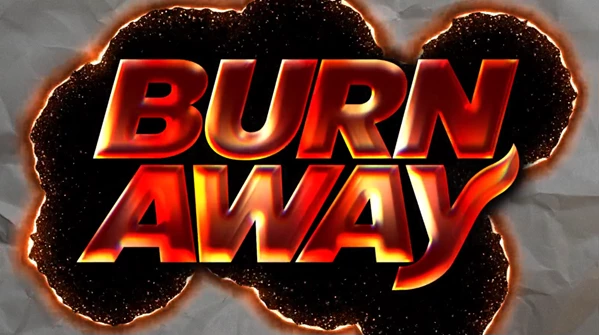
BurnAway provides six ignition modes to control where the fire begins and how it spreads across the layer.
| Ignition Mode | How It Works |
|---|---|
| Point | Starts burning from selected points |
| Directional | Spreads the burn in a chosen direction |
| Directional + Points | Combines directional burning with ignition points |
| Edge | Starts burning from the layer's edges |
| Custom Map | Uses a custom map to control the burning pattern |
| Surface (3D) | Uses Depth and Normal passes to follow the surface of a 3D render |
You can use up to 10 ignition points to start the fire in different areas.
The Surface (3D) mode is particularly helpful for burning rendered 3D objects because the effect can follow their surface information rather than using only a flat burning pattern.
Burn In, Burn Out, and Combined Animation
BurnAway supports three animation directions:
Burn Out: The layer gradually burns away as Progress moves from 0 to 100.
Burn In: The layer appears from the fire, starting empty at 0 and becoming complete at 100.
Burn In & Out: The layer appears between Progress 0 and 50, then burns away between 50 and 100.
The combined mode can create an animation where a logo or title forms from fire and then disappears again.
Presets and Custom Particle Maps
BurnAway includes six built-in presets that provide different burning styles:
Burning Title
Old Map Reveal
Flash Burn
Self-Destruct
Logo Reveal In
Ten Point Burn
The presets are available directly from the effect's menu. They preserve your existing Progress animation, so you can change the burning style without losing its timing.
The plugin also provides two output maps:
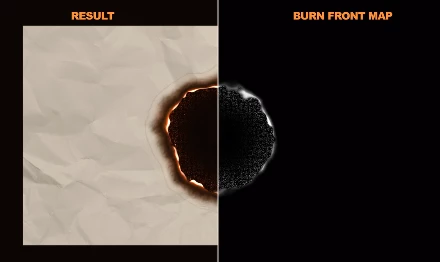
Burn Front Map: Produces a white map showing the currently burning line. You can use it as an emitter source for a particle plugin.
Burn Matte: Outputs the remaining visible part of the layer.
These outputs are helpful when you want to connect the burning animation to other effects or create a more detailed particle setup.
Important Things to Know
There are a few technical details that can affect the final result:
Alpha Threshold: Semi-transparent pixels can burn. Raising Alpha Threshold excludes faint pixels from the burning area. Smoke and embers are generated only from pixels above 50% alpha.
Progress at 100: Any remaining smoke and embers disappear when Progress reaches 100. Stop slightly before 100 if you want them to finish their movement.
Short animations: Progress changes lasting only a few frames may not generate smoke, embers, or smolder.
Map layers: Ignition, Depth, and Normal maps read the original source of the selected layer. To use maps created with effects, precompose them first.
Large compositions: Long smoke trails in 8K projects can use significant memory. Reducing Smoke Size, Life, or the number of frames rendered together can help.
Smoke distance: Smoke can travel up to 3000 pixels beyond the layer before being cut off.
BurnAway is designed for burning titles, logo reveals, disappearing objects, old-map effects, and other animations where artwork needs to appear or disappear through fire. Its main advantage is combining the burning surface, glowing edges, particles, and smoke into one effect controlled by a single Progress animation.

Files Password : gfxplugin.com OR 123456