Downloadable Files
You can download Retrographer for free from the bottom of this page.
Bring Vintage Photography to Life
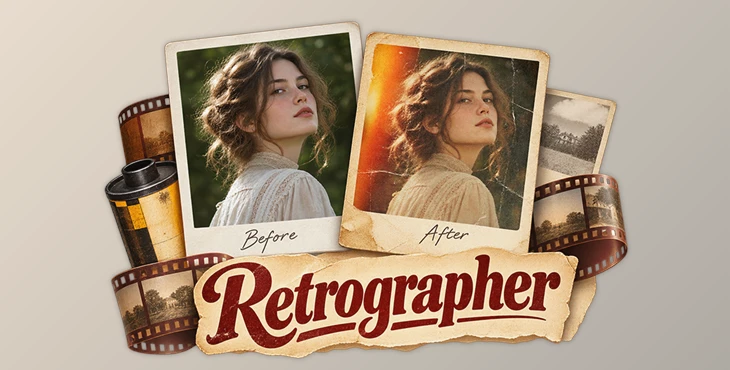
Retrographer is a Photoshop plugin that turns digital photos into vintage-style images. It combines more than 15 photography effects with over 1,100 preset camera settings. You can recreate the look of old cameras, film processing methods, and aged photographs without using physical film or traditional photography equipment.
The plugin includes controls for film grain, light leaks, color tones, lens effects, aging, and photo frames. You can combine these effects to create different retro photography styles.
Create Vintage Photography Styles
Retrographer brings three parts of traditional photography into one Photoshop plugin: camera effects, photo lab processing, and final photo finishing.
Its preset collection includes styles inspired by classic cameras and photography methods, such as Lomo, Diana, Holga, Polaroid, Brownie, Kodak, and Daguerreotype.
With over 1,100 camera presets and millions of possible effect combinations, you can create different vintage looks and customize the result using the plugin's controls.
Retrographer Photography Effects
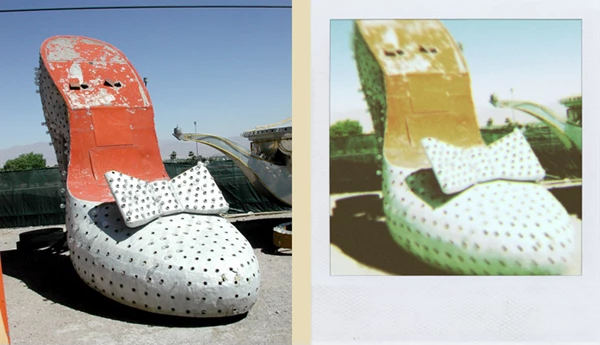
Retrographer provides a collection of effects that change the colors, textures, lighting, and overall appearance of an image.
Film and Photo Processing
Processing Effects: Recreate the appearance of traditional photographic processing.
Photo Lab Effects: Apply looks inspired by classic photo lab techniques.
Tonal Film Stocks: Change the tonal appearance of photos to match different film styles.
Film Grain Effects: Add grain textures that resemble traditional photographic film.
Aging Effects: Give digital images the appearance of older photographs.
Lighting and Lens Effects
Light Leaks: Add light exposure effects commonly seen in vintage film photography.
Vignetting: Darken or change the edges of an image for a classic camera look.
Lens Focus Effects: Recreate different photographic focus styles.
Lens Gel Effects: Apply lens-based color effects.
Lens Distortion Effects: Add optical distortions inspired by camera lenses.
Camera Flash Effects: Simulate the appearance of camera flash photography.
Flash Hotspot Effects: Create bright areas that resemble concentrated flash lighting.
Texture and Graphic Effects
Halftone Effects: Give photographs a printed, dot-based appearance.
Surface Effects: Add surface treatments that change the texture and finish of an image.
Framing Effects: Apply different borders and photo presentation styles.
These effects can be combined to produce more detailed vintage photography results.
Classic Photo Frames and Finishing Styles
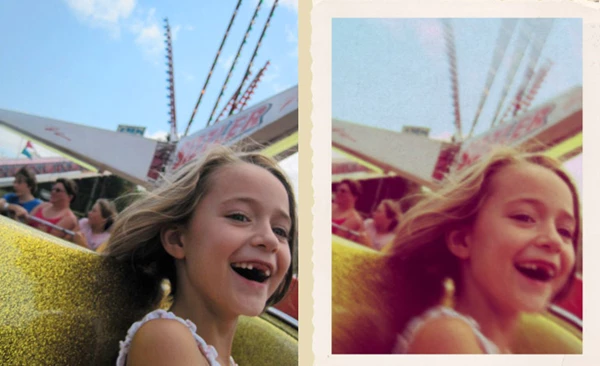
Retrographer also includes photo finishing options that help recreate the appearance of physical photographs.
The available framing styles include:
Film Stock Frames: Borders inspired by traditional photographic film.
Wet Transfer Frames: Finishing styles based on photographic transfer techniques.
Classic Snapshot Frames: Borders that resemble old printed snapshots.
Slide Frames: Frames inspired by traditional photographic slides.
Decorative Frames: Additional styles for presenting finished photographs.
These options are useful when the final image needs to look like a physical photograph rather than a digital image with a simple color filter.
Customizing Vintage Looks in Photoshop
Retrographer includes a graphical interface for controlling its photography effects. You can start with one of the camera presets and combine different processing, lighting, lens, and finishing effects.
For example, a vintage photograph can combine film grain, faded tones, light leaks, and a classic snapshot frame. Another image might use halftone effects, lens distortion, and stronger vignetting for a different retro appearance.
The plugin is designed for photographers and graphic designers who want to create vintage portraits, retro photo edits, aged images, and classic film-inspired artwork directly in Photoshop.

Files Password : gfxplugin.com OR 123456