Downloadable Files
You can download 100 Hooks - Social Media Text Pack for free from the bottom of this page.
Animated Text for Social Media Videos
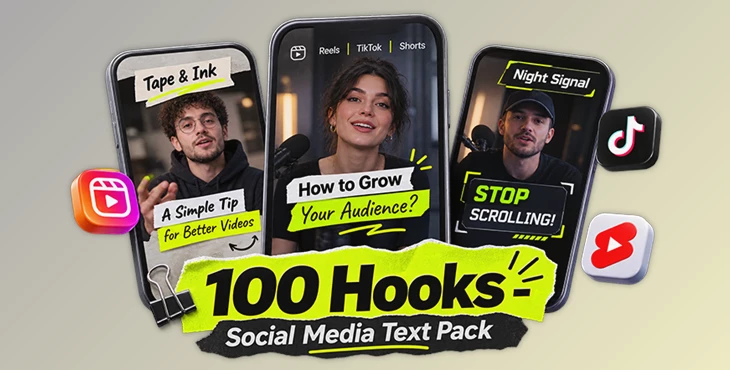
100 Hooks – Social Media Text Pack is an After Effects template with 100 animated text hooks for vertical talking-head videos. It is designed for Instagram Reels, TikTok, and YouTube Shorts, where creators want to show an animated message at the beginning of a video.
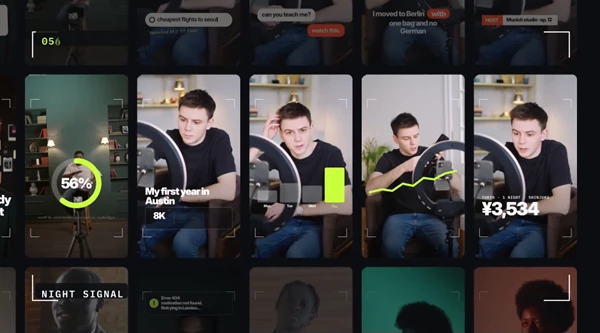
The pack includes two visual styles, Tape & Ink and Night Signal, with 50 hooks in each. You can replace the text with your own message, and the background boxes, tapes, and panels automatically adjust to fit your words.
Two Different Text Styles
The pack offers two styles with different designs and animation effects.
Tape & Ink – 50 Hooks
Tape & Ink uses paper tapes, hand-drawn marker lines, and editorial typography. Its animations include tape presses, marker drawing, and moving text elements. This style gives videos a handmade, paper-based look.
Night Signal – 50 Hooks
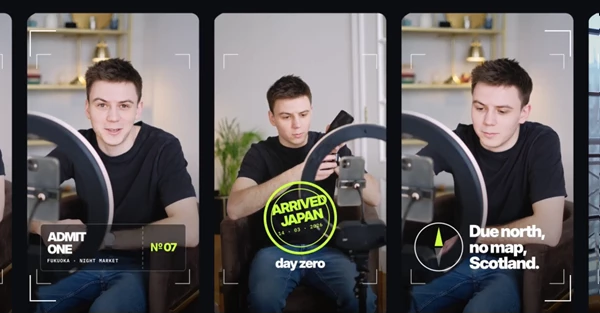
Night Signal uses dark glass panels, corner brackets, monospaced labels, and bright acid-colored accents. Its design has a modern digital look, with animated panels, lines, and text.
Both styles include different text animations, so you can choose a hook that matches your video.
Text Animations and Customization
Every hook has its own text animation. The pack includes effects such as:
Tape Press: Paper tape elements appear with a pressing motion.
Marker Draw: Hand-drawn lines animate around the text.
Typewriter: Letters appear one after another.
Slam: Text enters with a strong, fast movement.
Decode: Text appears through a decoding effect.
Flash: Text appears with a quick flash.
Word Flip: Words change with a flipping animation.
Ticker Scroll: Text moves in a scrolling style.
Counter: Numbers animate as counters.
The pack also includes animated rings, brackets, and lines created with trim paths. Boxes and panels can bounce into the frame.
Automatic Text Resizing
Text boxes, paper tapes, and panels automatically resize when you change the words. You do not need to manually adjust these elements for different text lengths.
Color and Animation Controls
Each hook includes four color controls. There is also a Global Colors switch for each style, which helps you manage the colors across that style.
The In and Out controls let you adjust the animation start and speed. You can also turn the Out animation on or off.
How to Edit the Hooks
Each hook has a clean project structure with only three main groups visible: texts, Media, and CONTROLS.
The editing process is simple:
Choose one of the 100 animated hooks.
Add your video to the media placeholder.
Replace the default text with your message.
Adjust the colors and animation controls.
Use the finished hook in your vertical video.
Each hook includes one media placeholder, giving the complete pack 100 media placeholders.
Where to Use 100 Hooks
100 Hooks is made for creators, podcasters, coaches, brands, and agencies producing vertical talking-head content.
The animated hooks can be placed in the first seconds of a video to introduce a question, statement, topic, or important message. The different animation styles give creators several ways to present their opening text without creating each animation from scratch.
With 100 ready-made hooks, automatic text resizing, and adjustable colors and timing, the pack provides a practical collection of opening text animations for short-form social media videos.

Files Password : gfxplugin.com OR 123456