Downloadable Files
You can download Haircraft Studio for free from the bottom of this page.
Create and Customize 3D Hairstyles in Blender
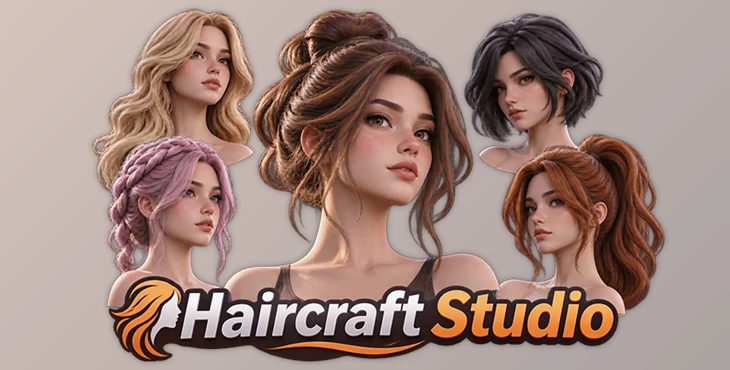
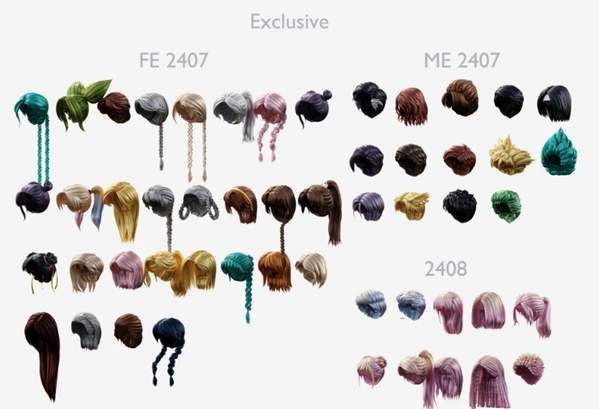
This Blender add-on helps you add ready-made hairstyles to your 3D characters without modeling every hairstyle from scratch. It includes a library of 113 hairstyles and several tools for changing their appearance, shape, and materials.
Haircraft Studio is designed to make hair creation faster while giving you control over the final result. You can select a hairstyle, add it to your scene, and customize it to match your character.
Create 3D Hairstyles with Haircraft Studio
Creating hair for a 3D character can take time, especially when you need to build different shapes and styles. Haircraft Studio provides a collection of ready-made hairstyles that you can add to your Blender scene in seconds.
The library contains 113 hairstyles, giving you different starting points for your characters. You can also modify these hairstyles to create more variations without building new hair models.
The add-on includes tools for editing hair curves, changing colors and shaders, and adjusting hair shapes. It is also designed to keep hair assets less heavy in your Blender scene.
Haircraft Studio Features
Haircraft Studio provides several tools for adding and customizing hairstyles directly in Blender.
1. Summon Hair
The Summon Hair feature lets you quickly add a hairstyle from the library to your scene. You can choose an existing style instead of creating the hair manually.
2. Change Hair Color
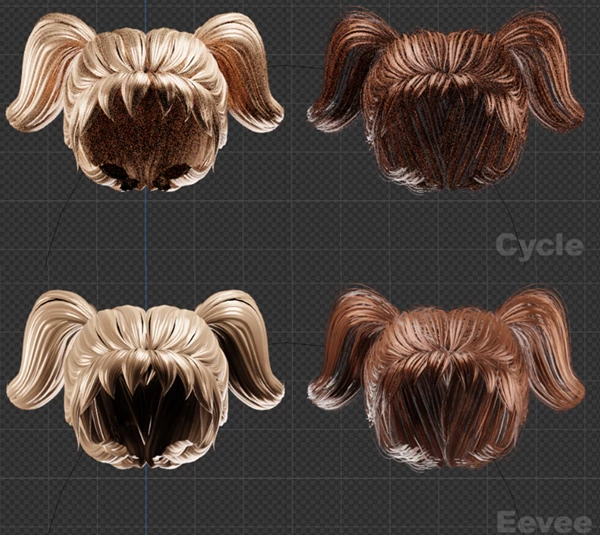
You can change the color of your selected hairstyle to match your character's appearance. This also lets you create different looks using the same hair model.
3. Change Hair Curve
The Change Curve tool lets you modify the curves of a hairstyle. You can adjust its shape to create a different result without starting from an empty model.
4. Change Hair Shader
Haircraft Studio lets you change hair shaders to control how the hair material looks. You can use different shader settings to create the appearance you want.
5. Twist Hair
The Twist tool lets you change the shape of hair by adding twists. It provides another way to customize an existing hairstyle and create new variations.
6. Convert Hair to Mesh
The add-on includes a Convert to Mesh option. This lets you turn hair into mesh geometry when your project requires a mesh-based model.
7. Set Custom Curve
You can also set a custom curve for your hairstyle. This gives you more control over the hair's shape beyond the ready-made options in the library.
Hair Customization Options
One of the main advantages of Haircraft Studio is that its hairstyles are not limited to their original appearance.
You can combine different customization tools to create variations from the same hairstyle. The available options include:
Hair colors: Change the color of a hairstyle.
Shaders: Adjust the hair material and appearance.
Curves: Modify the shape of the hair.
Twists: Add twists to change the hairstyle.
Custom curves: Use your own curves for more control.
Mesh conversion: Convert hair into mesh geometry.
These options let you adapt hairstyles to different 3D characters while using the existing library as a starting point.

Files Password : gfxplugin.com OR 123456