Downloadable Files
You can download Relay for free from the bottom of this page.
Visual Property Linking and Control for After Effects
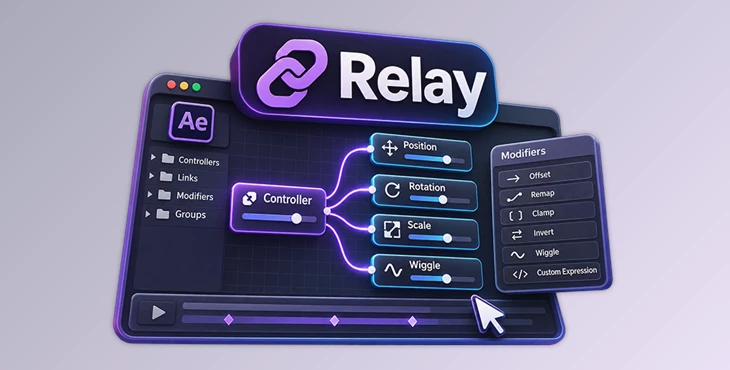
Relay is a visual linking and control tool for Adobe After Effects. It helps you connect properties, create custom controllers, and manage complex animation systems without writing expressions for every connection.
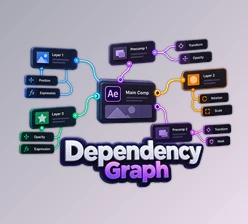
In After Effects, connecting many properties can take a lot of time. You often need to search for layers, switch between compositions, and connect things one by one. Relay makes this easier by showing all your connections in one place. You can see how different elements are connected and change them without going through many layers.
The tool works with both small setups and large networks of connected properties, making it suitable for simple animations and more complex motion graphics projects.
Connect and Manage Properties in One Workspace
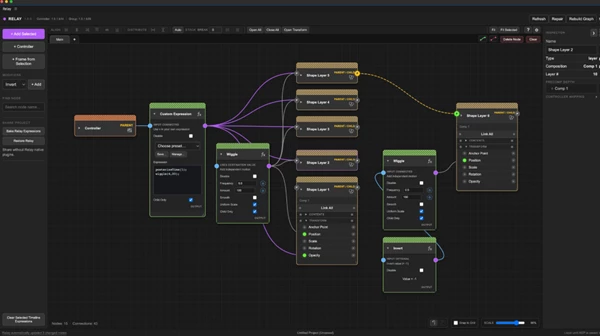
Relay provides a visual workspace for building and managing relationships between After Effects properties. You can bring layers, controllers, and other elements into this workspace and connect them without constantly opening different timelines.
The workspace helps you understand which properties control others, even when your project contains many connected elements.
Some of its main capabilities include:
Multiple Property Linking: Connect many properties and layers without creating every link separately.
Custom Controllers: Bring important properties together into controllers for easier animation and adjustment.
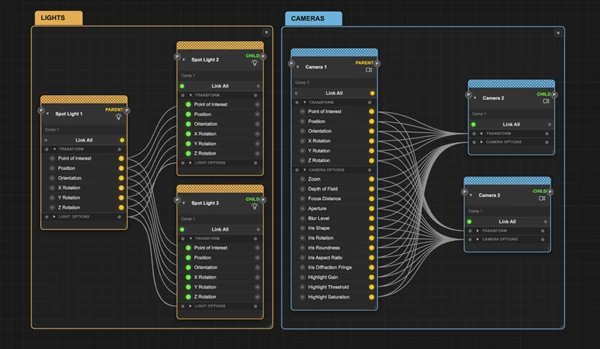
Cross-Composition Connections: Manage relationships between elements in different compositions, including cameras and lights.
Visual Connection Management: See the relationships between properties and modify them from one workspace.
Groups and Tabs: Organize complex setups into smaller, manageable sections.
Health and Repair Tools: Check and repair connections when a project needs attention.
This visual approach is particularly helpful when working with projects that contain dozens or hundreds of connected properties.
Control Property Behavior with Modifiers
Relay does more than connect properties. It includes modifiers that change how one property responds to another.
Modifier | Function |
|---|---|
Offset | Adds an offset to the connected value |
Remap | Changes how input values are mapped to output values |
Clamp | Limits values to a defined range |
Invert | Reverses the value relationship |
Wiggle | Adds changing, irregular movement |
Custom Expression | Uses a custom expression to control behavior |
These modifiers let you create more advanced relationships without manually building every expression.
For instance, you can connect several properties to one controller and use modifiers to make them respond differently. This gives you more control over how connected elements behave during animation.
How to Use Relay in After Effects
Relay follows a simple workflow that can be expanded as your project becomes more complex.
Add Layers and Properties: Bring the elements you want to control into the Relay workspace.
Create Connections: Link properties directly or create a controller to manage several properties together.
Apply Modifiers: Add controls such as Offset, Remap, or Wiggle to change how the connections behave.
Organize the Workspace: Use groups and tabs to keep related elements together.
Animate and Adjust: Refine your controllers and connections as the animation develops.
You can begin with a few linked properties and gradually build larger control systems without changing the basic workflow.
Working with Large and Complex Animation Setups
One of Relay's main advantages is its ability to manage connections across many layers and compositions.
In a traditional After Effects workflow, creating a large number of property links can require repeated manual connections and expressions. As the project grows, finding and changing those relationships can become difficult.
Relay reduces this repetitive work by keeping the connections visible and accessible in a central workspace.
It is especially relevant for projects involving:
Motion Graphics: Build systems where multiple animated elements respond to shared controllers.
Complex Animations: Manage large groups of connected properties and adjust their relationships.
Multi-Composition Projects: Link and control elements located in separate compositions.
Camera and Light Controls: Create relationships between cameras, lights, and other properties.
Revisable Projects: Return to existing connections and modify the setup when the creative direction changes.
The amount of time saved depends on the number and complexity of the connections involved.
Visual Control Without Advanced Expression Knowledge
Relay is designed for After Effects users who want to build complex property relationships without needing advanced expression skills.
Its visual workspace makes connections easier to follow, while modifiers and custom expressions provide additional control for experienced users.
You can use Relay to create a simple controller for a few properties or develop a larger system involving multiple layers, modifiers, and compositions.
The main benefit is having a clear, organized way to build and maintain property connections as your After Effects project grows.

Files Password : gfxplugin.com OR 123456