Downloadable Files
You can download CutSync for free from the bottom of this page.
Automatically Align Captions with Video Cuts in Premiere Pro
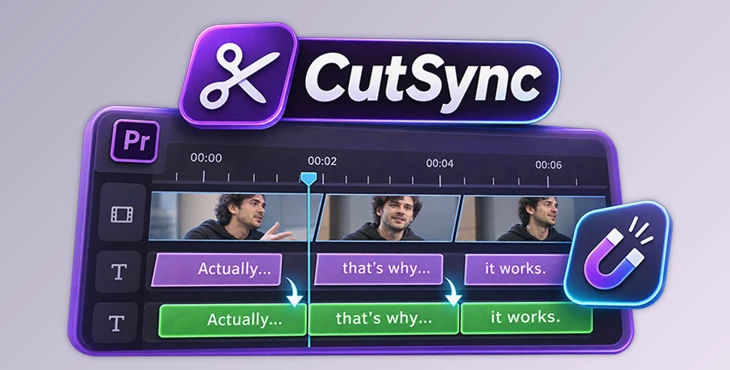
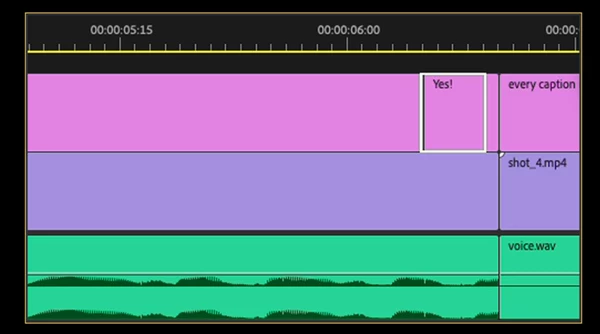
CutSync is a tool for Adobe Premiere Pro that automatically aligns caption timing with cuts in your timeline. Captions created from transcripts, Vrew, or SRT files often start or end a few frames away from the actual video cuts. This creates timing problems, especially in videos with many short shots or jump cuts.
CutSync fixes these timing differences with one click. It moves the start and end of captions to the nearest cut on a selected video or audio track, so captions change at the same moment as the edits.
How CutSync Works
CutSync works with an already edited sequence that contains captions or text clips. You select the track containing the cuts and choose which track needs its timing corrected.
The process has three steps:
Open your edited sequence in Premiere Pro.
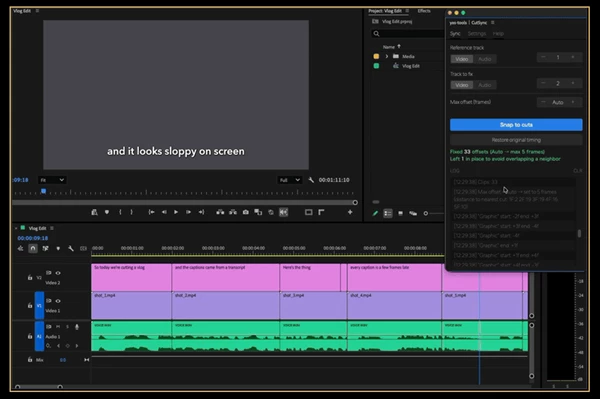
Select the Reference Track and Track to Fix.
Click Snap to cuts to align the caption edges.
After processing, CutSync displays the result below the button.
The tool can also work across multiple caption tracks. When Track to Fix is set to Auto, it finds tracks containing text clips and corrects them in a single run.
Main Features of CutSync
Track Selection and Automatic Detection
CutSync gives you control over which cuts are used as timing references and which text clips are adjusted.
Reference Track: Select any video or audio track containing the cuts.
Track to Fix: Choose one specific track or use Auto to process all tracks containing text clips.
Max Offset: Control how far a caption edge can move to reach a cut.
The Max Offset setting has an automatic mode that measures the timing differences in your sequence and chooses a suitable value. The selected value is displayed in the log. You can also enter your own value when you need more control.
Protecting Short Captions from Overlap
One important feature of CutSync is how it handles captions that are very close together.
Moving a caption edge to the nearest cut could cause it to overlap another caption. CutSync checks for this problem before changing the timing.
If an adjustment would overlap a neighboring short caption, the affected edge stays in its original position.
No captions are deleted during the process. CutSync also reports how many caption edges were left unchanged, so you can see which adjustments were not applied.
Undo and Restore Original Timing
CutSync supports Premiere Pro's normal undo system. Pressing Ctrl+Z on Windows or Cmd+Z on macOS reverses the entire operation.
It also includes a Restore original timing option that returns captions to their positions before the first CutSync run.
This original timing is stored until you close Premiere Pro.
Fast Processing for Long Sequences
CutSync is designed to handle projects with large numbers of captions. According to its product description, it can snap 1,000 captions in under one second.
This is particularly helpful for long videos where correcting each caption edge separately would require many manual edits.
Where CutSync Is Useful
CutSync is designed for editing workflows where caption timing needs to follow the cuts in a sequence.
Common uses include:
Talking-head and YouTube videos: Align transcript captions with jump cuts.
Converted caption graphics: Correct the timing of captions converted from a caption track into graphics.
Re-edited sequences: Re-sync captions after changing the cuts in an existing video.
Multi-track caption projects: Adjust text clips across several tracks in one operation.
Audio-based editing: Use cuts on an audio track as the reference for caption timing.
CutSync is focused on matching existing caption edges to edit points. It does not need to generate new captions or change their text to perform this task.
Compatibility and Requirements
Item | Details |
|---|---|
Software | Adobe Premiere Pro |
Minimum version | Premiere Pro 25.6 |
Extension technology | UXP |
Operating systems | Windows and macOS |
Interface languages | English and Japanese |
Reference tracks | Video and audio |
CutSync is a focused tool for editors who want caption changes to happen exactly at their timeline cuts. Its main advantage is the combination of automatic timing alignment, protection against overlapping captions, and the ability to restore original timing when needed.

Files Password : gfxplugin.com OR 123456