Downloadable Files
You can download Ether for free from the bottom of this page.
Create 3D Volumetric Energy Effects in After Effects
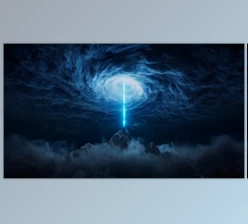
Ether is a GPU-accelerated plugin for Adobe After Effects that creates 3D volumetric energy beams, glowing plasma filaments, and moving light fields. It renders these effects directly on a 2D solid layer, while also supporting After Effects' 3D camera system.
Ether is built with C++ and runs smoothly in real time. It also supports 32-bit color for better light and color quality. You can easily change the shape, color, movement, and 3D position of the light beams. You can also control how the light moves and changes without using complicated effects.
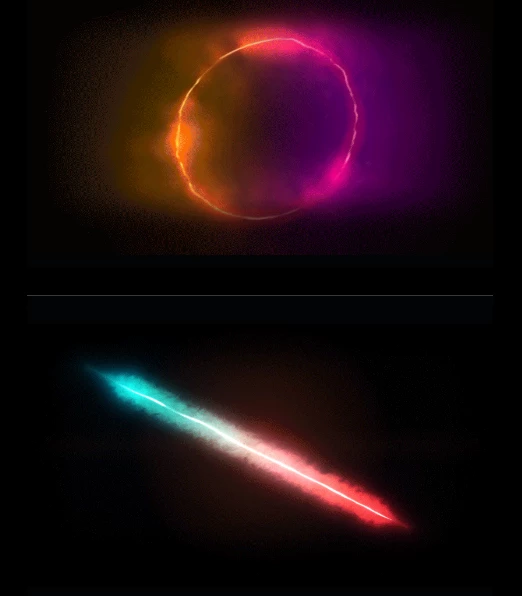
Create and Shape Volumetric Energy Beams
Ether uses procedural geometry to create different energy shapes. You can control the appearance of a beam from its basic structure to the surrounding glow.
The main geometry controls include:
Shape Type: Choose the basic shape of the energy effect.
Mask Path: Use a mask path to define the beam's geometry.
Start & End Points: Set where the beam begins and ends.
End Style Caps: Adjust how the beam ends appear.
Anamorphic Ratio: Change the proportions of the effect.
Arc & Wave: Add curved or wave-like shapes.
The plugin also separates the bright energy core from its outer glow. You can adjust the core thickness, glow spread, and atmospheric haze to create different light appearances.
Chromatic aberration controls are available for adding color separation around the effect.
Work in 2D or 3D Camera Space
One of Ether's main features is its ability to work in both standard 2D coordinates and After Effects' 3D camera space.
In 2D mode, the energy effect is positioned using screen coordinates. When you enable the 3D Camera option, the volumetric field becomes part of the composition's 3D space.
This provides several controls:
Comp Camera Support: Use the active After Effects camera.
3D Position & Rotation: Place and rotate the energy field in 3D space.
Z Space Offset: Adjust the effect's position along the depth axis.
Camera Parallax: View the energy beam from different camera angles.
You can orbit around the beam, move the camera closer, or fly through the volumetric effect. Ether supports these camera movements without conflicts with existing 3D layers.
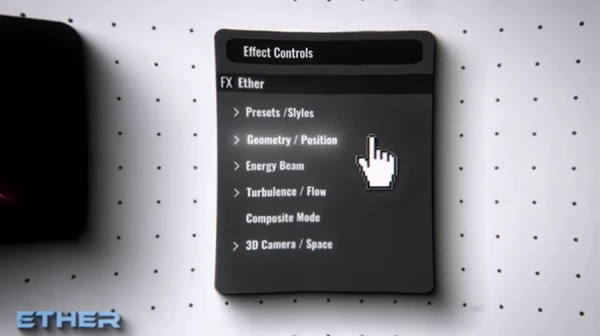
Turbulence, Flow, and Procedural Animation
Ether includes a fractal noise engine that creates movement inside energy fields. It can produce turbulent plasma, changing beam shapes, and flowing light.
The turbulence controls affect different parts of the effect:
| Control | Function |
|---|---|
| Core Turbulence | Distorts the central energy beam |
| Glow Turbulence | Changes the surrounding glow |
| Evolution | Controls changes in the procedural noise |
| Wind X / Y | Sets the direction of movement |
| Auto Animate | Automatically animates the effect |
| Embers | Adds small energy particles |
The noise engine uses multiple layers of fractal distortion and evolves smoothly between frames. This helps produce continuous motion without visible stepping or flickering artifacts.
You can combine core distortion, glow movement, and directional flow to create energy fields with different levels of activity.
Color Modes, Glow, and Presets
Ether provides three color modes for controlling the appearance of its energy effects.
Monocolor uses a single color, while Duocolor combines two colors in the same effect. The Kelvin mode uses color temperature to produce light colors based on Kelvin values.
The plugin also includes a Swap Colors control for quickly reversing the two colors in Duocolor mode.
Alongside these color settings, you can adjust the brightness and spread of the core and glow to develop the desired look.
Save and Reuse Custom Styles
Ether supports custom presets using the .ether file format.
You can select an existing preset, save your current settings, or load a previously created style. These controls are available directly in the effect panel, along with the geometry, color, and animation settings.
Compositing and Output Options
Ether offers three output modes for combining energy effects with a composition.
On Black: Displays the effect against a black background.
Over Transparent: Outputs the effect with transparency.
Over Original: Displays the effect over the original footage.
These modes provide different ways to use the generated energy field, depending on how it needs to appear in the composition.
Ether also supports 32-BPC linear processing, which provides smooth light falloff, and Multi-Frame Rendering (MFR) for processing multiple frames.
Where Can Ether Be Used?
Ether is designed for visual effects and motion graphics that require glowing energy elements with procedural movement.
You can use Ether to create different light effects, such as:
Energy Beams: Create bright light beams and change their shape, center, and glow.
Plasma Effects: Make plasma lines that move and change shape.
Turbulent Light Fields: Create moving light effects using fractal noise.
3D energy scenes: Place volumetric beams in compositions with moving cameras.
Glowing visual elements: Combine atmospheric haze, color effects, and animated light.
The ability to switch between 2D and 3D camera space is particularly relevant when an energy effect needs to follow the perspective of a camera movement.

Files Password : gfxplugin.com OR 123456