Downloadable Files
You can download Holographic Foil for free from the bottom of this page.
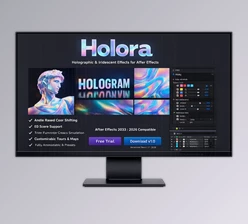
Create Realistic 3D Holographic Foil Effects in After Effects
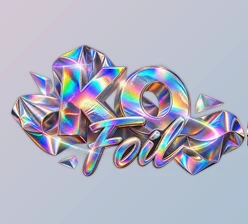
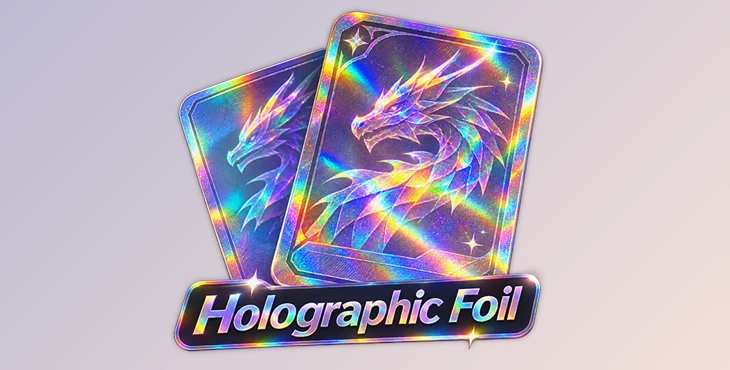
This After Effects effect creates holographic foil that changes color when a 3D layer moves or tilts. It reacts to the layer's angle against the active camera, giving trading cards and other designs a realistic, reflective foil appearance.
Holographic Foil includes color presets, sparkles, light bands, and surface textures. It also works with After Effects' 3D lights, so the foil reacts to the lighting in your composition.
Create Holographic Effects That React to 3D Movement
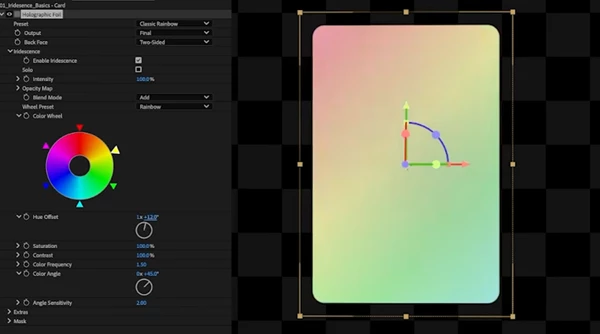
The main feature of Holographic Foil is its angle-based color system. The effect reads the actual orientation of a 3D layer relative to the active camera and changes the foil colors based on that angle.
When a card rotates, different colors become visible across its surface. This creates the shifting rainbow appearance commonly seen on physical holographic trading cards.
The effect includes 11 ready-made color wheels, giving you different color combinations without building them from the beginning.
It also supports After Effects' 3D lighting system. The foil, sparkles, and reflective bands respond to the lights in your composition, helping the holographic surface match the scene.
Holographic Foil Features and Controls
Beyond its main color effect, Holographic Foil provides four tools for controlling the appearance of the surface.
1. Masks for Selective Foil Effects
Masks control which parts of a layer receive the holographic effect.
You can use any black-and-white layer as a mask. Different brightness values determine how strongly the foil appears in different areas.
You can also apply multiple copies of Holographic Foil, each with a separate mask. This is useful for creating layered foil designs, including reverse holographic cards where the foil appears only in selected areas.
2. Sparkles and Custom Glints
The sparkle system adds small reflective particles that flash when the card changes angle.
You can choose from several sparkle shapes:
Dot: Small circular reflections.
Cross: Cross-shaped light flashes.
Star: Star-shaped sparkles.
Custom Layer: Use another layer to define your own sparkle shape.
The effect also provides controls for sparkle density, size, and color. Each particle responds to the lighting and orientation of the card.
3. Animated Light Bands
Light Bands create diagonal reflective highlights that move across the card as it tilts.
These bands reproduce the sweeping shine often seen on full-art holographic trading cards.
You can create soft or hard-edged bands and add optional rainbow fringes. As the card rotates, individual bands become illuminated depending on the viewing angle.
4. Surface Textures
Holographic Foil can add small surface patterns that react to light, similar to the etched details found on stamped foil.
The available texture styles include:
Concentric: Circular ridge patterns.
Flow: Flowing surface patterns.
Brushed: Directional brushed textures.
Custom Texture: Use your own texture to control the surface normals.
These textures change how light interacts with the foil, giving the surface more detail than a simple color-shifting effect.
Rendering Performance and Color Support
Holographic Foil supports GPU-accelerated rendering for faster previews while adjusting the effect. It also supports multithreaded processing and After Effects' Multi-Frame Rendering (MFR).
The effect works with 8, 16, and 32 bits per channel.
In 32 bpc mode, the output is not limited to the normal color range. This means bright reflections and sparkles can produce HDR values.
These rendering options make the effect suitable for compositions with detailed holographic surfaces, multiple effects, and animated lighting.
Compatibility and System Requirements
| Requirement | Details |
|---|---|
| Software | Adobe After Effects 2023 (23.0) or later |
| Windows | Windows 10 (20H2 or later) or Windows 11, 64-bit |
| macOS | macOS 11 Big Sur or later |
| Mac processors | Apple Silicon and Intel |
| RAM | 16 GB minimum, 32 GB recommended |
| Processor | Multi-core CPU |
| GPU | Not required |
| Color depth | 8, 16, and 32 bpc |
| 3D support | 3D layers, cameras, and lights |
| Rendering | Multi-Frame Rendering and multithreading |
Although Holographic Foil supports GPU acceleration, a dedicated GPU is not required to run the effect.
Where Holographic Foil Works Best
Holographic Foil is designed especially for creating animated 3D trading cards in After Effects.
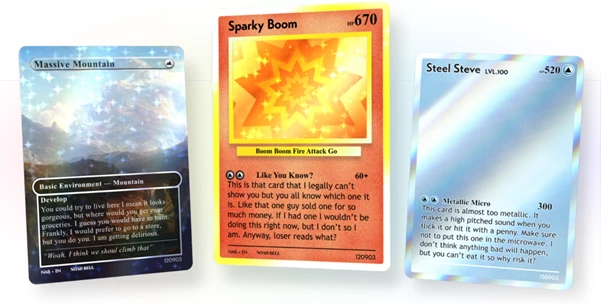
It can be used to create rainbow foil surfaces, reverse holographic designs, reflective full-art cards, and cards with detailed sparkle or texture patterns.
Because the effect responds to real 3D orientation and scene lighting, the holographic appearance changes naturally as the card moves. This makes it possible to build animated foil designs without manually animating every color shift, sparkle, or reflective band.

Files Password : gfxplugin.com OR 123456