Downloadable Files
You can download cvELD_Shell Fit Brush for free from the bottom of this page.
Fit and Refine 3D Clothing with Precision in Blender
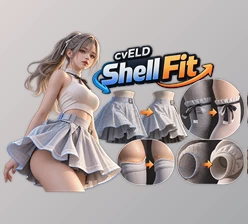
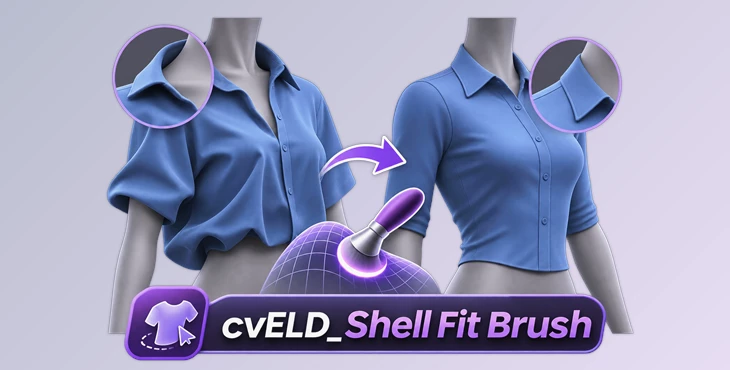
cvELD_Shell Fit Brush is a Blender tool designed for fitting clothing to 3D characters and correcting mesh shapes. It helps you move clothing along a body, fix floating parts, adjust collars and sleeves, and restore damaged geometry directly in the viewport.
The tool includes specialized brushes for surface fitting, garment finishing, and mesh editing. You can make local adjustments while keeping important clothing details.
Surface Fitting and Clothing Adjustment
cvELD_Shell Fit Brush provides three brushes for adjusting clothing against a target surface:
Shell Fit: Fits clothing to the character's body or another target surface.
Shell Fit Move: Slides clothing along a surface while the Protect Shape option helps maintain its form.
Shell Fit Relax (Beta): Smooths wrinkles and uneven areas along the target surface.
These brushes help you fit floating collars, reposition tight cuffs, and correct clothing that does not follow the character's body properly.
Garment Finishing and Shape Correction
The tool includes several brushes for more detailed clothing adjustments.
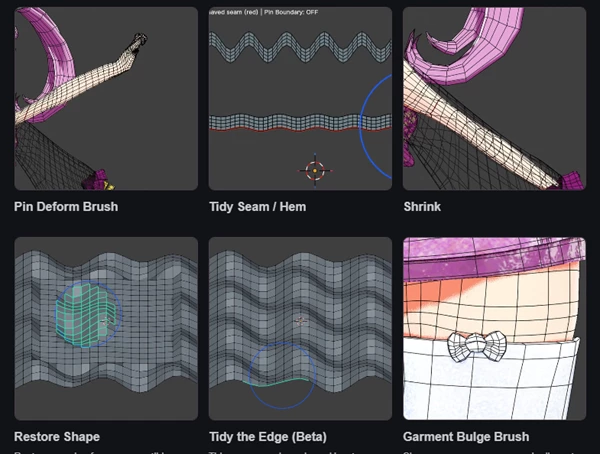
Pin Deform Brush: Keeps one area fixed while you move or rotate another part, such as an arm or collar.
Shrink: Reduces geometry toward a bone axis to adjust its size and create more room inside clothing.
Restore Shape: Repairs deformed areas using a compatible reference.
Tidy Seam / Hem: Smooths wavy seams and uneven clothing hems.
Tidy the Edge (Beta): Repairs irregular mesh boundaries.
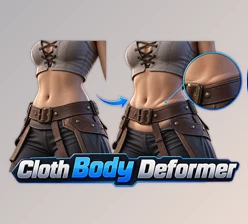
Garment Bulge Brush: Creates pressure grooves and raised skin areas around tight clothing edges.
For example, you can use Pin Deform to rotate an arm while keeping the shoulder fixed. Restore Shape can repair a distorted sock, while Garment Bulge Brush helps shape the skin around a clothing edge.
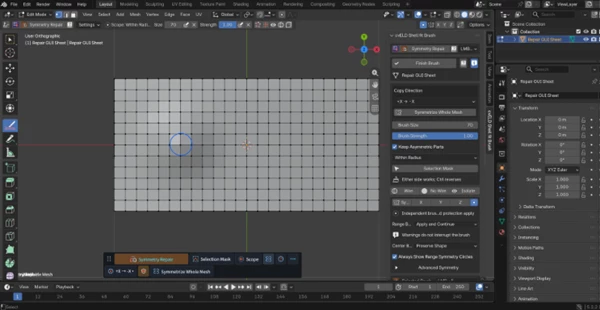
Symmetry Repair
Symmetry Repair copies the shape from one side of a mesh to the other without adding or deleting vertices.
In Auto mode, the first side you brush becomes the source for that stroke. The tool also provides six direction options for controlling how the shape is copied.
You can access this feature as a standalone brush or through Restore from Symmetry in Restore Shape.
It is designed for local repairs when one side of the model has the correct shape and the other side needs adjustment.
Basic Mesh Editing Brushes
Along with its clothing tools, cvELD_Shell Fit Brush includes six brushes for basic geometry editing.
| Brush | Function |
|---|---|
| Inflate | Pushes the surface outward |
| Grab | Moves the selected region |
| Smooth | Smooths surface bumps |
| Flatten | Flattens uneven geometry |
| Space | Evens out vertex spacing |
| Geometry Selection Brush | Selects vertices with brush strokes |
These brushes help you make small corrections to a mesh without switching to a completely different editing workflow.
How to Use cvELD_Shell Fit Brush
You can adjust clothing in Blender through a simple brush-based process:
Fit the clothing to the character using Shell Fit.
Adjust its position with Shell Fit Move.
Correct the shape using Pin Deform, Shrink, or other finishing brushes.
Repair damaged areas with Restore Shape or Symmetry Repair.
The movable control bar gives you access to the different brushes while working in the Blender viewport.
Compatibility and Important Details
cvELD_Shell Fit Brush works inside Blender and focuses on clothing fitting and local mesh corrections.
Shell Fit Relax and Tidy the Edge are marked as Beta features. Restore Shape requires a compatible reference, while Symmetry Repair keeps the existing vertices unchanged.
The tool is suitable for adjusting character clothing, fixing uneven garment edges, restoring folds, and refining the contact between clothing and skin.

Files Password : gfxplugin.com OR 123456