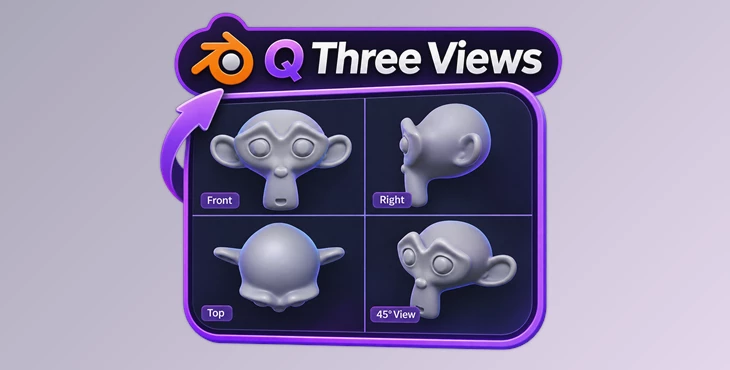
Downloadable Files
You can download Q Three Views for free from the bottom of this page.
Create Multi-View Renders in Blender with One Click
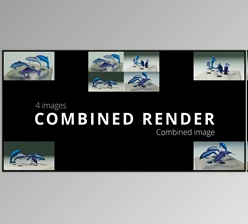
This Blender add-on creates multi-view renderings of 3D objects and scenes with a single click. It automatically positions the cameras, renders the required views, and combines them into one composition image.
Q Three Views is designed for artists who need to show a 3D model from several angles without setting up each camera and rendering every view separately. It supports individual objects, selected groups, and complete scenes, with customizable layouts and different rendering engines.
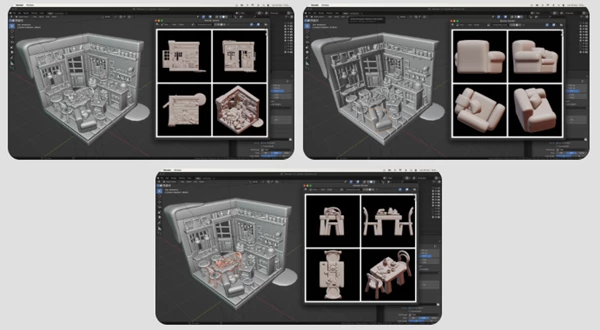
Create Multi-View Renders with One Click
Q Three Views automates the process of producing multiple images of a 3D model. After selecting an object in Blender, you only need to click the RENDER button.
The add-on then completes three main tasks:
Camera placement: Automatically positions the cameras around the selected object or scene.
Rendering: Generates the images needed for the chosen views.
Image composition: Combines the rendered images into a single layout and displays the result.
For example, you can select Blender's Suzanne monkey model and generate a multi-view composition without manually creating or positioning cameras.
This workflow is helpful when preparing model previews or presenting an object from several directions in one image.
Render Objects, Selections, or Entire Scenes
Q Three Views provides different rendering options depending on what you want to display.
Rendering mode | Description |
|---|---|
Single Object | Renders one selected object while automatically hiding everything else. |
Selection | Renders a selected group of objects without showing the rest of the scene. |
Entire Scene | Renders the complete scene with the composition centered on a target object or the scene center. |
The scene rendering option is useful when you want to show an object together with its surroundings. You can keep the cameras focused on a particular object while including the rest of the scene in the images.
For isolated model previews, the add-on can automatically hide unrelated objects. This removes the need to manually change their visibility before rendering.
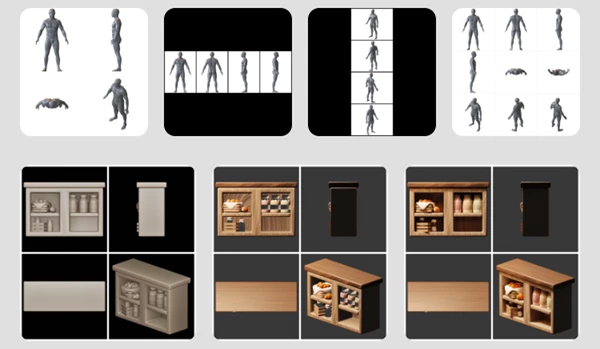
Supported Blender Render Engines
Q Three Views works with three Blender rendering engines:
Render engine | Support |
|---|---|
Workbench | Supported |
EEVEE | Supported |
Cycles | Supported |
You can use the add-on with the rendering engine that fits your project. The automatic camera placement and multi-view composition workflow are available across these supported engines.
Where Q Three Views Fits into a Blender Workflow
Q Three Views is particularly helpful for creating model presentation images that need several viewing angles in a single composition.
For individual 3D assets, you can produce front, side, top, and angled views together. For larger scenes, you can keep the camera arrangement focused on a chosen object while still showing its surroundings.
Its main advantage is the combination of automatic camera setup, multi-view rendering, and image composition in one operation. The customizable grid also gives you control over how the final views are presented without requiring a separate manual setup for each camera.

Files Password : gfxplugin.com OR 123456