Downloadable Files
You can download SaaS Graphics Pack - 133 Animated Elements for free from the bottom of this page.
Create Modern SaaS Videos with 133 Animated Elements
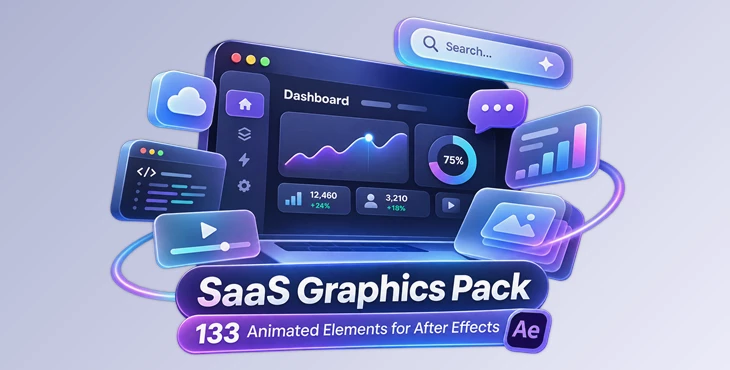
SaaS Graphics Pack is a collection of 133 animated elements designed for creating modern software and technology videos in Adobe After Effects. It includes UI animations, kinetic text, interactive-looking buttons, data charts, 3D cards, and other motion graphics commonly used to present digital products.
You can use this pack to create videos for apps, websites, SaaS products, and new businesses. It also works well for explainer videos. Each element has its own composition and easy-to-use controls, so you can change the animations without making everything from the beginning.
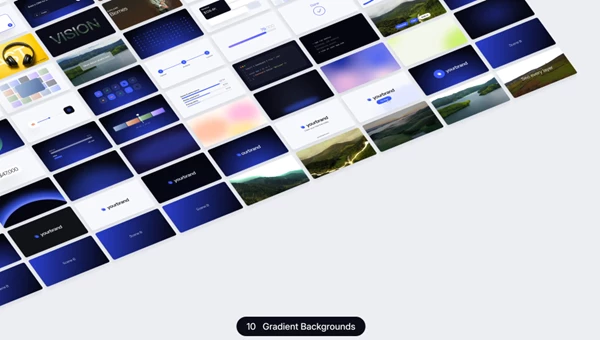
133 Animated Elements Across 13 Categories
The pack organizes its animations into 13 categories, covering everything from simple text movement to more detailed interface and data visuals.
| Category | Elements | Description |
|---|---|---|
| Text Animations | 24 | Kinetic titles and animated typography |
| Buttons & UI Controls | 16 | Animated buttons and interface controls |
| Search & AI Prompt | 8 | Search bars and AI prompt boxes |
| Depth Text | 8 | Depth-based text animations |
| 3D Cards | 8 | Animated 3D card stacks |
| Grid Animations | 8 | Isometric grids and grid motion |
| Orbit & Connectors | 8 | Integration orbits and connecting elements |
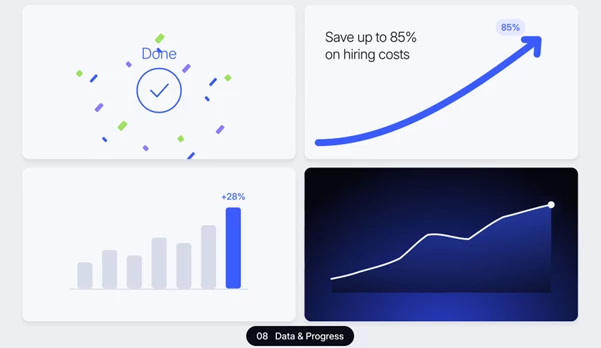
| Data & Progress | 12 | Progress bars, charts, and KPI counters |
| Code & Tags | 7 | Code editors, terminals, and tags |
| Gradient Backgrounds | 12 | Soft animated gradient backgrounds |
| Logo Reveals | 8 | Animated logo presentations |
| Transitions | 8 | Transitions between scenes |
| Depth Scan | 6 | Depth scan effects without additional plugins |
These categories can be combined to create different parts of a product presentation. For instance, text animations can introduce a feature, UI elements can demonstrate an interface, and data animations can present product statistics.
Customizing Elements with the Controls Layer
Every animated element is provided as a separate After Effects composition with a dedicated Controls layer.
This layer brings the main customization options together, including:
Color controls: Change the colors used in an element.
Background switch: Control the element's background.
Element sliders: Adjust the available animation properties.
Animation timing: Control the in and out animations through the length of the Controls layer.
The timing system is particularly helpful when working with different scene lengths. The entrance and exit animations follow the duration of the Controls layer, allowing you to adapt an element to your composition.
Because each element has its own composition, you can work on individual animations and combine them with other parts of your project.
UI, Data, and Depth Animations
SaaS Graphics Pack includes several types of animations that are relevant to software presentations.
Interface and AI Elements
The Buttons & UI Controls and Search & AI Prompt categories provide animated interface components. These include search bars, buttons, and AI prompt boxes that can represent common interactions in modern software products.
Chat bubbles are also included for presenting conversation-style interfaces.
Data and Technical Visuals
The Data & Progress category contains charts, progress bars, and KPI counters for showing information visually.
Code editors and terminal animations provide another way to present technical content, while integration orbits and connectors can illustrate relationships between different services or components.
3D and Depth Effects
The pack also includes 3D card stacks, isometric grids, Depth Text, and Depth Scan animations.
Both Depth Scan and Depth Text support photos and videos, giving you options for combining depth-based motion with your own media.
The Depth Scan effect works without additional plugins.
Adding Elements with the Extension Panel
The included extension panel provides animated previews of the available elements.
You can browse the animations, choose the one you need, and click it to add it to your After Effects project.
A separate Preview Browser also lets you explore the complete collection in a web browser before selecting elements for your composition.
These two browsing options help you find animations without opening every composition individually.
Media Placeholders and Typography
The pack includes replaceable placeholders for several types of content:
Photos and videos
Screenshots
Icons
Logos
You can replace these placeholders with your own assets to adapt the graphics to a particular product or brand.
The project uses three free fonts: Inter, Instrument Serif, and JetBrains Mono. These provide typography options for interface graphics, titles, and code-related visuals.
Where SaaS Graphics Pack Fits Best
SaaS Graphics Pack is designed for projects that need a consistent collection of animated software-related visuals.
For a SaaS product explainer, you can combine UI controls, search animations, and data graphics to introduce the product's features.
For an app promotion, animated cards, typography, and transitions can help organize screenshots and interface demonstrations.
For a startup launch or website showcase, the pack provides logo reveals, gradient backgrounds, integration graphics, and other elements for presenting a digital product.
Its main advantage is the combination of 133 ready-made animations, individual composition controls, and preview tools in one After Effects collection. This makes it a practical resource for building different types of software presentations while keeping the visual style consistent.

Files Password : gfxplugin.com OR 123456