Downloadable Files
You can download Gaming Stream Pack for free from the bottom of this page.
Streaming Graphics Template for After Effects
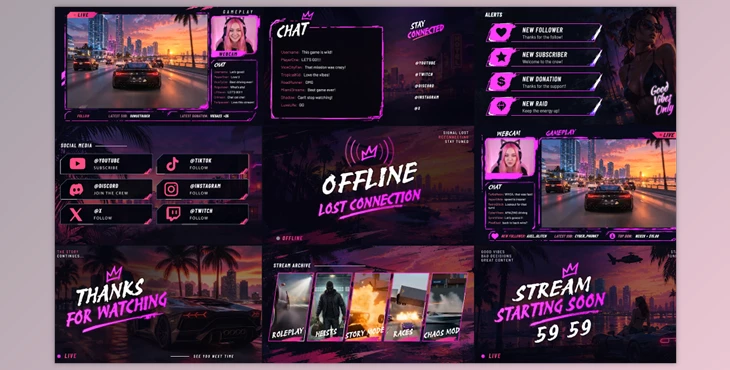
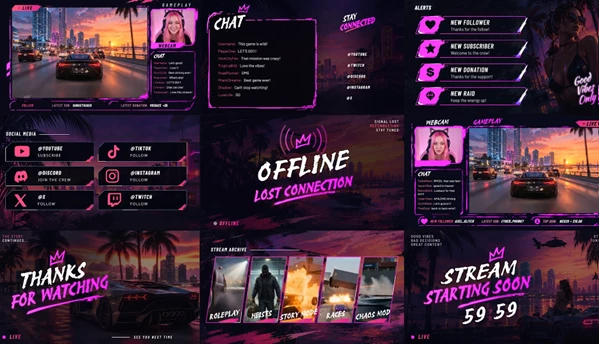
Gaming Stream Pack is an Adobe After Effects template designed for creating graphics for gaming livestreams. It includes streaming interfaces, animated alerts, chat elements, social media banners, and screens for different stages of a broadcast.
The pack provides a collection of ready-made elements that help streamers build a consistent visual style across their streams. All animated elements are looped, so they can repeat during a broadcast without stopping.
Create a Complete Gaming Stream Layout
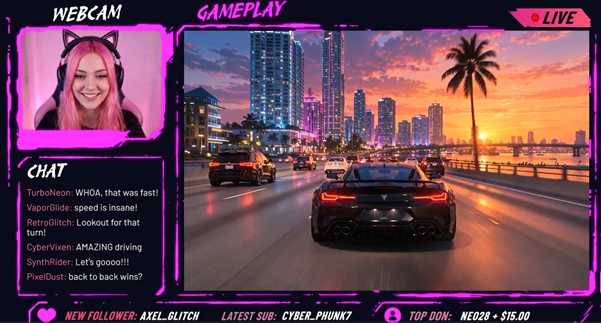
Gaming Stream Pack includes two streaming interfaces with dedicated areas for webcams, chat, screen content, and banners.
These interfaces help organize the main visual elements of a gaming broadcast. Streamers can display their gameplay alongside a webcam and chat area while keeping additional information visible through banners.
The pack also includes separate graphics for moments before and after a livestream, making it possible to maintain the same visual style throughout the broadcast.
What's Included in Gaming Stream Pack?
The template contains several types of streaming graphics, each designed for a specific part of a livestream.
| Element | Quantity | Purpose |
|---|---|---|
| Streaming Interfaces | 2 | Layouts for webcam, chat, screen, and banners |
| Alerts | 4 | Animated alert graphics |
| Chatbox | 1 | Dedicated chat display element |
| Starting Soon Screen | 1 | Screen displayed before a livestream begins |
| Offline Screen | 1 | Screen displayed when the stream is offline |
| Social Media Banners | 6 | Graphics for displaying social media information |
| Stream Archive Placeholders | 5 | Placeholder areas for archived stream content |
| End of Stream Screens | 2 | Graphics for finishing a broadcast |
Looped Animation Elements
All looped elements in Gaming Stream Pack are designed to repeat their animations.
This is important for streaming graphics that need to remain animated for extended periods. Elements can continue playing during a broadcast without requiring a new animation each time.
Video Quality and After Effects Compatibility
Gaming Stream Pack is designed for Adobe After Effects and supports high-resolution video output.
Its technical specifications include:
Resolution: 3840 × 2160 (4K)
Frame Rate: 30 fps
Software: Adobe After Effects CC 2022 or later
Plugins: No additional plugins required
The template can be opened in a compatible version of After Effects without installing third-party plugins.
Important Project Limitations
The fonts, images, and videos shown in the preview are not included in the project files.
Users need to provide their own media assets when preparing the streaming graphics. This is especially important when working with the template's media placeholders and visual content areas.
Where Gaming Stream Pack Fits into a Broadcast
Gaming Stream Pack covers several stages of a gaming livestream.
The Starting Soon screen can be displayed before the broadcast begins. During the stream, the two main interfaces provide layouts for gameplay, webcam footage, chat, and banners.
The included alerts and social media banners provide additional graphics for the live presentation.
When the broadcast finishes, users can display one of the two End of Stream screens. The Offline screen provides a separate visual for periods when the stream is not active.
With these elements organized into one After Effects project, Gaming Stream Pack provides a coordinated set of graphics for gaming streams, from the opening screen to the end of the broadcast.

Files Password : gfxplugin.com OR 123456