Downloadable Files
You can download GanzoFX for free from the bottom of this page.
Procedural Chain Rigs and Snap-In Sockets for Blender
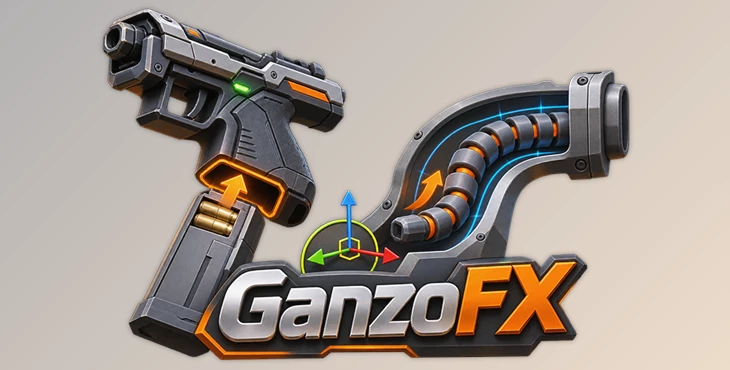
GanzoFX is a Blender add-on that creates procedural rigs for inserting objects into sockets and moving bone chains through curved channels. It works with existing bones, so you can add these behaviors without rebuilding your armature.
The add-on has two main systems: Socket for rigid objects such as plugs, magazines, keys, and blades, and Chain for flexible structures such as tails, hoses, cables, and tentacles.
Both systems control how objects enter, move through, and stop inside a target. The animator moves a control, while the rig handles alignment, insertion, and positioning.
Snap-In Socket Rigs for Rigid Objects
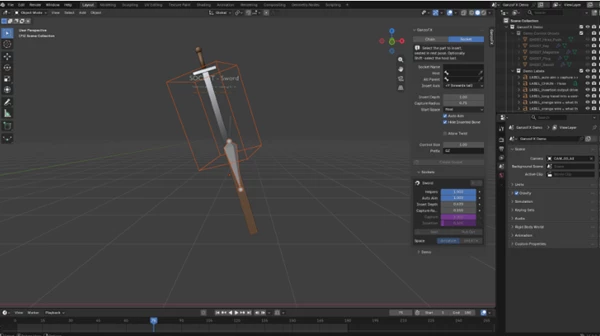
The Socket system controls how a rigid object connects to another object. It is designed for animations where parts need to enter a specific opening and stop at the correct position.
For instance, a magazine can slide into a moving gun, or a plug can connect to a socket even when the animator's control movement is not perfectly aligned.
The system includes several behaviors:
Auto-Aim: Rotates the object toward the socket.
Capture Zone: Guides the object onto the socket's axis as it approaches.
Hard Stop: Prevents the object from moving beyond its seated position.
Optional Twist: Allows rotation after the object is fully seated.
Capture and Insertion Outputs: Provide live values that can control other animation elements.
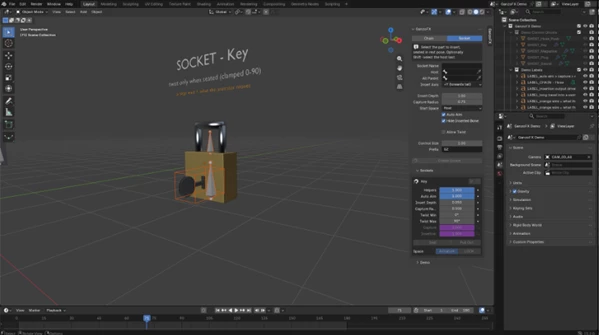
These outputs can connect the insertion movement to additional actions. An LED can turn green when a plug is seated, or a key can rotate after insertion to open a lock's shackle.
Insertion Controls and Space Switching
GanzoFX includes Seat and Pull Out controls that let animators key a complete insertion or removal in two clicks.
The space-switching buttons also change the control's parent without causing a visible position jump. This helps when the inserted object needs to move between different control spaces.
The socket's host object can move during the animation. A blade can enter a swinging sheath, for example, while the rig continues to handle the insertion.
Procedural Chain Rigs for Curved Channels
The Chain system is designed for connected bones that must travel through a channel rather than move freely.
It can control a hose entering a curved pipe, a cable sliding through a passage, or a tentacle moving into an opening.
A Chain rig includes a master control, a tip control, and any number of intermediate controls. An animator can use a push arrow or a Depth slider to move the chain through an editable channel.
The rig follows the channel's shape and stops the chain at the bottom.
Ten Animation Controls
GanzoFX provides ten animation sliders on a single bone.
Control | Function |
|---|---|
Depth | Controls insertion depth |
Squash | Adjusts squash deformation |
Thickness | Changes chain thickness |
Length | Adjusts chain length |
Bend Up | Controls upward bending |
Bend Side | Controls sideways bending |
Aim Entry | Controls alignment at the entrance |
Follow Canal | Adjusts how the chain follows the channel |
Rigid Thrust | Controls rigid thrust behavior |
Entry Squeeze | Adjusts squeezing at the entrance |
These controls give animators different ways to shape the chain's movement and deformation.
The Exact Fit feature keeps the chain inside the channel, including areas with tight bends. This is particularly important for animations involving narrow or curved passages.
Works with Existing Blender Armatures
GanzoFX is not an automatic character-rigging tool. It adds procedural behavior to bones that already exist in your armature.
You can select a bone and build the required Socket or Chain rig without replacing the original rig structure.
Two removal options are available:
Remove Rig: Removes the generated rig and restores the original bones.
Remove Socket: Removes the socket setup while leaving the original bones unchanged.
The generated rigs also remain functional without GanzoFX installed. Their drivers use Blender's simple expressions, so they continue working even when Python auto-run is disabled.
Another important detail is scale handling. You can scale the armature after building the rig, and the generated setup continues to fit.
Demo Scene and Example Animations
GanzoFX includes a Build Demo Scene option that generates five example setups in a new Blender scene.
Here are some examples of what it can do:
A magazine slides into a moving gun, and an LED light turns on when it is in place.
A plug connects to a socket, even when the movement is not perfect.
A key goes into a lock and turns to open it.
A blade slides into a sheath while it is moving.
A hose moves through a curved path.
Each example has its own camera. The demo is created in a separate scene, so the existing scene is not modified.
These examples show how the same procedural systems can handle different types of mechanical and flexible-object animations.

Files Password : gfxplugin.com OR 123456