Downloadable Files
You can download Adaptive Auto Skinning for free from the bottom of this page.
Fast and Accurate Character Rigging in Blender
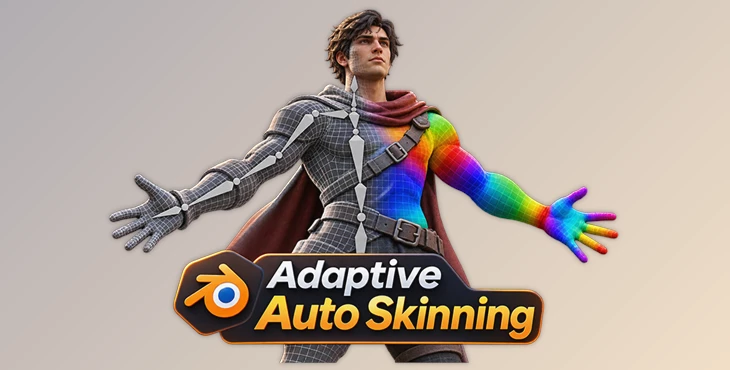
This Blender add-on automatically binds character meshes to their skeletons, including the body, clothing, and fingers. It uses GPU processing and adaptive volumetric weights to create clean skinning results without spending hours on manual weight painting.
Automatic Character Skinning with GPU Processing
Adaptive Auto Skinning is designed to handle the difficult parts of character rigging, especially when a model contains several clothing meshes or small areas such as fingers.
The process starts by selecting an armature. The add-on identifies the meshes controlled by that skeleton, calculates their weights together, and writes the results into standard Blender vertex groups.
This means the character's body and clothing can be bound in a single operation, even when they are made from separate meshes.
The GPU-based solver also provides fast processing. In a benchmark involving 202 characters, the average full-rig binding time was 0.57 seconds on a MacBook Air M4.
The tool works with different skeleton structures, including Mixamo, Auto-Rig Pro, and custom armatures. It examines the geometry of the skeleton rather than depending on specific bone names.
Adaptive Volumetric Weight Calculation
The main technology behind Adaptive Auto Skinning is its adaptive voxel system. It calculates bone influence throughout the character's volume before transferring weights to the mesh surface.
This approach handles several common problems in automatic skinning:
Complete vertex coverage: Every vertex receives a weight, reducing the risk of unweighted areas.
Overlapping geometry: The solver supports overlapping, doubled, and non-watertight meshes.
Layered clothing: Separate parts, such as belts and clothing over the body, can receive weights from the correct bones.
Finger separation: Each finger can receive its own bone influence, even when neighboring surfaces are close together.
Adaptive Grid Resolution
Traditional uniform voxel grids use the same resolution throughout a character. High resolution is needed around fingers, but applying it to the entire body creates unnecessary calculations.
Adaptive Auto Skinning takes a different approach.
Its grid stays relatively coarse across larger body areas, with a default resolution of 92 voxels. It then adds detail where surfaces come close together, reaching 368-level resolution or finer.
According to the product information, this adaptive method uses approximately 13 times fewer cells while maintaining the same finger separation.
This is particularly important for characters with detailed hands, layered clothing, or narrow gaps between body parts.
Weight Accuracy and Visual Inspection
Adaptive Auto Skinning was tested against artist-painted weights on 202 characters.
In this comparison, the add-on selected the same dominant bone as the artist's reference on 80.9% of vertices, performing better than the other automatic methods included in the benchmark.
However, automatic weights may still require manual corrections on certain characters.
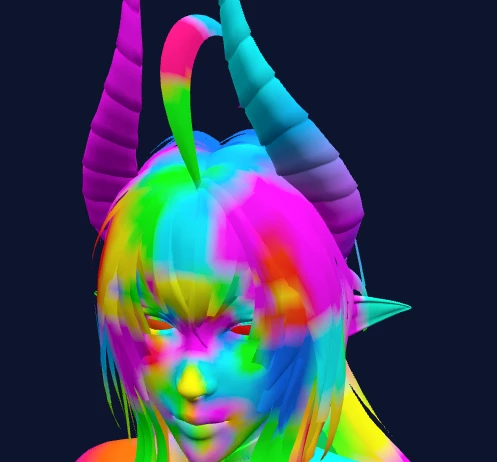
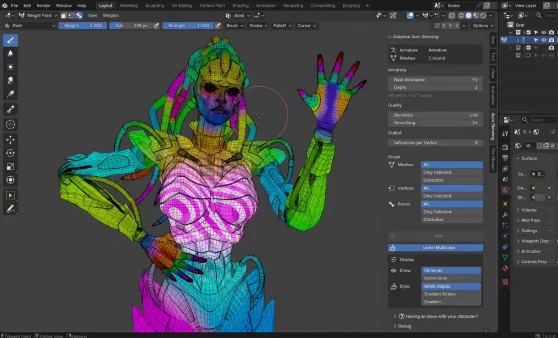
To help identify these areas, the add-on includes a multicolor weight overlay in Blender's Weight Paint mode.
Each deform bone appears in a different color, making it possible to inspect bone influence boundaries across the character without selecting every bone individually.
The generated weights remain editable through Blender's standard vertex groups. Binding operations can also be undone in one step.
Automatic Facial Skinning
Adaptive Auto Skinning also supports automatic facial skinning, but this feature currently works only with Auto-Rig Pro rigs.
It can generate facial weights automatically, while other rig types may still require manual facial weight painting.
This limitation is important for artists working with custom facial skeletons or other rigging systems.

Files Password : gfxplugin.com OR 123456