Downloadable Files
You can download GPUDog Deep for free from the bottom of this page.
Create Custom GPU Effects Without Coding
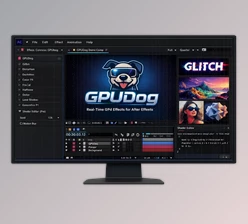
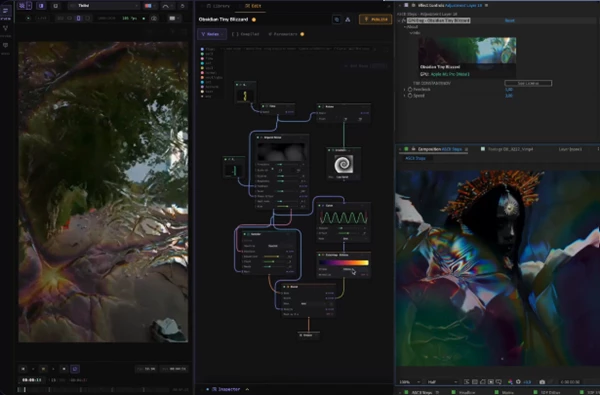
GPUDog Deep is a node-based GPU effect editor for After Effects and DaVinci Resolve. It lets you create custom visual effects by connecting nodes, without needing to write code. You can build effects in a browser-based studio called the Den, see a live preview, and use the results directly in your editing projects.
Unlike a regular effect plugin with fixed settings, GPUDog Deep gives you control over how an effect is built. You can combine nodes, create your own parameters, edit shader code, and share your effects with other users.
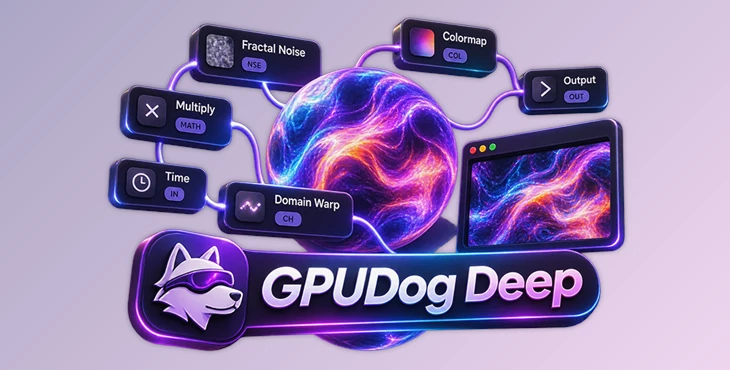
Build Custom GPU Effects with the Den
The Den is the main workspace in GPUDog Deep. It runs in your browser and includes a node editor, a code editor, a parameter inspector, and a real-time WebGPU preview.
You create an effect by connecting nodes together. Each node handles a different part of the effect, such as noise, calculations, colors, or output.
The editor also includes several tools for working with complex node graphs:
Wire-drop suggestions: Shows compatible nodes when you drag a connection onto an empty area.
Node splicing: Insert a node directly into an existing connection.
Collapsible nodes: Reduce nodes to a single line to keep the graph organized.
Live scopes: View information directly inside nodes.
A/B viewer: Compare two different branches of an effect.
You can preview your work using the included footage or your own video clips. The preview runs on WebGPU, so you can see the effect while building it.
Live Connection with After Effects and DaVinci Resolve
GPUDog Deep connects the Den to After Effects and DaVinci Resolve through a direct local connection.
The basic workflow is:
Build nodes in the Den → Preview the effect → Save → See the updated result in After Effects or Resolve
In After Effects, the Den connects to the GPUDog panel. When you save an effect, the composition updates with the new result.
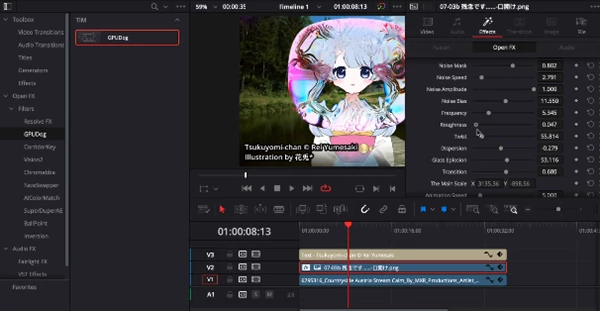
In DaVinci Resolve, you can add GPUDog to a clip through OpenFX or use it as a tool on the Fusion page. Open the Kennel from the Inspector to access your custom effects. After saving changes in the Den, the clip re-renders with the updated effect.
The connection works locally, so it does not need an internet connection.
Node Editing, Shader Code, and Custom Controls
GPUDog Deep supports both visual node editing and shader programming.
You can convert a node graph into WGSL code with one click and continue editing it in the built-in code editor. The plugin also supports importing GLSL, Shadertoy, and ISF shaders.
Another important feature is parameter authoring. You can create controls for your custom effects and define how they behave.
These options include:
Setting parameter ranges and default values.
Adjusting sampling settings.
Using
hidden_whenanddisabled_whenconditions.Checking parameter behavior with live diagnostics.
Creating real, keyframeable After Effects Effect Controls.
This means you can design both the visual result and the controls used to adjust it later.
Learn, Share, and Remix Effects
GPUDog Deep includes a node catalog with documentation for each node. The descriptions explain what the node does and which inputs it needs.
The catalog also contains Tips & Tricks recipes that open as working node graphs. You can study these examples, change their connections, and use them as starting points for your own effects.
The plugin also provides access to a community library called the Pack.
You can inspect shared node graphs, fetch them into the Den, and remix them. You can also publish your own effects under your username. Published effects keep information about their original creator and remix history.
You control whether other users can inspect, fetch, or remix the source of your published effects.
Build Effects with AI Agents
GPUDog Deep includes MCP integration for connecting compatible AI agents to the Den.
After connecting an agent, you can work with it to build effects inside your browser. The agent can create node graphs, compile shaders, render previews, and check errors.
You can watch the nodes appear in the editor and guide the process. The Den also lets you copy errors to the connected agent when something needs to be corrected.
This feature is designed for users who want help creating shaders or understanding more complex node setups.
Compatibility and Offline Workflow
GPUDog Deep supports the following platforms and applications:
| Platform | Requirement |
|---|---|
| Windows | Windows 10 or later |
| macOS | Apple Silicon |
| Adobe After Effects | 2023 or later |
| DaVinci Resolve | 19 or later |
| The Den | Web browser |
Effects are rendered locally in After Effects and DaVinci Resolve. Custom effects are stored on your computer, and the Den can continue working offline.
Optional cloud synchronization lets you access your custom effects across different machines, such as a Mac and a Windows PC. Cloud sync and the community Pack require an internet connection.
Your custom effects remain private unless you choose to publish them.
Where GPUDog Deep Fits into Your Projects
GPUDog Deep is made for motion designers, video editors, and shader creators who want more control over their effects than regular tools offer.
It is suitable for building custom GPU effects, creating animated shader-based visuals, and developing reusable effects with adjustable parameters.
Its node editor offers a visual way to build effects, while WGSL editing and shader imports provide more technical control when needed.
The main advantage of GPUDog Deep is that you can create an effect in the Den and use it as a real, adjustable effect inside After Effects or DaVinci Resolve, without rebuilding it in each application.

Files Password : gfxplugin.com OR 123456