Downloadable Files
You can download Color LUTs for free from the bottom of this page.
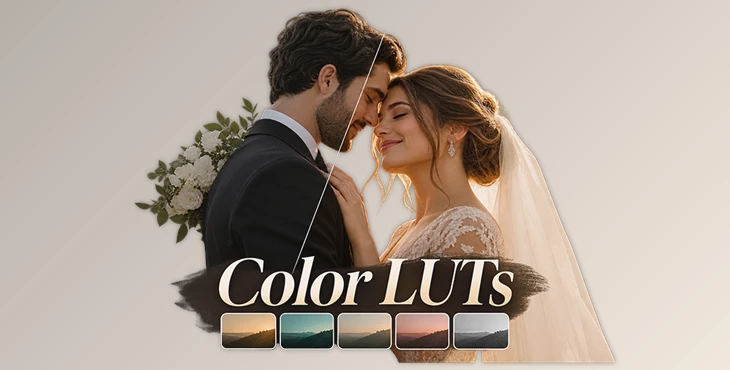
Create Cinematic Wedding Films with Color LUTs
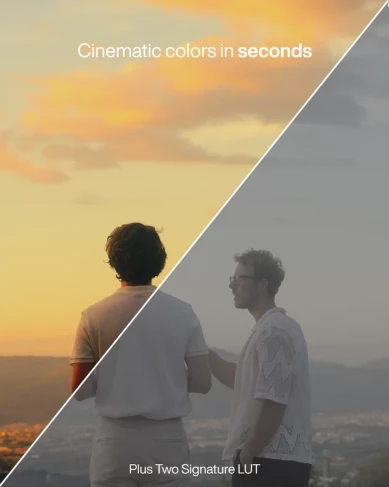
This pack by Plus Two Films includes five cinematic LUTs designed for wedding videos. It helps editors create consistent colors and give their footage a cinematic look without spending too much time on color grading.
The LUTs work with all camera brands and editing software. The pack also includes tutorials for Adobe Premiere Pro, Final Cut Pro X, and DaVinci Resolve.
Give Your Wedding Films a Cinematic Look
Color plays an important role in wedding films. It helps create the mood of a scene and keeps different shots looking consistent.
Color LUTs by Plus Two Films is made for editors who want to give their wedding footage a cinematic color style. The pack contains five LUTs, giving editors different color options for their projects.
These LUTs can be used for different parts of a wedding film, from the ceremony to the reception. They are designed to help editors achieve a polished color grade while keeping the process simple.
The pack also supports a more consistent look across footage captured during different moments of the wedding day.
What's Included in Color LUTs?
The package focuses on cinematic color grading and includes the following:
5 Cinematic Color LUTs: Five color grading options designed for wedding filmmaking.
Camera Compatibility: The LUTs are compatible with footage from all camera brands.
Editing Software Compatibility: They can be used with different video editing applications.
Video Tutorials: Instructions for using the LUTs in Premiere Pro, Final Cut Pro X, and DaVinci Resolve.
User-Friendly Workflow: A simple process for applying cinematic colors to footage.
The included tutorials help users understand how to work with the LUTs in their preferred editing software.

How to Use Plus Two Color LUTs
Plus Two Films provides a simple three-step workflow for applying the LUTs to LOG footage.
| Step | Action |
|---|---|
| 1 | Start with your LOG footage. |
| 2 | Convert the footage to Rec.709. |
| 3 | Apply a Plus Two LUT to create the cinematic color look. |
The Rec.709 conversion comes before applying the creative LUT. This order is important because it follows the workflow recommended by Plus Two Films.
The process is designed to be straightforward, even for editors who are still learning color grading.

Files Password : gfxplugin.com OR 123456