Downloadable Files
You can download Highlighter Pro for free from the bottom of this page.
Create Animated Text Highlights Easily with Highlighter Pro
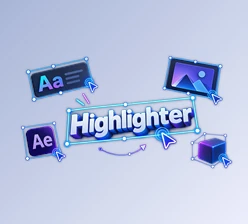
This plugin for DaVinci Resolve creates animated highlights behind text without using Fusion or setting keyframes. You can change the highlight color, adjust its timing, and add a texture to make it look like a real marker.
Highlighter Pro works directly on the Edit page. It is designed for editors who want to draw attention to important words or phrases in their videos without creating the animation from scratch.
Create Animated Text Highlights Without Keyframes
Highlighter Pro makes text highlighting a simple part of video editing. After dragging the plugin from the effects library onto your project, you can type your text and let the highlight animation draw itself.
The plugin handles the animation automatically, so you don't need to build it in Fusion or animate each movement with keyframes.
The highlight appears as if someone is drawing over the text with a marker. This effect can help important words stand out in videos where viewers need to notice a specific message.
You can also animate the highlight when it appears and disappears. The entrance and exit animations have separate controls, giving you more freedom over how the text is presented.
Highlighter Pro Customization Controls
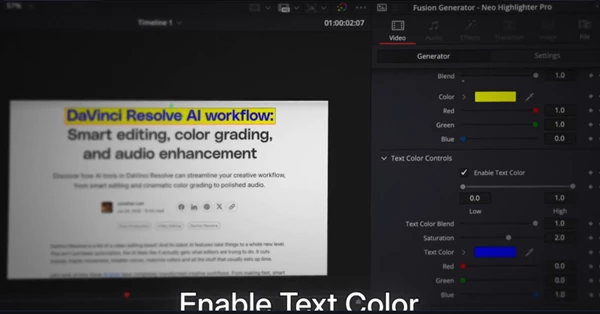
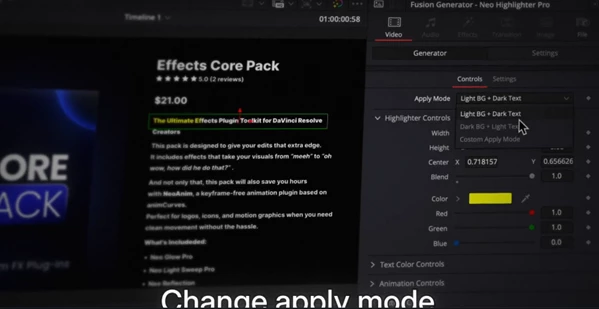
Highlighter Pro includes six customization controls for changing the appearance and behavior of your animated text.
| Control | What It Does |
|---|---|
| Highlight Color | Changes the color of the marker highlight. |
| Text Color | Adjusts the color of the text beneath the highlight. |
| Texture | Adds an overlay for a more natural, hand-drawn marker appearance. |
| Timing | Controls the animation timing in seconds. |
| In Animation | Adjusts how the highlight appears. |
| Out Animation | Adjusts how the highlight disappears. |
Create a Hand-Drawn Marker Look
One of the main visual options in Highlighter Pro is its texture overlay.
A simple highlight can look clean and smooth, but adding texture gives it a more organic appearance, similar to a marker moving across paper.
You can combine this texture with different highlight and text colors to match the style of your video.
Control Animation Speed in Seconds
Highlighter Pro uses second-based timing rather than relying on the length of the clip.
This means the highlight animation can maintain a consistent speed across clips of different lengths.
For projects with several highlighted phrases, this timing system helps keep the animations consistent without adjusting them according to each clip's duration.
Where Can You Use Highlighter Pro?
Highlighter Pro is suitable for video projects that need animated text emphasis.
In educational videos, you can highlight important terms or short explanations. In social media videos, the effect can draw attention to a key phrase or message.
It can also be used in tutorials and presentations where certain words need to stand out from the rest of the text.
The independent entrance and exit controls are helpful when a highlight needs to appear at one point in the video and disappear later.

Files Password : gfxplugin.com OR 123456