Downloadable Files
You can download SmoothOps for free from the bottom of this page.
Get Smoother, Cleaner Edges in After Effects
SmoothOps is an anti-aliasing plugin for Adobe After Effects that helps remove jagged edges from images and graphics. It includes five different filters, so you can choose how to smooth edges while keeping the surrounding details. The plugin also offers adjustable filter strength, transparency-aware processing, and GPU acceleration.
Smooth Out Jagged Edges in After Effects
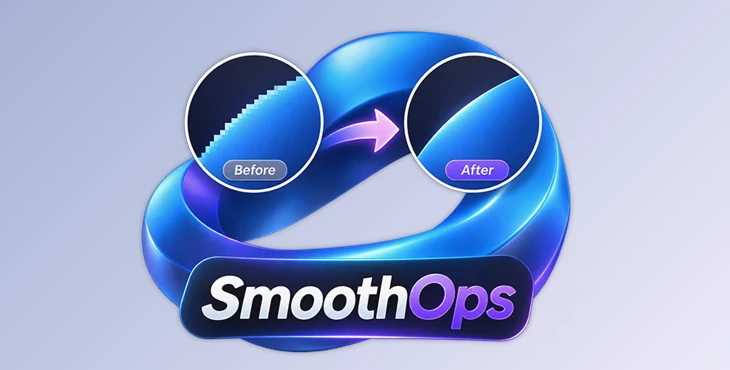
Jagged edges can make graphics look rough, especially around diagonal lines, curves, and object outlines. SmoothOps is designed to reduce these unwanted edges using anti-aliasing filters.
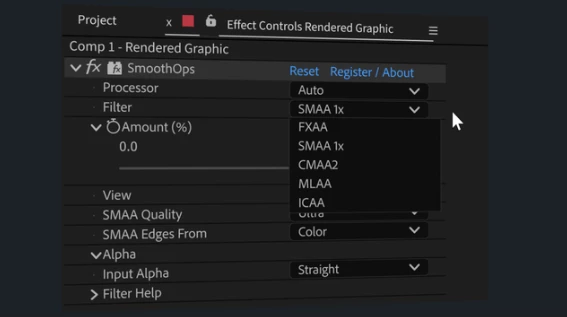
The plugin gives you control over how much smoothing is applied. You can choose a filter, adjust its quality settings, and change the Amount value to blend the filtered result with the original image.
Because different edges may need different treatment, SmoothOps includes several filtering methods rather than relying on a single anti-aliasing effect.
Five Anti-Aliasing Filters
SmoothOps includes five filters, each offering a different approach to edge smoothing.
| Filter | Description |
|---|---|
| FXAA | One of the available anti-aliasing methods for smoothing edges. |
| SMAA 1x | An alternative filtering method for treating jagged edges. |
| CMAA2 | Another anti-aliasing option for working with image edges. |
| MLAA | An additional method for reducing visible edge aliasing. |
| ICAA | The fifth filtering option included in SmoothOps. |
You can select the method that works best for your artwork and its surrounding details. The plugin also provides quality settings and an adjustable application amount.
The available product information does not specify detailed performance or quality differences between these five filters.

Control the Smoothing Result
SmoothOps provides several controls for adjusting and checking the filtered image.
Adjustable Strength
The Amount control lets you blend the filtered output with the original image. This gives you control over how strongly the anti-aliasing effect appears.
Transparency-Aware Filtering
SmoothOps supports alpha detection where available. This helps the plugin treat silhouettes and cutout artwork that contain transparent areas.
This feature is relevant when working with graphics that have visible object boundaries against transparent backgrounds.
Diagnostic and Comparison Views
The plugin includes diagnostic views for inspecting detected edges and the changes made by the filters.
You can examine these views to understand which parts of the image are being affected, then return to Filtered Output to see the final result.
These comparison tools help you check the smoothing effect without relying only on the finished image.
GPU and CPU Processing
SmoothOps supports both GPU and CPU processing.
GPU acceleration is available on compatible configurations and is used by default. In Auto mode, the plugin can fall back to CPU processing when needed.
It also supports Multi Frame Rendering, allowing After Effects to use its multi-frame processing capabilities.
This combination provides different processing options depending on the available hardware.
Where SmoothOps Can Be Used
SmoothOps helps make rough edges look smoother in After Effects. It works well with graphics that have diagonal lines, curved shapes, or clear outlines. You can also use it on images with transparent backgrounds to make their edges look cleaner.
The five filtering methods give users different options for treating edges, while the Amount control and diagnostic views provide a way to adjust and inspect the result.
SmoothOps focuses specifically on anti-aliasing, making it a dedicated tool for improving the appearance of jagged edges in After Effects.

Files Password : gfxplugin.com OR 123456