Downloadable Files
You can download StreakMachine for free from the bottom of this page.
Transform Highlights into Creative Light Trails
This plugin for Adobe After Effects and Premiere Pro turns bright areas of your footage into light streaks with a distinctive time-shift appearance. You can create thin, subtle trails or wide, dramatic light effects while controlling their shape, movement, color, and texture.
StreakMachine works directly on footage, but it also lets you separate the generated streaks for further compositing. This gives you flexibility when creating light effects for music videos, commercials, and motion graphics.
Shape Light Streaks to Match Your Footage
The main feature of StreakMachine is its control over how light trails appear in an image. Rather than using a fixed streak effect, you can adjust the geometry of the trails to suit different shots.
Three important settings define the appearance of the streaks:
Length: Controls how far the light trails extend from the highlights.
Width: Adjusts the thickness of the streaks, from narrow lines to broad light washes.
Direction: Changes the orientation of the trails across the image.
You can also adjust the intensity of the effect and use the Symmetric Blur control to refine its appearance.
These settings help you create different lighting styles without changing the original footage.
Select Highlights with Threshold Controls
StreakMachine includes input controls that determine which parts of an image contribute to the effect.
The Histogram provides a visual reference for the image's brightness distribution, while Threshold helps define the areas selected for streak generation.
You can also use Threshold Smooth to adjust the transition around the selected brightness range and Invert to reverse the selection.
This selection process is important when footage contains several light sources, but you only want certain areas to contribute to the streak effect.
Add Texture with Details and Diffraction
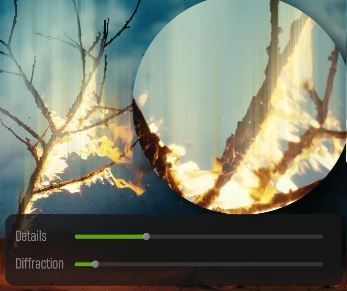
Light streaks do not always need to appear as smooth, continuous lines. StreakMachine provides two controls for creating more complex structures.
Details brings out fine lines and intricate patterns within the generated trails. It adds visual structure to the light rather than leaving it as a simple blur.
Diffraction introduces distinctive patterns that break up smooth streaks, creating a more textured appearance.
Together, these controls can produce light trails with more variation and character, particularly when working with bright highlights or experimental visual effects.
Stylize Streaks with Color and Motion
StreakMachine includes several options for changing the visual character of the light trails.
Chromatic Aberration
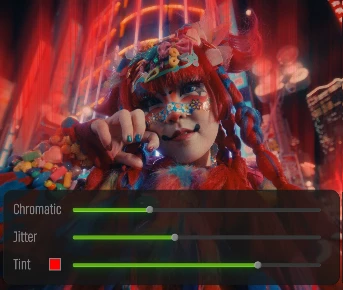
Chromatic Aberration separates colors within the streaks to create an optical color-splitting effect.
The plugin provides channel and amount controls, allowing you to adjust the appearance of this separation.
Jitter Animation
Jitter introduces movement and variation into the generated streaks.
Its controls include Length, Width, Speed, and Amount, giving you options for adjusting how the variation behaves over time.
This feature is particularly relevant for animated light effects in music videos and motion graphics.
Custom Tinting
The Tint controls let you change the color of the streaks. You can select a custom color and use the Mix setting to control how it is applied.
Chromatic Aberration, Jitter, and Tint can also be combined to create more expressive effects.
Output Modes and Compositing Options
One of the practical features of StreakMachine is the ability to view or export the effect in different forms.
The plugin provides four output modes:
| Output Mode | Purpose |
|---|---|
| Normal | Displays the streak effect together with the footage. |
| Matte | Shows the selection as a matte for inspection. |
| Black | Isolates the streaks against a black background. |
| Alpha | Isolates the streaks with transparency for compositing. |
These modes are useful when the generated light trails need to be combined with other visual elements.
StreakMachine also includes Blend Mode settings and three edge-handling options: Clamp, Wrap, and Mirror. These provide additional control over how the effect behaves and blends within a composition.
Where StreakMachine Fits in Creative Projects
StreakMachine is designed for projects where highlights and light sources play an important visual role.
In music videos, animated jitter and chromatic aberration can create energetic, experimental light effects.
For commercials, the length, width, and tint controls provide ways to create more controlled lighting accents that complement the footage.
In motion graphics, isolated streaks can be used as separate visual elements and combined with other layers during compositing.
The plugin lets you choose which highlights to use, adjust the shape of the light streaks, and control their texture and output. You can use it to add soft lighting effects or create more dramatic and creative looks.

Files Password : gfxplugin.com OR 123456