Downloadable Files
You can download Planet Generator for free from the bottom of this page.
Create Realistic 3D Planets in Blender with Planet Generator
Planet Generator is a procedural Blender add-on that creates complete 3D planets with terrain, oceans, clouds, atmospheres, rings, and moons. It includes 61 editable designs, ranging from Earth-like planets with nighttime city lights to lava worlds, frozen moons, and gas giants with large ring systems.
The add-on also helps you create space scenes, animate planets, and export models for games. You can choose a planet from the library, change how it looks, and get it ready for rendering or use in a game engine.
Explore 61 Planet Designs Across Five Families
Planet Generator organizes its 61 designs into five categories. Each design provides a starting point that you can modify to create a different world.
| Planet Family | Available Designs |
|---|---|
| Planet Types | Ocean, desert, jungle, snowball, eyeball, lava, toxic, crystal, and other worlds |
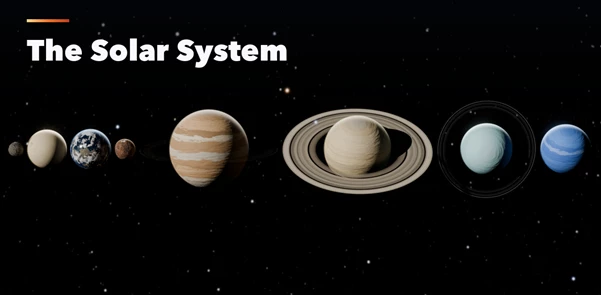
| Solar System | Planets from Mercury to Neptune |
| Moons and Dwarfs | The Moon, Io, Europa, Titan, and Pluto |
| Gas and Ice Giants | Large planets with atmospheric bands, storms, and ring systems |
| Mythic Worlds | Fantasy planets inspired by twenty cultures, including Asgard, Olympus, Duat, Xibalba, and Avalon |
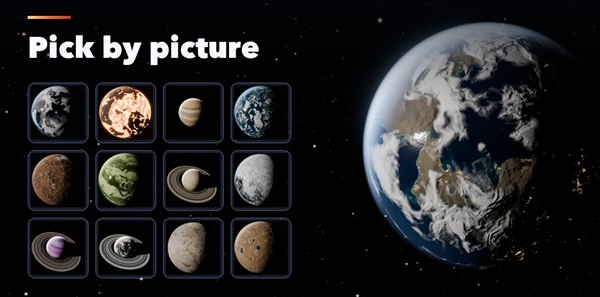
The picture-based sidebar displays thumbnails of the available worlds, so you can choose a design visually.
After selecting a planet, you can change its properties and rebuild it. This gives you more control than working with a fixed planet model.
Procedural Terrain, Oceans, and Atmospheric Effects
Planet Generator creates several planetary elements that work together to form a complete world.
Terrain and Surface Details
The terrain system supports mountains, craters, canyons, and polar caps. Normal maps add surface detail, helping the terrain appear more realistic when rendered.
Different planet designs can have different surface conditions. A rocky moon can feature craters, while a frozen planet can include extensive polar ice.
Liquids, Clouds, and Atmospheres
The add-on supports several types of planetary liquids and surface materials, including:
Oceans for Earth-like and water-covered worlds
Lava for molten planets
Acid and methane seas for unusual planetary environments
Cloud layers and glowing atmospheres
City lights visible on the night side of suitable planets
These elements help distinguish planets with different environments. An Earth-like world can combine oceans, clouds, and illuminated cities, while a lava planet can use molten surfaces to create a different appearance.
Gas Giants, Rings, and Moons
Planet Generator also supports gas giants with atmospheric bands and storms.
Ring systems can contain visible gaps, giving them a more detailed structure. You can also include up to six moons around a planet.
These features are suitable for creating large planetary systems, particularly scenes featuring ringed gas giants or planets surrounded by multiple moons.
Create a Complete Space Scene with One Button
The Create Space Scene button prepares a Blender scene for rendering by adding the main environmental and camera elements.
The generated scene includes:
Sun: A light source with realistic star colors.
Star background: A deep-space star map from NASA.
Camera: A framed camera with five cinematic compositions.
Color management: AgX color settings.
Glow: A soft glow effect for the final scene.
The five camera compositions provide different ways to present a planet:
| Camera Shot | Composition |
|---|---|
| Hero | A prominent view of the planet |
| Crescent | A view emphasizing the illuminated crescent |
| Orbit | An orbital perspective around the planet |
| Eclipse | A composition designed around an eclipse |
| Wide | A wider view of the space environment |
This scene setup is particularly helpful when preparing planetary renders or cinematic space shots without building the entire environment separately.
Animate Planets, Clouds, and Moons
Planet Generator includes an Animate button for adding movement to planetary scenes.
The animation system supports rotating planets, moving cloud layers, and orbiting moons. These movements can turn a static planet into an animated space scene.
For example, an Earth-like planet can rotate while its clouds move, or a gas giant can be shown with moons traveling around it.
The animation controls are useful for space videos, planetary presentations, and scenes where celestial movement is part of the composition.

Files Password : gfxplugin.com OR 123456