Downloadable Files
You can download Blackout Motion Toolkit for free from the bottom of this page.
900+ Ready-to-Use Motion Graphics for DaVinci Resolve
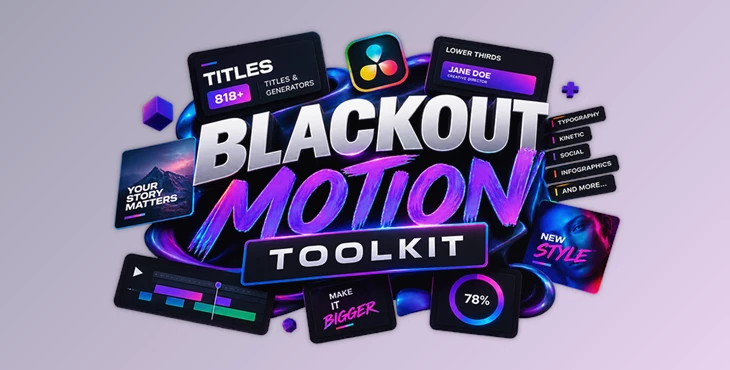
Creating animated titles, lower thirds, and graphic elements from scratch can take up a lot of editing time, especially when a project needs several different styles. Blackout Motion Toolkit brings more than 900 ready-made motion graphics elements into DaVinci Resolve, giving editors a large collection of titles, animated backgrounds, and effects that can be added directly to the timeline.
The toolkit includes 818 titles across 18 categories, 69 looping generators, and 12 media effects. Everything is built using native Fusion tools, so there is no need to install additional third-party plugins.
What's Inside Blackout Motion Toolkit?
The library covers different types of motion graphics, from simple text animations to more elaborate typography scenes, animated charts, and social media elements.
Rather than providing hundreds of variations of the same title, the toolkit organizes its presets into categories based on their purpose.
Some of the main categories include:
| Category | Presets | Description |
|---|---|---|
| Typography | 142 | Neon text, glow effects, highlighted words, and animated boxes |
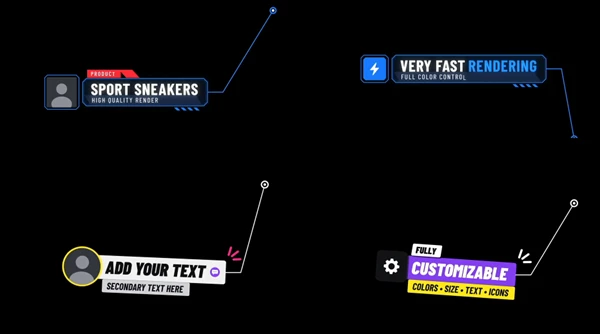
| Lower Thirds | 148 | Name tags, speaker titles, gradient bars, and broadcast-style graphics |
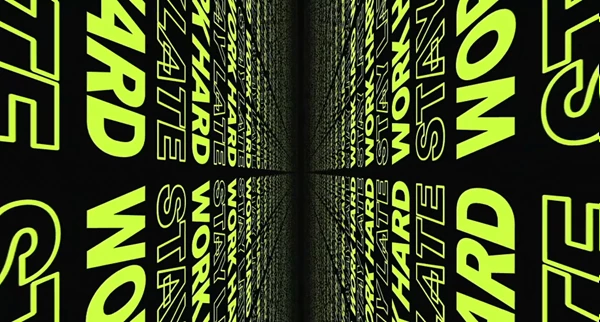
| Kinetic | 130 | Animated word stacks and moving typography |
| Text | 73 | Modern title designs with different visual styles |
| Text Animator | 60 | Presets for animating custom text |
| Typo Scenes | 56 | Full-screen typography compositions with image placeholders |
| Callouts | 44 | Animated pointers, HUD labels, and numbered markers |
| Infographics | 28 | Charts, counting numbers, and data visualizations |
| Social | 28 | Social handles, follow prompts, and platform graphics |
| Timers | 20 | Countdowns and running clocks |
| Cards | 18 | Chapter titles, quotes, and speaker cards |
| Sport | 22 | Bold typography and animated media treatments |
| Fashion | 16 | Fashion titles with duotone media effects |
There are also dedicated presets for buttons, typewriter animations, chat messages, an animated globe, and film credits.
Animated Backgrounds and Media Effects
Alongside the title library, Blackout Motion Toolkit includes 69 looping background generators.
These are divided into four groups:
Waves Backgrounds: 11 animated wave generators.
Liquid Light Backgrounds: 15 backgrounds featuring soft, flowing light gradients.
Liquid Dark Backgrounds: 15 darker liquid-gradient animations.
Kinetic Posters: 28 looping backgrounds built around animated typography.
The package also contains 12 media effects, divided equally between sport and fashion styles.
Sport effects add tinting and motion to footage, while fashion effects use duotone coloring and animation. These effects can be dragged directly onto video clips.
Customizing Titles in the Inspector
One of the most practical features of Blackout Motion Toolkit is how much control it provides without requiring users to open complex Fusion node setups.
All titles are native Fusion templates, and their main settings are available in DaVinci Resolve's Inspector panel.
Depending on the selected preset, you can adjust:
Text content and font selection
Text size and colors
Animation styles
Entrance and exit timing
Graphic elements and their appearance
Image, logo, and avatar placeholders
Many presets include automatically resizing plates, bars, and frames. When you change the length of a title, the surrounding graphic adjusts to fit the text.
Another useful detail is how the animations respond to timeline trimming. You can change a title's duration while preserving the speed of its entrance and exit animations.
For graphics that contain images or logos, the replacement process is handled through an Image File field in the Inspector.
Specialized Animations Beyond Standard Titles
Blackout Motion Toolkit includes several more specialized elements that go beyond ordinary text presets.
Typewriter and Chat Animations
The 10 typewriter presets offer different ways to reveal text, including letter-by-letter typing, word-by-word animation, decoding effects, and animations that delete and replace words.
They also support six cursor shapes, optional highlighted words, and subtitle text.
The nine chat presets recreate familiar messaging elements such as conversation bubbles, scrolling message threads, typing indicators, notifications, and comment cards.
Chat bubbles automatically adapt to the text, while avatar images can be replaced with your own files.
These elements are suited to videos that display conversations, social media comments, or simulated messaging interfaces.
Animated Infographics and Globe
The infographic category includes 28 titles for displaying numerical information.
Available designs include bar charts, pie charts, pyramids, radar graphics, 3D bars, and animated counting numbers. Data can be entered using a simple list.
The toolkit also contains an animated globe created directly in Fusion using open map data.
It can display a rotating Earth with city labels, pulsing location markers, and animated flight paths between cities. Users enter the city information to create the route animation without needing a separate 3D plugin or video footage.
Film Credits
The film credits title supports several presentation styles, including individual role-and-name cards, cast lists with up to four columns, and traditional scrolling end credits.
It includes six card layouts and seven animation options, with typography and appearance controlled through the Inspector.
How to Use Blackout Motion Toolkit in DaVinci Resolve
The toolkit uses a .drfx installation package, keeping the setup and editing process straightforward.
After installation, the basic workflow is:
Install the Blackout Motion Toolkit.drfx file and restart DaVinci Resolve.
Open Effects → Toolbox → Titles → Fusion Titles → Blackout Motion Toolkit.
Choose a title and drag it onto a video track above your footage.
Adjust the title's duration on the timeline.
Open the Inspector to change text, fonts, colors, and animation settings.
Replace images or logos through the Image File option when the preset supports them.
Background generators are available in the Generators section, while the included media effects can be applied directly to footage.
The package also includes HTML help documentation covering the available Inspector settings and installation instructions.
Where Blackout Motion Toolkit Fits into Video Editing
The variety of presets makes the toolkit suitable for several types of editing projects.
You can use lower thirds and broadcast graphics for interviews or news-style videos, kinetic typography for promotional edits, and social elements for YouTube or vertical content.
The sport and fashion categories provide dedicated designs for footage that needs stronger typography and stylized coloring. Meanwhile, the infographics and animated globe offer ways to present data or geographical information visually.
Blackout Motion Toolkit stands out because it offers many presets that you can customize in the Inspector. Editors can use ready-made motion graphics and easily change the text, timing, colors, and media placeholders, all inside DaVinci Resolve.

Files Password : gfxplugin.com OR 123456