Downloadable Files
You can download Object Reveal Transitions for free from the bottom of this page.
Object Reveal Transitions for DaVinci Resolve
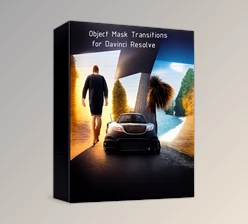
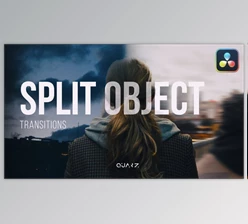
Object Reveal Transitions is a pack of 40+ ready-to-use transitions for DaVinci Resolve, featuring smooth reveals, unfolding animations, and split effects. It gives editors a quick way to add more movement between shots without having to create each animation from scratch.
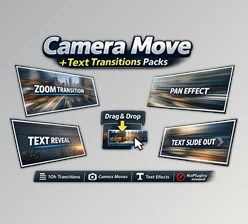
The pack works with both photos and videos, so you can use it for anything from a simple photo slideshow to a commercial or travel edit. All transitions are designed for a drag-and-drop workflow and don't require any additional plugins.
A Collection of 40+ Reveal and Split Transitions
The pack includes over 40 transitions built around different reveal and unfolding effects. Some use smooth movements to bring the next shot into view, while others create more noticeable changes with split animations.
The main transition styles include:
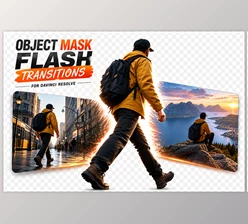
Object Reveals: Smooth animations that gradually reveal the next photo or video clip.
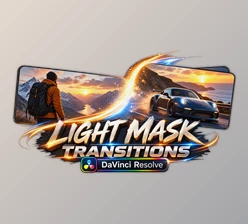
Unfold Effects: Animated unfolding movements that introduce the incoming shot.
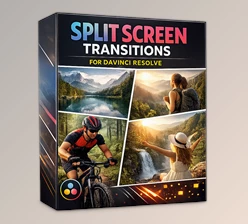
Split Transitions: Dynamic splitting effects that create a more pronounced change between scenes.
Having several styles in one pack gives you room to vary the look of your edits. A smooth reveal might suit a photo slideshow, while a split transition can work better for a faster promotional sequence.
Since the effects support both still images and video footage, you can also use them in projects that mix the two.

Simple Drag-and-Drop Workflow
You don't need to build complicated animations to use these effects. Object Reveal Transitions comes with ready-made presets that can be added to your DaVinci Resolve projects through a drag-and-drop workflow.
The transitions are supplied as .drp files or Resolve-compatible project snippets. A video tutorial walks through the installation and usage process, and an included readme covers compatibility details and helpful notes.
Everything works without external plugins, so there's no need to install extra effects tools alongside DaVinci Resolve.
Using the Transitions in Different Projects
You can use these effects in many types of videos. The smooth reveal animations work well for photo slideshows, travel videos, and portfolio reels. They help you show the next shot slowly and smoothly.
For commercials, promotional videos, and social media edits, the split and unfold effects offer a more noticeable way to move between scenes.
The collection also fits YouTube videos, vlogs, and slideshows, particularly when you want something more animated than a standard cut or dissolve.
Object Reveal Transitions includes over 40 presets for creating smooth scene changes in DaVinci Resolve. It also comes with a tutorial to help you get started. You can easily add these transitions to your videos without creating each effect from scratch.

Files Password : gfxplugin.com OR 123456