Downloadable Files
You can download Grindhouse Toning Lab Template for Affinity for free from the bottom of this page.
Bring the Gritty Look of Vintage Horror Posters to Your Designs
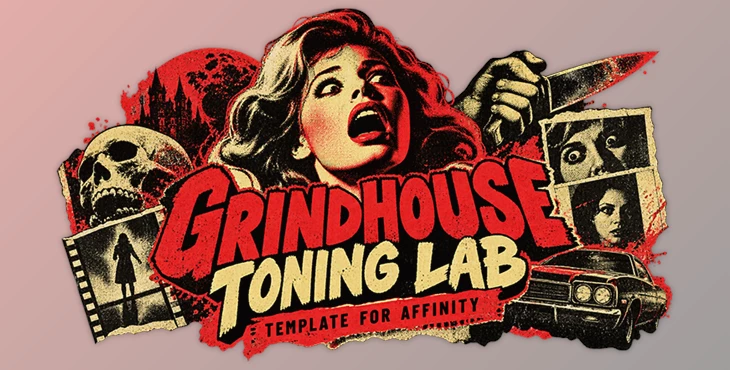
The rough textures, bold colors, and halftone patterns of old horror movie posters have a style that's hard to miss. Grindhouse Toning Lab Template for Affinity, created by Frankentoon Studio, helps you recreate that look in Affinity Photo without building every effect from scratch.
Inspired by low-budget horror films and B-movies from the 1970s and 1980s, this template turns ordinary images, text, and illustrations into gritty retro artwork. It's a practical option for designing vintage movie posters, punk-style graphics, album covers, and other projects that need an aged, printed appearance.
Create Vintage Grindhouse Effects in Affinity Photo
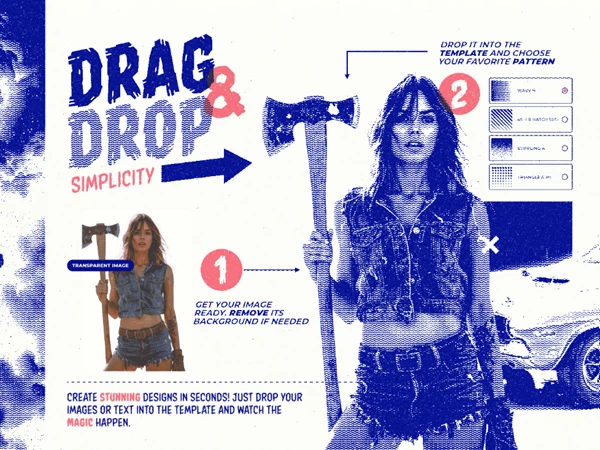
Grindhouse Toning Lab works as a customizable Affinity Photo template. You can drag images or text into the document and immediately see how the halftone effects change your design.
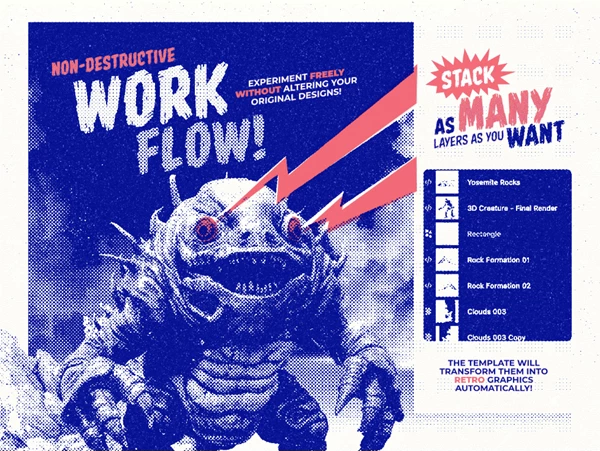
One of its main advantages is the real-time preview. As you move or adjust elements on the canvas, the effects update automatically. This gives you more freedom to experiment with different compositions without repeatedly applying the same effects.
The template also uses an adjustable layer structure. You can turn individual layers on or off to control the final appearance, combine different effects, or reduce the amount of texture in certain areas.
Halftone Patterns and Duotone Effects
The template includes several styles inspired by traditional printing techniques. Each one gives your artwork a different character, from classic comic-style dots to rough photocopied textures.
The available effects include:
Dotted Halftones: Create the familiar dot patterns found in vintage printed artwork.
Hatching: Add line-based shading for a more illustrated appearance.
Wavy Patterns: Introduce distorted line textures for unusual retro effects.
Photocopy Textures: Give images a rough, reproduced look similar to old printed materials.
Duotone Effects: Combine two contrasting tones to recreate the dramatic colors of vintage movie posters.
You can adjust these effects through the document's layers to find a combination that fits your artwork.
The duotone effects are particularly suitable for horror-inspired posters, where strong color contrast and rough shading help create a dramatic visual style.
What's Included in Grindhouse Toning Lab?
The package contains an Affinity Photo template with several built-in options for creating different retro looks.
| Included Content | Details |
|---|---|
| Affinity Photo Template | 1 customizable document |
| Halftone Patterns | 5 patterns |
| Built-In Variations | 12 variations |
| Paper Texture | Included in the document |
| Adjustments | Built into the template |
| Quickstart Guide | 1 guide |
The included paper texture adds another layer of vintage character, helping the artwork resemble an aged printed poster rather than a clean digital image.
With 12 built-in variations, you can explore different appearances without rebuilding the design each time.
Where Can You Use This Template?
Grindhouse Toning Lab is designed for artwork that benefits from rough printing effects and nostalgic visual styles.
It's particularly well suited for:
Movie Posters: Create artwork inspired by classic horror films, exploitation cinema, and retro B-movies.
Album Covers: Design gritty covers for punk, rock, and other music projects.
Promotional Graphics: Give advertisements and social media artwork a distinctive vintage appearance.
Illustrations and Typography: Apply halftone shading and photocopy textures to images and lettering.
Because the effects are customizable, you don't have to use the same intense Grindhouse look in every project. You can switch between different patterns and layer combinations to create lighter or more distressed results.
A Practical Template for Retro Print Design
Grindhouse Toning Lab Template for Affinity focuses on a specific visual style: the imperfect, high-contrast printing of vintage cinema posters.
Its combination of real-time effects, customizable halftone patterns, duotone colors, and built-in variations makes it a convenient choice for Affinity Photo users who want to explore that aesthetic.
Rather than recreating traditional print textures manually, you can focus on arranging your artwork and choosing the effects that best suit your design.

Files Password : gfxplugin.com OR 123456