Downloadable Files
You can download LiquiGen for free from the bottom of this page.
Real-Time GPU Liquid Simulations with Node-Based Controls
LiquiGen is a liquid simulation software made by JangaFX. It uses your GPU to create realistic liquid effects in real time. You can make water splashes, flowing liquids, and thicker materials like blood, ketchup, and slime without dealing with complicated settings.
With real-time meshing, customizable forces, and a built-in path tracer, LiquiGen combines simulation and rendering in one workflow. It also supports exporting assets for games, films, and visual effects projects.
Create and Control Liquid Simulations in Real Time
Traditional liquid simulation workflows can require extensive technical knowledge, long calculation times, and repeated adjustments before achieving the desired result.
LiquiGen approaches this process differently by using GPU acceleration and a node-based workflow inspired by JangaFX's EmberGen.
You can build a simulation by connecting a small number of nodes, press play, and adjust parameters while the liquid is moving. Changes become visible in real time, allowing you to experiment with different fluid behaviors without constantly restarting the simulation.
The software also includes several important simulation capabilities:
Real-Time Meshing: Generate liquid meshes while the simulation runs.
Customizable Forces: Control how liquids move and react within the simulation.
Sparse Simulation Domains: Work with simulation domains designed for efficient fluid calculations.
GPU Acceleration: Use graphics processing power to simulate and modify liquid effects interactively.
Animated Mesh Support: Import FBX and Alembic files to use as emitters or colliders.
The ability to import animated geometry is particularly valuable when liquid needs to interact with moving objects rather than remain isolated within a scene.
Realistic Liquid Rendering with a Built-In Path Tracer
Creating a convincing liquid effect involves more than simulating movement. The final appearance of the liquid also plays an important role, especially when working with transparent or reflective materials.
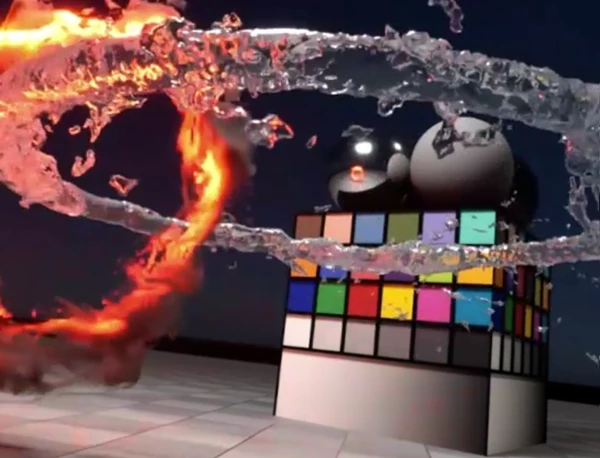
LiquiGen includes a real-time path tracer that allows you to render liquid simulations directly inside the software.
This means you can evaluate both the movement and visual appearance of your simulation within the same environment.
Combined with real-time meshing, the renderer provides a practical way to develop detailed liquid effects while maintaining an interactive workflow.
Export Liquid Effects for Games and Films
One of LiquiGen's main strengths is its focus on producing assets that can be used in other projects.
Rather than limiting users to rendered videos, the software supports several export methods, including animated geometry, textures, and image sequences.
Export Format | Purpose |
|---|---|
Alembic (.abc) | Export particle, mesh, and foam caches |
Vertex Animated Textures (VAT) | Export mesh animation data for game workflows |
Mesh Flipbooks | Create frame-based animated mesh assets |
Image Sequences | Export rendered frames in EXR, PNG, or TGA |
Normal Maps | Generate surface normal information |
Refraction Maps | Export data for liquid refraction effects |
Animated Decals | Create animated liquid effects for decal-based workflows |
Game-Ready Flipbooks and VAT Textures
LiquiGen includes a workflow specifically designed for game asset creation.
You can generate fully assembled flipbooks and inspect their animations using the built-in flipbook inspector. This provides a way to review the exported animation before integrating it into a game project.
VAT exports and mesh flipbooks offer additional options for transferring animated liquid effects into external environments.
For film and visual effects workflows, Alembic caches provide a method of exporting simulated particles, meshes, and foam.
Learn with 20 Included Projects
LiquiGen comes with 20 example projects that users can open and examine to understand how different simulations are constructed.
These projects provide a starting point for learning the software's node-based system, simulation controls, and overall workflow.
The interface is designed to keep the process straightforward, from creating an initial simulation to adjusting its behavior and exporting the final result.

Where LiquiGen Fits into a 3D Workflow
LiquiGen is designed for artists who need to create liquid effects without spending excessive time on simulation setup and iteration.
Its real-time controls are suited to developing water splashes, fluid movement, and viscous substances, while its export options support different production requirements.
For game developers, the combination of flipbooks, VAT textures, and animated decals is particularly relevant. For 3D artists working on cinematic effects, the built-in renderer and Alembic exports provide additional flexibility.
The main advantage of LiquiGen is its combination of interactive GPU simulation, real-time rendering, and production-oriented export tools within a single application.

Files Password : gfxplugin.com OR 123456