Downloadable Files
You can download VocalSplitter for free at the bottom of this page.
One-Click Vocal and Instrumental Separation in Premiere Pro and After Effects
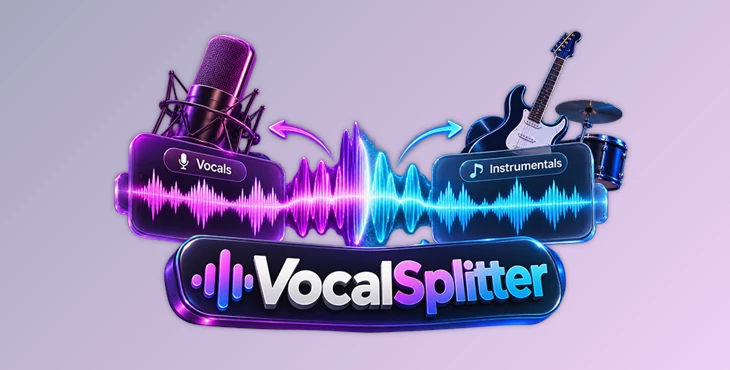
VocalSplitter is an audio separation plugin for Adobe Premiere Pro and After Effects that splits a song into two separate tracks: vocals and instrumentals. It uses a trained audio separation model to isolate the singer's voice from the accompanying music, all without leaving your editing software.
The plugin works directly with clips on your timeline, so there's no need to export audio, process it through an external service, and import the results again.
Separate Vocals and Instrumentals with One Click
Separating a vocal performance from its backing track usually means using dedicated audio software or an online stem separation service. VocalSplitter brings that process directly into Premiere Pro and After Effects through a simple panel.
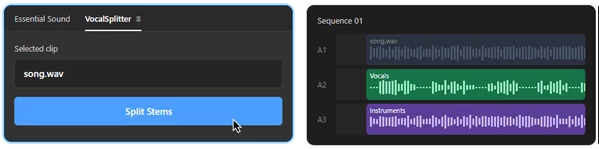
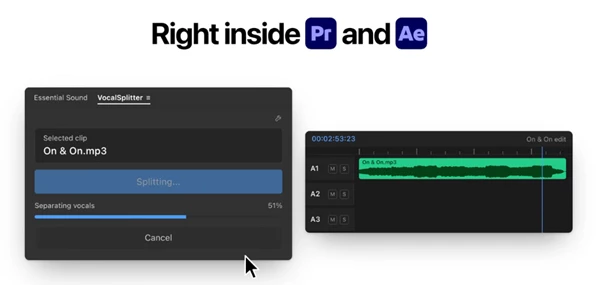
Its main control is the Split Stems button. Select a music clip, run the separation, and the plugin creates two audio stems from the original recording.
Vocals: Contains the isolated vocal performance.
Instruments: Contains the instrumental portion of the song, with the vocals separated out.
The separation model is designed to produce studio-grade results, making it suitable for editing tasks where you need to work with the voice and background music independently.
Unlike a basic equalizer or frequency filter, VocalSplitter uses a model trained specifically to distinguish vocals from music.
How VocalSplitter Handles Your Timeline
One of the more practical details of VocalSplitter is what happens after the audio has been separated.
The plugin doesn't simply generate two files and leave you to arrange them manually. It places the resulting stems on your timeline, aligned with the original clip.
The process follows a straightforward sequence:
Select a music clip
Choose the audio on your timeline
Click Split Stems
Process the audio inside the plugin
Vocals
Separate audio track
Instruments
Separate audio track
Both stems stay synchronized with the original clip.
The original audio is automatically switched off rather than deleted. This is an important distinction because the source recording remains available in the project.
You can work with either separated track while keeping the original song in its existing timeline position.
Local Audio Processing Without Uploading Files
VocalSplitter performs its audio separation locally on your computer. Your music isn't sent to a website or an external processing service.
This is particularly relevant when working with unreleased songs, confidential client recordings, or other audio that shouldn't be uploaded to third-party platforms.
Local processing also means the plugin doesn't depend on a browser-based separation workflow. The audio stays within your editing environment, and the processing runs on your own machine.
Another notable detail is that VocalSplitter has no clip separation limits. You can process multiple songs without a fixed monthly clip allowance.
Where VocalSplitter Fits into Video Editing
Having separate vocal and instrumental tracks opens up several editing possibilities, particularly when music needs to be adjusted around the visuals.
Music Videos and Performance Edits
For music videos, separating vocals from the backing track gives editors more control over how the song is used.
You might want to emphasize an instrumental section during a transition or work with a vocal passage separately while arranging the edit. Having both stems aligned with the original recording helps maintain synchronization.
Social Media and Short-Form Content
Short-form videos often use specific vocal phrases or instrumental sections rather than an entire song.
VocalSplitter lets editors isolate those elements directly from the music clip, making it possible to work with the parts independently without preparing the audio in another application.
Dialogue and Music-Based Sequences
When a video contains spoken dialogue alongside a song, the instrumental stem can be useful for sections where the music needs to continue without the original sung vocals.
The separated tracks give editors additional flexibility when balancing music with other audio elements in a sequence.
VocalSplitter Compatibility
VocalSplitter is designed to work inside two Adobe applications:
Software | Supported releases |
|---|---|
Adobe Premiere Pro | 2020–2027 |
Adobe After Effects | 2020–2027 |
The plugin provides an integrated panel in both applications, with the same core function of separating vocals and instrumentals from audio clips.
A More Direct Way to Work with Music Stems
The main advantage of VocalSplitter is its integration with the editing timeline. You don't need to move between different applications just to separate a song into vocal and instrumental tracks.
It separates audio into vocals and instrumentals, lines them up automatically on your timeline, and keeps the original clip untouched. Everything is processed on your computer, making it a useful tool for editors who want to separate vocals from music without leaving Premiere Pro or After Effects.
VocalSplitter focuses specifically on splitting vocals from music rather than providing a broader collection of audio restoration or mixing tools. That focused approach is what makes its workflow simple.

Files Password : gfxplugin.com OR 123456