Downloadable Files
You can download Aquarella Watercolor for free from the bottom of this page.
Realistic Watercolor Effects with Flowing Pigments, Wet Edges, and Delicate Blooms
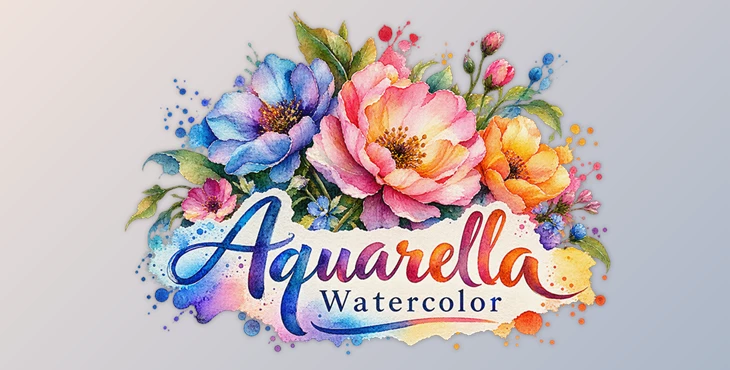
Aquarella Watercolor is a photo-to-watercolor painting application developed by JixiPix. It transforms ordinary photographs into watercolor artwork with soft color transitions, delicate brushstrokes, and realistic paper textures. Rather than simply applying a painted filter, Aquarella recreates details associated with traditional watercolor painting, including flowing pigments, wet edges, and overlapping washes.
The software offers two distinct painting styles, adjustable watercolor effects, and a collection of artistic papers.
How Aquarella Recreates Real Watercolor Paint and Pigment Effects
What makes Aquarella interesting is the way it handles paint and water. Traditional watercolor paintings have a particular appearance because pigments spread across wet paper, blend with surrounding colors, and sometimes collect along the edges as they dry.
Aquarella recreates these characteristics digitally. When a photograph is processed, its colors become fluid washes with subtle variations in pigment density. Some areas appear softly blended, while others retain darker outlines where the simulated paint has dried.
The software also introduces delicate watercolor blooms, which resemble the irregular patterns created when water spreads through wet pigment. Combined with visible brushstrokes and textured paper, these details help the finished image resemble an actual watercolor painting.
The original photograph provides the foundation for the artwork, but the final appearance depends on the selected painting style and adjustments.
Two Watercolor Painting Styles
Aquarella includes two main watercolor styles: Aqua Color and Two Tone. Each produces a different interpretation of the source photograph.
Aqua Color
Aqua Color creates a classic brushed watercolor painting using colors taken from the original photograph. It retains the image's natural color relationships while giving them the soft, flowing appearance of watercolor pigments.
Two Tone
Two Tone combines two light colors to produce a delicate, translucent watercolor effect. The result has a more limited color palette and a softer appearance than the traditional Aqua Color style.
The choice between these styles largely comes down to how much of the original photograph's color you want to preserve. Aqua Color follows the source image more closely, while Two Tone focuses on a simplified combination of light colors.
Adjusting Color, Detail, and Wet Edges
Aquarella provides several controls for changing how watercolor effects appear in the finished image.
One of its more distinctive features is JixiPix's wet edge technology. This recreates the darker pigment buildup that often appears around the edges of watercolor strokes as the paint dries.
The main adjustments include:
Color: Changes the color characteristics of the watercolor rendering.
Detail: Controls how much visual detail remains visible in the painted image.
Strength: Adjusts the intensity of the watercolor effect.
Edge Wetness: Changes the appearance of wet pigment along painted edges.
These controls give users room to move between more detailed watercolor interpretations and softer, more fluid results.
A photograph with many small details may benefit from a different balance of detail and paint strength than an image with broad areas of color. The wet edge control also affects how clearly the simulated pigment boundaries appear.
Watercolor Papers, Color Washes, and Blooms
Paper is an important part of watercolor painting, and Aquarella includes a substantial collection of textures and artistic effects.
The available resources include:
| Included Resource | Quantity |
|---|---|
| Watercolor papers | 7 |
| Artistic papers washed with color | 63 |
| Watery bloom compositions | 39 |
| Watercolor styles | Thousands of possible combinations |
The seven watercolor papers provide different surfaces for the artwork. Meanwhile, the 63 artistic papers include color washes that contribute to the overall painted appearance.
The 39 watery bloom compositions add another layer of variation. These patterns reproduce the soft, irregular marks associated with water interacting with pigments.
Combining different papers, washes, blooms, and watercolor settings creates a wide range of possible results from the same photograph.
This is particularly relevant when creating several pieces of artwork. Different combinations can give each image its own character without requiring an entirely different source photograph.
Presets and Creative Controls
Aquarella includes a collection of presets for quickly producing watercolor effects. These provide starting points for users who prefer to explore different painting appearances before adjusting individual settings.
The application also includes several general editing functions:
Randomize: Generates variations of the available effects and settings.
Quick Preview: Lets users examine the appearance of their adjustments.
Multiple Undo: Makes it possible to reverse previous changes.
Customizable Settings: Provides control over the final watercolor rendering.
High-Resolution Support: Supports high-resolution source images and output.
The Randomize function is particularly helpful for exploring combinations that might not be immediately obvious. Once a suitable appearance is found, the individual settings can be adjusted to refine the result.
A Digital Approach to Traditional Watercolor
Aquarella focuses on reproducing the visual characteristics that make watercolor painting recognizable: transparent pigments, fluid color blending, wet edges, delicate blooms, and textured paper.
Its two painting styles offer different artistic directions, while the extensive paper and bloom collections provide variety beyond a single watercolor effect.
For anyone interested in turning photographs into traditional-looking watercolor artwork, Aquarella provides a combination of ready-made styles and adjustable painting effects within one application.
Dear user, you must first login to your account to write your comment.
Please click here to Log in

Files Password : gfxplugin.com OR 123456