Downloadable Files
You can download User Interface 3D Icon Pack for free from the bottom of this page.
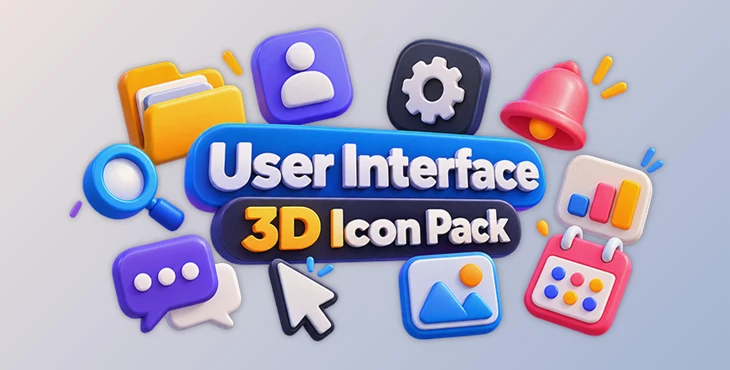
User Interface 3D Icon Pack by Craftwork
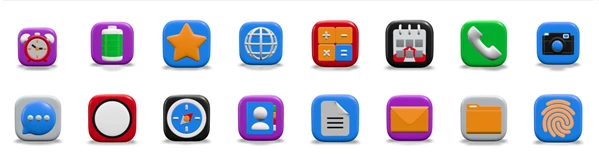
The User Interface 3D Icon Pack by Craftwork includes 26 3D icons you can use in websites, apps, landing pages, and presentations. The icons have a clean, modern look and can add some depth to your designs without making them feel too busy.
The icons were made in Blender using Cycles. They come in different file formats, including 3D files you can edit and PNG images with transparent backgrounds. You can use them right away or change their colors and look to match your project.
26 Modern 3D Icons for UI and Web Design
The User Interface 3D Icon Pack includes 26 icons that can be used across different types of digital projects. Their three-dimensional appearance offers an alternative to traditional flat icons, especially when you want certain visual elements to stand out.
These icons work well in website headers, landing page sections, and interface designs where a more dimensional style fits the overall layout. They can also be added to presentations to make slides more visually engaging.
Since all the icons belong to the same collection, they share a consistent visual style. This helps maintain a unified appearance when using several icons throughout a single project.
Customize Colors and Textures in Blender
One of the main advantages of the User Interface 3D Icon Pack is that the icons are not limited to their original appearance.
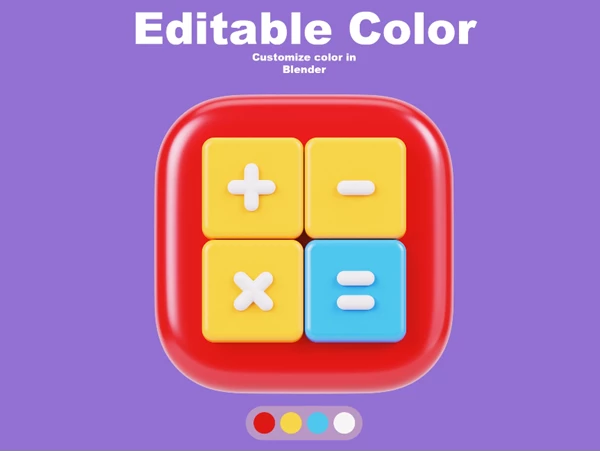
The included Blender files let you edit colors and textures to better match your brand or design style. For instance, if your website uses a particular color palette, you can adjust the icons rather than settling for their default colors.
You can also work with the original 3D assets when you need a different visual result. The files are ready to render, making Blender a practical option for preparing customized versions of the icons.
This flexibility is particularly helpful for designers who want to maintain consistent branding across websites, interfaces, and other visual materials.
What's Included in the User Interface 3D Icon Pack?
The collection provides both ready-to-use images and editable 3D assets.
Feature | Details |
|---|---|
Total icons | 26 premium 3D icons |
Image resolution | 3000 × 3000 pixels |
Image format | Transparent PNG |
3D file formats | BLEND, FBX, GLB |
Creation software | Blender |
Rendering engine | Cycles |
Customization | Editable colors and textures in Blender |
Rendering | Ready-to-render assets |
The transparent PNG files are convenient when you want to place icons directly into a design without working with 3D software.
At 3000 × 3000 pixels, the images also provide enough resolution for layouts that require larger visual elements, such as presentation graphics or website headers.
For projects that require more control, the BLEND files provide access to the editable assets. The FBX and GLB formats offer additional options for working with the 3D models in workflows that support these file types.
Where Can You Use These 3D Icons?
The User Interface 3D Icon Pack is designed for several common design scenarios:
UI Design: Add three-dimensional visual elements to modern interface layouts.
Landing Pages: Use 3D icons to support content sections and create more engaging page designs.
Website Headers: Include larger 3D graphics in header compositions.
Presentations: Give slides a more polished appearance with consistent 3D visuals.
Brand-Focused Projects: Adjust icon colors and textures in Blender to fit an established visual identity.
The choice between PNG images and editable 3D models depends on how much customization your project needs. For a quick website layout, the PNG files may be sufficient. For a more personalized design, the Blender assets offer greater flexibility.
A Flexible 3D Icon Collection for Modern Projects
The User Interface 3D Icon Pack combines ready-made graphics with editable 3D files, giving designers different ways to use the same collection.
Its main strength is the balance between convenience and customization. You can work with the transparent images for straightforward layouts or modify the original assets when a project calls for a more specific visual style.
For designers working on websites, interfaces, and presentations, this collection provides a consistent set of 3D elements without requiring every icon to be created from scratch.

Files Password : gfxplugin.com OR 123456