Downloadable Files
You can download Fold Defy for free from the bottom of this page.
Create Realistic 3D Paper Folds and Creases with Fold Defy
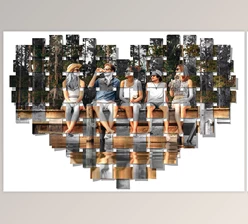
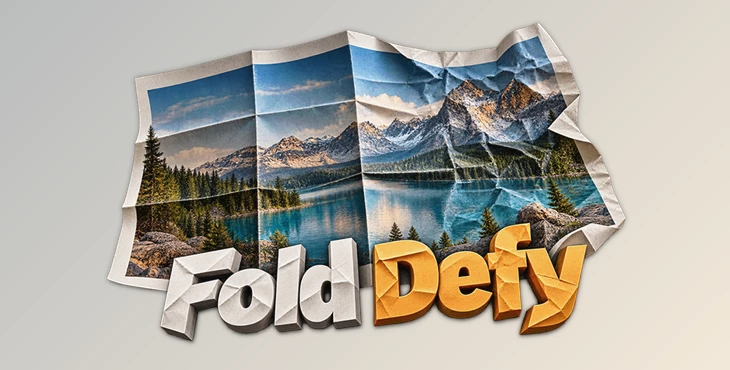
Fold Defy by JixiPix is a photo effects application that transforms ordinary images into realistic folded, creased, or crumpled paper. It adds depth to flat images using perspective distortion, adjustable surface height, and natural-looking shadows that make the folds appear to rise above the image.
The app comes with three main effects: Fold, Crease, and Crumple. You can add folds to your images, create crease lines, or make a photo look like a piece of paper that's been crumpled up and flattened out. You can also adjust each effect to get the look you want.
Three Different Ways to Fold and Distort Your Images
Fold Defy uses three different effects to create paper-like distortions. Although they all work with folds and creases, each produces a different result.
1. Fold – Create Structured Paper Folds
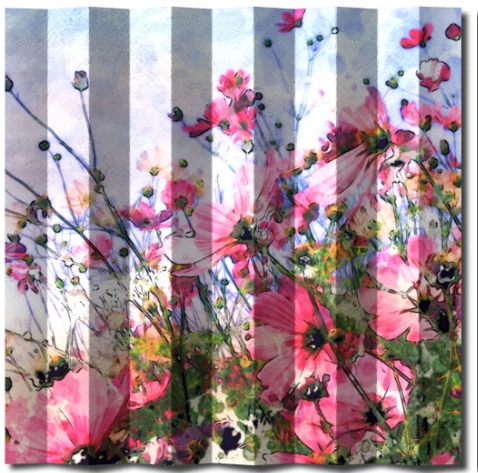
The Fold effect automatically generates horizontal and vertical folds across your image. You can change their direction, width, and surface height to control how the paper appears to bend.
This mode works well for creating neatly folded photographs, paper designs, or images that look as though they've been unfolded after being stored.
2. Crease – Draw Your Own Fold Lines
The Crease tool gives you more control over the placement of individual folds. Simply draw a line across the image where you want a crease to appear.
Unlike the automatic Fold effect, this method lets you decide exactly where the paper should bend. You can place creases in specific areas without applying a uniform folding pattern to the entire image.
3. Crumple – Recreate Wrinkled and Flattened Paper
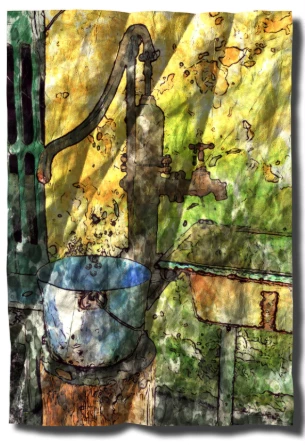
The Crumple effect simulates paper that has been crushed into a ball and then smoothed flat.
It produces irregular wrinkles and distortions rather than straight, organized folds. You can adjust the crumple scale and perspective to change the appearance of the damaged surface.
This effect is particularly suitable for aged photographs, distressed artwork, and designs that need a worn paper appearance.
Realistic 3D Lighting and Surface Shadows
One of the more interesting features of Fold Defy is its 3D lighting system. The application doesn't simply draw dark lines over an image to imitate folds. It uses surface height and perspective distortion to create the appearance of raised paper, then adds lighting and shadows to match.
The lighting system supports multiple light sources, allowing you to create several shadows across the folded surface.
You can independently adjust:
Lighting color: Change the color of the light illuminating the paper.
Shadow height: Control the height-related appearance of the shadows.
Shadow spread: Adjust how shadows extend across the surface.
Surface height: Change how prominently folds rise from the image.
Fold direction and width: Refine the structure of the paper bends.
Crinkles: Adjust smaller wrinkles that make fold lines look more natural.
These controls are important because the shadows contribute significantly to the final effect. A fold with little surface height looks quite different from one with a pronounced raised edge and a strong shadow.
Although the image remains in a 2D space, the combination of lighting, perspective, and surface distortion creates a convincing three-dimensional appearance.
Paper Textures and 75 Ready-Made Styles
Fold Defy includes a collection of textures and presets for creating different paper effects without building every detail manually.
The application provides 18 paper textures that can help give images a more convincing paper-like surface.
It also includes 75 one-touch styles covering Fold, Crease, and Crumple effects. These presets offer a quick starting point for different folding patterns and distressed appearances.
You can apply a preset and then customize its settings to better match your image. Alternatively, you can create your own effect using the available folding and lighting controls.
The combination of paper textures, presets, and manual adjustments gives you room to create both clean folded-paper designs and heavily wrinkled surfaces.
Additional Editing Features
Beyond its main paper effects, Fold Defy includes several tools for working with images and adjusting results.
High-resolution support: Work with high-resolution images and export high-resolution results.
Multiple undo: Reverse editing changes when necessary.
Randomize button: Generate alternative effect variations.
Quick preview: Check how adjustments affect the image.
Customizable settings: Fine-tune the appearance of your selected effects.
The Randomize feature is particularly handy when you want to explore different folding patterns without manually changing every setting.
Quick previewing also helps when adjusting lighting and surface distortion, where small changes can noticeably affect the appearance of the folds.
Where Fold Defy Works Best
Fold Defy is designed for images that benefit from a physical paper appearance. Its effects can be used in several types of creative projects.
Vintage and aged photography: Apply wrinkles, creases, and crumpled textures to make photographs resemble old prints that have been folded or handled repeatedly.
Greeting cards: Create decorative paper folds or distressed surfaces that give card designs a more handmade appearance.
Posters and graphic artwork: Add visible paper bends and raised folds to otherwise flat designs.
Digital scrapbooking: Use creased photographs and textured paper effects to create the appearance of physical materials arranged together.
Distressed image compositions: Combine irregular wrinkles with adjustable lighting to produce images that look worn, crushed, or unfolded.
The choice between Fold, Crease, and Crumple depends on the result you want. Structured folds suit more organized designs, while manually drawn creases and crumpled surfaces are better suited to irregular paper effects.
Fold Defy Compatibility
Fold Defy is available for Windows and macOS, with additional product information provided for iPhone, iPad, and Android.
The desktop application supports high-resolution image processing and output, making it suitable for projects where image detail needs to be preserved.
Give Flat Images a Physical Paper Appearance
The main appeal of Fold Defy is the way it combines paper distortion with 3D-style lighting. Rather than treating folds as simple lines or textures, it gives them visible height, perspective, and shadows.
Fold Defy gives you three paper effects, the option to draw your own creases, adjustable lighting, and ready-made styles. You can easily make your images look folded, wrinkled, or crumpled while still having control over how the final result looks.

Files Password : gfxplugin.com OR 123456