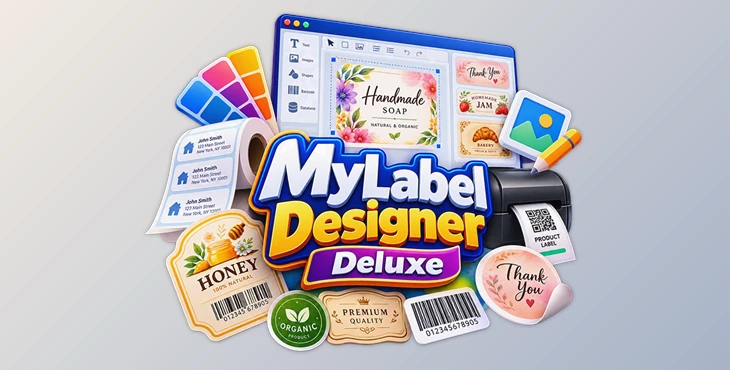
Downloadable Files
You can download MyLabel Designer Deluxe for free from the bottom of this page.
Create Custom Labels Easily with MyLabel Designer Deluxe
Creating labels from scratch can take more time than expected, especially when you need the right dimensions, layout, and design for printing. MyLabel Designer Deluxe by Nova Development is a label-making program that helps you create professional-looking labels without dealing with complicated design tools.
The software comes with over 5,000 ready-made label designs, templates, and backgrounds. It also guides you through the process step by step. You can change label sizes, edit pictures, make barcodes, and use address files you already have.
Design Labels with Templates and Custom Layouts
One of the main advantages of MyLabel Designer Deluxe is its collection of ready-made label formats and designs. Rather than setting up every label manually, you can choose a suitable starting point and adjust it to match your needs.
The software provides several tools to help you create your labels:
5,000+ formats, templates, and backgrounds: Choose from a large collection of label designs and layouts.
Step-by-step wizard: Follow a guided process to create and customize labels.
Adjustable label sizes: Select dimensions that fit your intended label.
Layout customization: Change the arrangement and appearance of your design.
Design tools: Personalize labels according to your preferences.
The guided approach is particularly helpful for users who don't have much experience with graphic design software. You can focus on the label itself rather than learning a complicated interface.
Built-in Photo Editor and Database Manager
MyLabel Designer Deluxe includes two additional tools that extend its functionality beyond basic label design.
Integrated Photo Editor
The built-in photo editor lets you work with images as part of your label-making process. This is helpful when creating labels that contain photographs or other visual elements.
Having an image-editing tool inside the software also means you can handle photo-related adjustments without relying entirely on a separate graphics program.
Custom Database Manager
The custom database manager helps you organize information used in your labels.
This feature is particularly relevant when working with labels that contain different information, such as names, addresses, or product details. It provides a way to manage that data alongside your label designs.
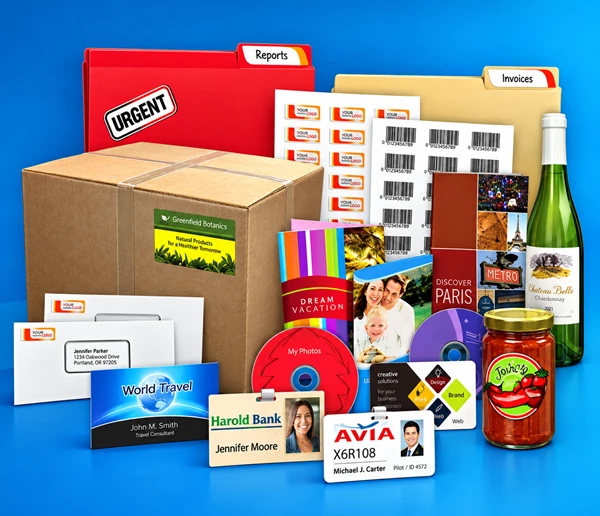
Create Product Barcodes and Import Address Files
MyLabel Designer Deluxe also supports product barcoding and importing existing address files.
Product barcoding is useful for creating labels that need barcode information. This makes the software relevant to product labeling tasks where a simple decorative design isn't enough.
Address file importing helps when you already have contact or mailing information saved in a file. Rather than starting your address data from scratch, you can bring existing information into the software.
These features make MyLabel Designer Deluxe suitable for both individual label designs and projects that involve organized information.
What Can You Create with MyLabel Designer Deluxe?
The combination of customizable layouts, image editing, barcoding, and address management makes the software suitable for several labeling tasks.
Label type | Relevant feature |
|---|---|
Product labels | Product barcoding and custom layouts |
Address labels | Importing existing address files |
Personalized labels | Templates, backgrounds, and design customization |
Photo-based labels | Integrated photo editor |
Labels with varying information | Custom database manager |
For users who mainly need simple labels, the template collection and design wizard provide a straightforward starting point. For more data-focused labeling tasks, the barcode and database features offer additional functionality.
Is MyLabel Designer Deluxe Worth Using?
MyLabel Designer Deluxe brings label design, image editing, and data management into one program. Its main strength is the combination of a large template library and practical tools for creating labels with different layouts and information.
It is a reasonable option for anyone who wants to create personalized labels, prepare address labels, or design product labels without working through a complex graphics application.
The provided product information does not specify supported operating systems or printer compatibility, so those details should be checked before installation.

Files Password : gfxplugin.com OR 123456