Downloadable Files
You can download Matrix Swiper Photoshop Extension for free from the bottom of this page.
Create Unique Grid Patterns and Swipe Effects with Matrix Swiper Photoshop Extension
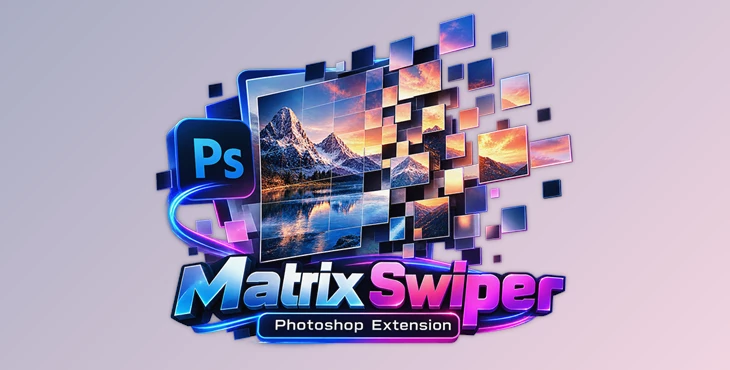
Matrix Swiper Photoshop Extension is a creative tool for Adobe Photoshop that lets you turn ordinary images into decorative square grid patterns, photo collages, slit-scan effects, and swipe animations. It gives you control over how different parts of an image are arranged and displayed, making it possible to create unusual visual compositions from your photos.
One useful feature is the interactive render region. You can select any part of your image in Photoshop and see the result right away. You can also change the settings to try different patterns and looks without starting from scratch.
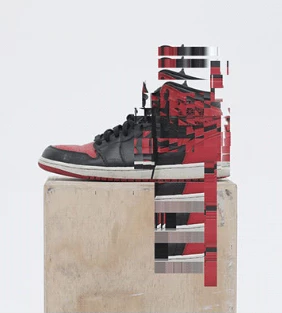
What Can You Create with Matrix Swiper?
Matrix Swiper offers several ways to change the appearance of your images. Its main focus is working with square grids, image sections, and visual movement.
You can use it to create:
Square Grid Patterns: Divide images into decorative square arrangements with randomized variations.
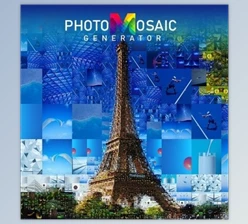
Photo Collages: Combine different image sections into creative grid-based compositions.
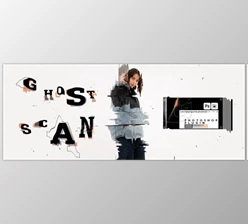
Slit-Scan Effects: Produce scan-style visuals that change how parts of an image appear.
Swipe Animations: Create moving visual effects using the extension's dedicated Swiper animation module.
Mixed Photo and Motion Compositions: Combine photography with isolated sections of moving imagery.
These effects can give photographs a more abstract or experimental appearance. They are particularly suitable for digital artwork, creative photo editing, and compositions that need something different from a standard image layout.
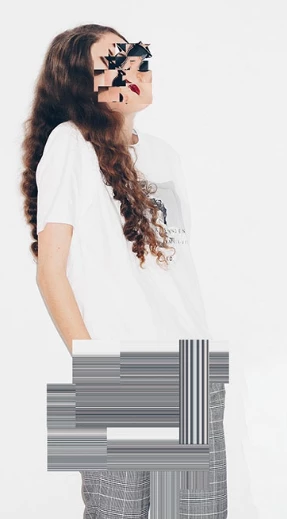
Main Features of Matrix Swiper Photoshop Extension
Interactive Render Region
The interactive render region is one of the extension's main features.
You can draw a selection directly on the Photoshop canvas and generate a result for that area. This gives you a more direct way to work with your image because you can focus on specific regions rather than applying the same treatment everywhere.
It's particularly helpful when you want to add a grid effect to only one part of a photograph while keeping the rest of the composition unchanged.
Customizable Parameters and Random Patterns
Matrix Swiper provides a set of adjustable parameters for creating different visual combinations.
You can change these settings to explore new grid arrangements and decorative effects. The random pattern generation also helps produce variations that don't look identical.
This gives you room to experiment with different compositions while working from the same original image.
Swiper Animation Module
The extension includes a dedicated Swiper animation module for creating swipe-based visual effects.
This feature is intended for compositions that involve movement rather than only static grid patterns. It also supports the creative combination of photography and isolated moving imagery.
Slit-Scan Effects
Matrix Swiper also supports slit-scan effects, giving images a more experimental, scan-inspired appearance.
This is a different visual approach from its decorative square grids. It provides another option when you want to distort or rearrange the appearance of image content creatively.
Intelligent Optimization and Interface Options
The extension includes an Intelligent Optimization feature, although the developer does not provide detailed information about how this optimization works.
It also supports four interface brightness levels designed to match Photoshop's different UI color themes. This helps the extension fit more naturally into your existing Photoshop workspace.
Where Can Matrix Swiper Be Used?
Matrix Swiper is mainly designed for creative image manipulation and experimental visual design.
For instance, you could use its square grid patterns to create an abstract poster from a portrait photograph. You could also apply its interactive render region to introduce a decorative effect into one selected part of an image.
Its collage and slit-scan capabilities are suitable for digital artwork, while the Swiper animation module provides options for projects involving animated visual elements.
The main advantage is the variety of visual treatments available within one extension. You can work with randomized grids, selected image regions, scan effects, and swipe-based compositions without relying on a single fixed style.

Files Password : gfxplugin.com OR 123456