Downloadable Files
You can download Print Artist Gold Edition for free from the bottom of this page.
Print Artist Gold Edition: Bring Your Creative Print Ideas to Life
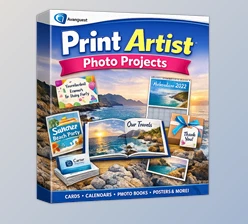
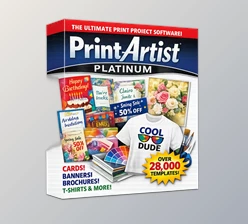
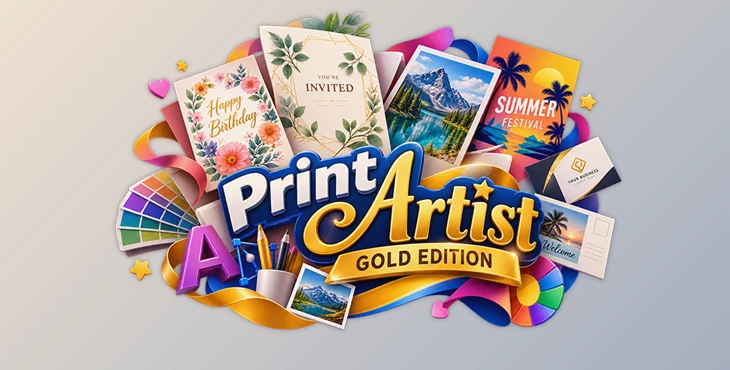
Creating personalized greeting cards, invitations, banners, and other printable designs doesn't have to involve complicated graphic design software. Print Artist Gold Edition by Nova Development brings together ready-made templates, graphics, fonts, photo editing tools, and AI-powered image generation in one application designed for home, school, and business projects.
With more than 16,700 professionally designed templates and 277,000 graphics, the software provides a large collection of creative resources while allowing users to customize individual elements.
Create Custom Print Projects with Print Artist Gold Edition
Print Artist Gold Edition is a print design application that helps users create personalized materials without building every design from scratch. Its template-based approach provides a starting point for different projects, while the built-in editing tools allow users to modify text, images, colors, and other design elements.
The software supports a variety of print projects, including:
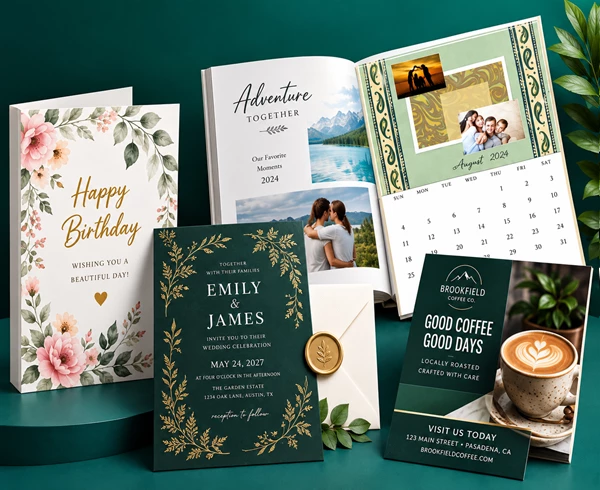
Greeting cards: Create personalized cards with custom messages, graphics, and photos.
Invitations: Design invitations for celebrations, gatherings, and special occasions.
Business cards: Customize layouts with contact information and branding elements.
Postcards: Combine photographs, decorative graphics, and personalized text.
Banners: Create large-format designs with support for printing across multiple pages.
School projects: Prepare creative printed materials using templates, illustrations, and typography.
One of the main advantages of Print Artist Gold Edition is its combination of ready-to-use designs and detailed customization tools. Users can begin with an existing layout or select a blank format when they want more control over the arrangement.
Extensive Templates, Graphics, and Fonts
The software includes a substantial library of design resources organized to support different creative projects.
Design resource | Included content |
|---|---|
Professional templates | 16,700+ |
Graphics | 277,000+ |
Premium fonts | 700+ |
Blank formats | 634 |
The redesigned project browser includes Theme Search, helping users locate templates based on the type or theme of their project. Improved navigation also makes it easier to browse the available designs.
For projects that require a custom layout, the Change Stock browser provides 634 blank formats. These offer an alternative to using a pre-designed template.
The extensive font and graphics libraries also give users different ways to personalize their projects without relying entirely on external design resources.
AI-Powered Image Generation and Photo Editing
Generate Images from Text Descriptions
Print Artist Gold Edition includes NexGen AI-powered image generation, which creates images from written descriptions.
This feature provides another way to obtain visual content beyond the included graphics library. Users can describe the imagery they need and generate artwork for their creative projects.
Import and Edit Personal Photos
The software also includes an advanced photo editor for working with photographs inside print designs.
Photos can be imported from existing files or supported cameras, then incorporated into projects such as greeting cards, invitations, and postcards.
Combining personal photographs with templates, graphics, and text effects gives users additional control over the appearance of their finished designs.
Advanced Text Effects and Layer Controls
Print Artist Gold Edition offers several tools for customizing the appearance and arrangement of design elements.
Creative Typography
The enhanced text tools support more than basic font selection and text placement.
Users can work with:
Curved text: Arrange lettering along curved paths.
Wave text: Create decorative text with a wave-shaped appearance.
Special text effects: Apply visual styling to headings and messages.
Pre-written greetings: Add prepared messages to suitable projects.
Spell checking: Check written content before completing a design.
These tools are particularly relevant to greeting cards, invitations, and banners, where typography often plays an important visual role.
Organize Designs with Layers
The full Layers palette provides control over how objects behave within a project.
Users can adjust object order, show or hide individual elements, lock objects to prevent unwanted changes, and control whether specific objects are included in printing.
This gives the application a more structured editing environment, especially when a design contains several overlapping graphics, photographs, and text elements.
Personalized Printing with Address Book and Mail Merge
For projects that require multiple personalized copies, Print Artist Gold Edition includes Address Book and Mail Merge tools.
These features help users manage recipient information and incorporate personalized details into their print projects.
Mail Merge is particularly relevant when preparing multiple cards or other printed materials that share the same general design but require different recipient information.
The Address Book provides a way to organize contact details used in these projects.
Printing, Exporting, and Sharing Options
Print Artist Gold Edition supports both physical printing and digital output, allowing finished projects to be used in different formats.
Printing Features
The application includes several printing capabilities:
High-quality printing for finished designs
Automatic two-sided printing
PDF output
Full-size banner tiling across multiple pages
Banner tiling is particularly important for larger designs that cannot fit onto a single sheet of paper. The software supports dividing these projects into printable sections.
Export Formats
The application supports the following output formats:
Format | Output type |
|---|---|
JPEG | Static image |
Document | |
Animated GIF | Animated image |
MP4 | Video |
Alongside these formats, the software provides sharing tools for email, Facebook, and YouTube.
These options extend the software beyond traditional printed projects by providing ways to distribute finished designs digitally.
Compatibility and Existing Project Support
Print Artist Gold Edition is available as a modern application for Windows and Mac. The product described here is the Windows edition.
It also includes support for legacy Print Artist projects, covering formats such as folded cards, business cards, postcards, banners, and other multi-page designs.
This compatibility is relevant to users who have existing Print Artist files and want to continue working with their previous projects.
The software also supports automatic in-app updates.
Is Print Artist Gold Edition Right for Your Projects?
Print Artist Gold Edition is primarily designed for users who want a combination of ready-made creative resources and customizable print design tools.
Its template collection makes it suitable for everyday projects such as greeting cards, invitations, and postcards, while features such as Mail Merge, layer management, and banner printing address more specific design and production needs.
The software's main distinction is the range of tools available within a single application: template browsing, AI image generation, photo editing, typography customization, personalized printing, and digital exporting.
If you need to create printed materials for home, school, or a small business, Print Artist Gold Edition makes the process easier. You can design your layout, make changes, and get everything ready for printing in one place.

Files Password : gfxplugin.com OR 123456