Downloadable Files
You can download Dynamic Auto Painter Pro for free from the bottom of this page.
Turn Your Photos into Realistic Paintings with Dynamic Auto Painter Pro
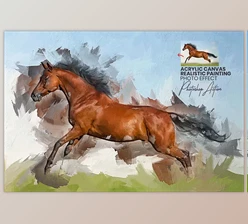
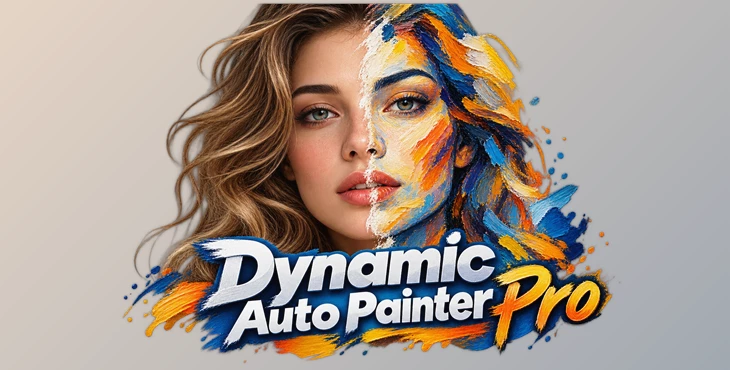
Turning a photograph into a convincing painting takes more than adding a few brush textures or changing its colors. Real paintings have natural strokes, different paint patterns, and details that follow the shapes of the subject. Dynamic Auto Painter Pro by MediaChance is designed to recreate these qualities by digitally repainting photographs, stroke by stroke.
Unlike ordinary photo filters, Dynamic Auto Painter Pro builds a new painted image based on your original photo. It offers hundreds of artistic styles, including those inspired by Van Gogh, Monet, Cézanne, Benson, and Corot. You can use it to create portraits, landscapes, decorative artwork, and high-resolution paintings suitable for printing.
How Dynamic Auto Painter Creates Realistic Paintings
Dynamic Auto Painter works differently from regular photo filters. Instead of just adding a painting effect to your photo, it creates a new image using digital brushstrokes.
To get started, simply load a photo and choose a painting style. The software then starts painting the image, adding brushstrokes, colors, and textures based on the style you selected. You can watch as your photo gradually turns into a painting.
It can also create curved brushstrokes that follow the shapes and details in your photo. This helps the final artwork look more like a real painting rather than a photo with a filter applied.
The software also includes features like Coverage Top-Up and Flat Area Blending in its Fair painting engine. These help improve how brushstrokes cover and blend different parts of the image, giving the finished painting a smoother, more natural look.
Artistic Styles and Painting Controls
Dynamic Auto Painter includes hundreds of artistic styles, allowing users to interpret the same photograph through different painting approaches.
Its presets draw inspiration from well-known painters, including:
Vincent van Gogh: Styles influenced by his expressive brushwork and vibrant color palette.
Claude Monet: Painting approaches inspired by luminous light and Impressionist aesthetics.
Paul Cézanne: Styles characterized by bold colors and distinctive painted forms.
Frank Weston Benson: Artistic interpretations influenced by his painting style.
Jean-Baptiste-Camille Corot: Presets inspired by his traditional painting techniques.
These styles provide different visual interpretations without requiring users to paint every stroke themselves.
The software accommodates both straightforward painting tasks and more involved creative work. Beginners can select a preset and let the painting engine generate the artwork, while users seeking greater creative control can work with its advanced features.
The variety of presets also makes it possible to explore different artistic directions using a single source image, without changing the original photograph.

From Photograph to Finished Artwork
The basic painting process in Dynamic Auto Painter is relatively simple:
Load a Photo → Select an Artistic Style → Start Painting → Review the Artwork
Once the painting begins, DAP progressively reconstructs the image on the canvas. The selected preset determines the artistic interpretation, while the painting engine handles the creation of individual strokes.
The resulting artwork retains the subject and recognizable composition of the source photograph while presenting it through a painterly aesthetic.
High-Resolution Artwork and Print Quality
Dynamic Auto Painter can generate detailed, high-resolution paintings intended for printing and display.
Its painting process emphasizes visible brushwork and organic textures, helping the results maintain their artistic appearance when viewed closely or reproduced as wall art.
This is particularly relevant for projects intended for framed prints, canvas displays, or other situations where the artwork needs to remain visually convincing beyond a small screen preview.
A Non-Generative Approach to Digital Painting
One of Dynamic Auto Painter's defining characteristics is that it does not use generative AI to create its paintings.
Generative image models can invent visual content based on learned patterns. DAP instead works directly from the supplied image, reconstructing it through its painting algorithms.
This approach keeps the original subject and composition central to the finished artwork. Rather than generating an unrelated interpretation from a text prompt, the software transforms the visual information already present in the photograph.
It also runs locally on the user's computer, without relying on cloud-based image processing. This provides a self-contained painting environment in which source photographs can remain on the local machine.

Creative Uses Beyond Photo-to-Painting Conversion
Although converting photographs into paintings is DAP's primary purpose, its output can also become part of a broader artistic process.
Creating a Base for Further Digital Painting
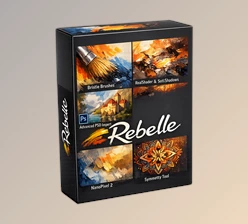
Artists can use DAP-generated paintings as starting points for additional refinement in applications such as Corel Painter, Rebelle, or Adobe Photoshop.
The software establishes the initial painted composition, which can then be developed through further brushwork, texture adjustments, or other artistic modifications in a separate application.
Exploring New Artistic Directions
Existing photographs and previously created artwork can be processed through different DAP styles to explore alternative visual interpretations.
For an artist working with a familiar composition, changing the painting style can provide fresh ideas for color treatment, brushwork, or the overall artistic direction of a project.
Reinterpreting Older Photographs
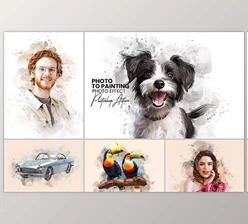
Faded or lower-quality photographs can be transformed into painted artwork, giving existing images a different visual character.
This can be an appealing approach for personal portraits, family photographs, or images intended to become decorative artwork.
The process is an artistic reinterpretation rather than a conventional photographic restoration.