Downloadable Files
You can download hook for free from the bottom of this page.
AI-Powered Story Editing for Premiere Pro
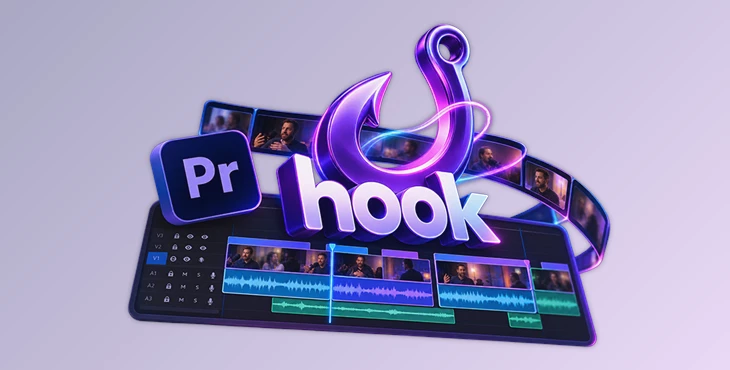
Creating engaging short-form videos from long recordings involves more than finding interesting moments. A good short needs a clear beginning, a meaningful turn, and a satisfying payoff. hook by Aescripts is an AI-powered editing tool for Adobe Premiere Pro that analyzes spoken content, identifies narrative structures, and assembles editable video sequences based on your creative direction.
Rather than simply extracting highlights, hook focuses on building complete stories from existing footage while keeping the editor in control of the final result.
Turn Long Recordings into Story-Driven Short Videos
hook analyzes the words spoken throughout your footage before deciding which sections belong in the edit. It looks for three essential storytelling elements:
Setup: Introduces the subject or situation.
Turn: Reveals a development, change, or unexpected detail.
Payoff: Delivers the conclusion or meaningful outcome.
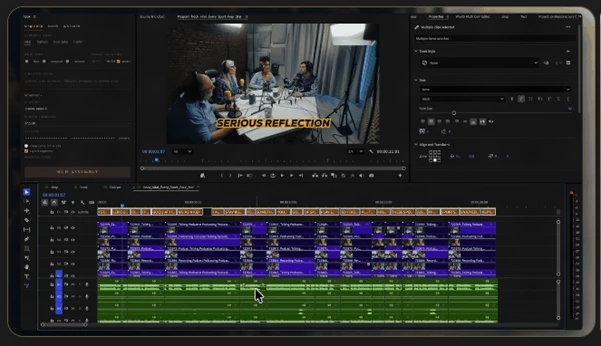
Using this structure, hook creates a Premiere Pro sequence containing the selected footage. The result remains fully editable, so you can adjust the timing, rearrange shots, or refine the narrative.
This approach is particularly relevant for interviews, podcasts, and long-form conversations where valuable stories may be scattered across different parts of a recording.
Four Editorial Modes for Different Storytelling Goals
hook provides four editing modes, each designed around a different narrative approach.
| Mode | Editing approach |
|---|---|
| Viral | Builds a complete story with a setup, turn, and payoff. |
| Tighten | Preserves the original order while removing unnecessary material. |
| Best Take | Combines the strongest attempts while retaining unique ideas. |
| Trailer | Builds anticipation and ends before revealing the answer. |
You can process the same footage through different modes to explore alternative story structures without manually rebuilding each edit.
Direct the AI with Your Own Instructions
Beyond predefined modes, hook accepts written editorial directions. You can tell it to remove an unrelated tangent, preserve specific stories, or maintain the original question order.
Your instructions take priority, while unspecified decisions follow the selected editing mode.
For greater control, Director's Cut lets you disable the predefined modes and guide the editing assignment entirely through your own directions.
Compare Edits and Understand AI Decisions
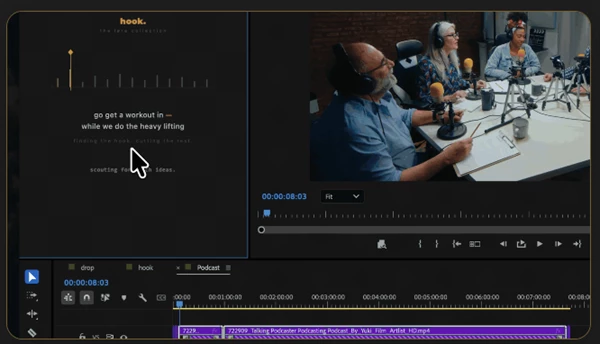
hook includes an A/B comparison system for evaluating two different edits of the same footage.
Each version can have its own editorial mode, duration, modifiers, and written instructions. Both versions are generated as Premiere sequences, allowing you to compare their pacing and storytelling directly.
After processing, the Director's Report explains the editing decisions, including:
Which footage was analyzed.
The opening line and why it was selected.
How your instructions influenced the edit.
The final video duration.
This provides insight into the AI's editorial reasoning rather than presenting an unexplained selection of clips.
Batch Editing, Captions, and Multicamera Support
For projects containing multiple stories, hook offers a Batch workflow that can identify and assemble several clips from one long recording.
It can scout highlights, locate questions and their corresponding answers, or process story groups arranged directly on the timeline. Each group becomes a separate editing assignment.
The tool also supports two important finishing tasks.
Synchronized captions: hook uses the timing of the words retained in the edit to create Premiere-native captions without requiring another transcription.
Automatic multicamera switching: In conversations recorded with separate microphones, hook identifies the active speaker and switches cameras accordingly. When speakers overlap, it can return to the wide shot.
These capabilities help connect the initial story assembly with the finishing stages of a short-form editing workflow.
Compatibility and Technical Requirements
hook works with Adobe Premiere Pro 2024 and later on Windows 10/11 (64-bit) and macOS.
It requires an internet connection, user-provided Deepgram credentials, and supported AI provider API credentials. The tool supports AI model connections, including Claude and OpenAI, and offers automatic model selection or manual model choice.
Importantly, hook creates standard Premiere Pro sequences without modifying your original timeline, footage, or project bins.
Is hook Right for Your Editing Workflow?
hook is designed for editors working with dialogue-heavy footage who want AI assistance with narrative selection rather than basic clip extraction.
Its main advantage is combining story analysis, written editorial direction, multiple editing approaches, and native Premiere Pro sequences in one workflow.
For podcast highlights, interviews, and conversational short-form content, hook provides a way to generate structured first cuts while leaving creative decisions and final refinements in the editor's hands.

Files Password : gfxplugin.com OR 123456