Downloadable Files
You can download TuaFlow for free from the bottom of this page.
AI Image, Video, and 3D Generation Inside After Effects
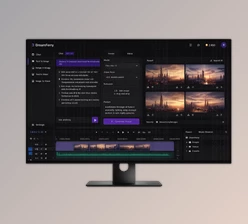
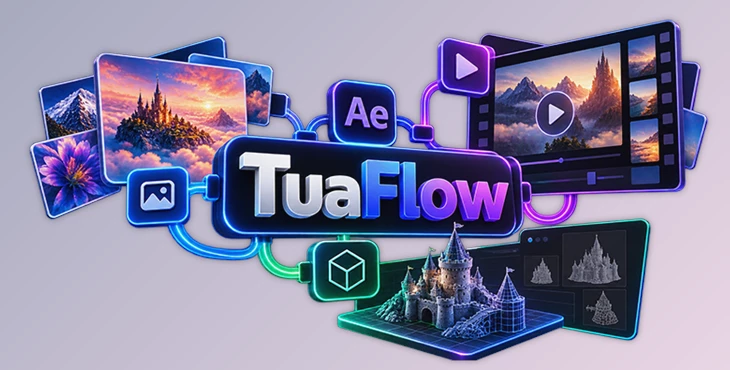
TuaFlow is a node-based AI creation plugin for Adobe After Effects that brings image generation, video creation, and 3D asset generation into a single workspace. Rather than switching between multiple AI platforms, you can connect different models, build creative workflows, preview generated content, and bring the results directly into your compositions.
Create AI Content Directly in After Effects
TuaFlow uses a visual, node-based canvas where you connect inputs, AI models, and outputs to build custom generation workflows. This approach gives you more control over how different AI tools work together.
For instance, you can generate an image, use it as a reference for video generation, or transform a single image into a 3D asset. These processes can be organized through connected nodes without leaving After Effects.
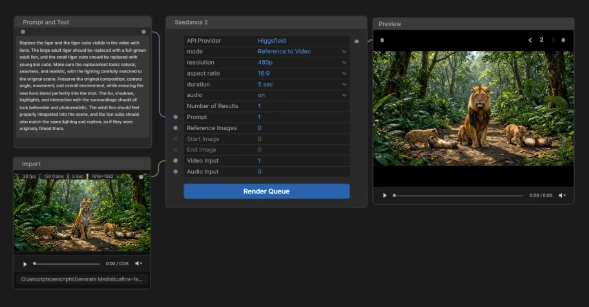
The plugin supports three main types of AI generation.
AI Image Generation and Editing
TuaFlow supports text-to-image and image-to-image workflows, allowing you to create original visuals, modify existing images, and generate variations using reference images.
Supported image models include:
GPT Image 2.5 and GPT Image 2
Nano Banana 2 and Nano Banana Pro
MAI Image 2.5 Pro
Seedream 5.0 Pro
Kling Image O3
Reve 2.1
FLUX.2 Pro
Different models provide options for experimenting with visual styles and image transformations within the same node-based environment.
AI Video Generation
TuaFlow can generate videos from text prompts, images, and other supported references. Its node-based workflow lets you organize inputs and connect them to compatible video generation models.
Supported video models include Seedance 2.5, Seedance 2, Kling Video O3, Wan 3.0, Gemini Omni Flash, MiniMax H3 models, LTX 2.5 Pro, and Veo 3.1.
Available features such as image-to-video, reference-to-video, audio generation, resolution, and video duration depend on the selected model and API provider.
AI 3D Asset Generation
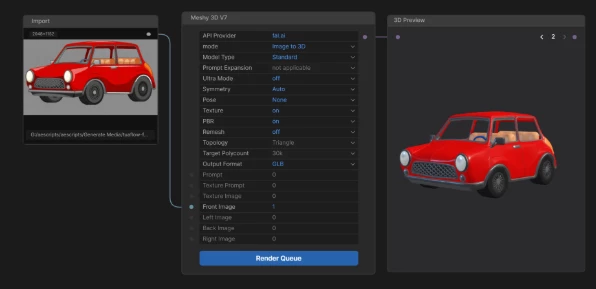
Beyond images and videos, TuaFlow supports generating 3D assets from text descriptions, individual images, or multiple image views.
Its supported 3D models include:
Tripo 3D H3.1
Meshy 3D V7
Rodin 3D
SAM3 3D Objects
One notable workflow is converting a single reference image into a detailed 3D asset by connecting the necessary nodes on the TuaFlow Canvas.
Local GPU Generation Without Cloud Processing
TuaFlow also supports AI generation using your computer's own GPU for compatible local models.
Two available options are:
Local model | Function |
|---|---|
Z-Image Turbo | Generate AI images locally |
TRELLIS.2 Image to 3D | Convert images into 3D assets locally |
These options let you perform supported generation tasks on your own hardware rather than sending every request to a cloud-based AI service.
Connect Multiple AI Providers in One Workspace
TuaFlow integrates with several third-party AI providers, including Higgsfield, fal.ai, and RunningHub.
You can connect a supported provider and access its compatible AI models through the plugin's interface.
However, there are some important limitations:
Each API provider offers its own selection of models.
Connecting one provider does not provide access to every model listed in TuaFlow.
Generation capabilities vary depending on the selected model.
Certain features, including audio, resolution settings, video duration, and reference-based generation, may not be supported by every model.
TuaFlow acts as a unified creative interface rather than an independent AI model provider.
Where TuaFlow Fits Into Your Creative Workflow
TuaFlow helps you use AI-generated content in After Effects. You can use it for motion graphics, video editing, and design projects.
Its node-based setup is useful when you want to combine different AI tools. For example, you can create an image with AI, turn it into an animation, or use a visual idea to generate a 3D object.
The main advantage of TuaFlow by Aescripts is that these different AI workflows can be organized inside After Effects, keeping generation, experimentation, and composition work connected in one environment.

Files Password : gfxplugin.com OR 123456