Downloadable Files
You can download VHSCraft for free from the bottom of this page.
Create Custom VHS Effects in After Effects & Premiere Pro
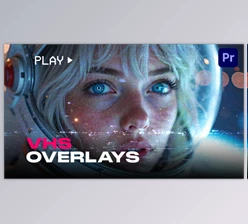
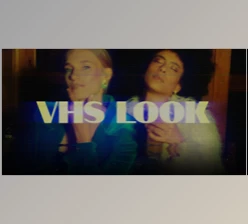
There’s something distinctive about old VHS footage. The soft colors, tracking lines, analog noise, and occasional distortions give videos a nostalgic character that's difficult to recreate with ordinary color adjustments.
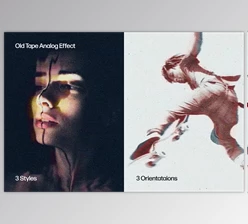
VHSCraft by Aescripts brings that analog tape aesthetic to Adobe After Effects and Premiere Pro. It offers two VHS styles, eight customizable presets, and detailed controls for adjusting everything from color bleed and glow to tape noise and distortion.
You can create anything from a relatively clean home-video look to heavily damaged tape footage, depending on the atmosphere you want.
Two Different Ways to Create the VHS Look
One of the main features of VHSCraft is its two tape styles: Classic VHS and Cinematic VHS. Both recreate analog video characteristics, but they approach the look differently.
Classic VHS
Classic VHS focuses on the familiar appearance of traditional videotapes. It combines signal texture, color bleeding, noise, and tape movement to reproduce the imperfections associated with older analog recordings.
This style works particularly well when you want footage to resemble an old home video, a vintage camcorder recording, or a worn VHS tape.
Cinematic VHS
Cinematic VHS offers a more polished interpretation of the tape aesthetic. It uses its own color response and expressive analog artifacts to create a film-oriented appearance while retaining the character of VHS footage.
This is a good option for music videos, cinematic edits, and creative projects where you want analog texture without relying entirely on the raw home-video look.
Both styles are available through the Tape Style menu, and the Effect Amount control lets you adjust the overall strength of the effect.
Eight Presets for Different VHS Aesthetics
VHSCraft includes eight presets that provide different starting points for your footage.
| Preset | Style |
|---|---|
| Standard | A balanced VHS appearance |
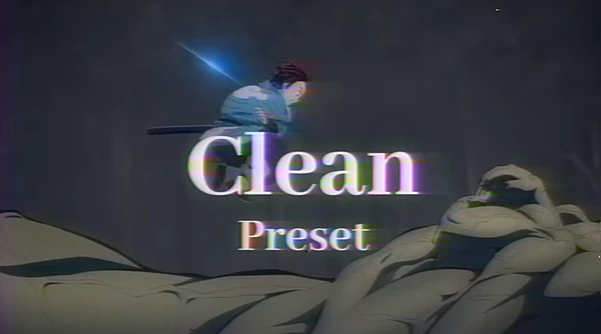
| Clean | A cleaner nostalgic tape look |
| Sharp | A sharper VHS variation |
| Purple Tint | VHS styling with a purple color cast |
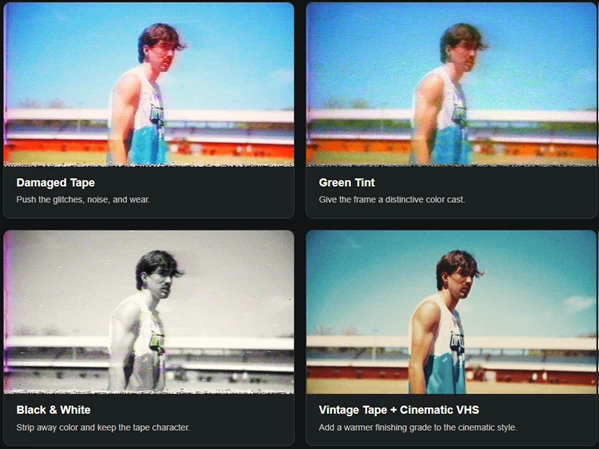
| Green Tint | VHS styling with a green color cast |
| Damaged Tape | Stronger glitches, noise, and tape wear |
| Camcorder | A camcorder-inspired appearance |
| Black & White | Monochrome footage with analog tape characteristics |
The presets aren't fixed looks. After selecting one, you can still modify the individual effect settings.
For instance, you might start with Damaged Tape for a heavily distorted recording, then adjust the noise and tracking effects to better suit your footage.
Customize Noise, Distortion, Color, and Glow
Beyond its presets, VHSCraft provides dedicated controls for shaping the individual characteristics of VHS footage.
Some of the main adjustments include:
Tape Noise: Adjust the analog noise that gives footage its textured appearance.
Tracking Bands: Create the horizontal tracking imperfections associated with VHS playback.
Distortion: Control the visual irregularities and warped appearance of tape footage.
Color Bleed: Reproduce the imperfect separation of colors commonly seen in analog recordings.
Glow: Adjust the softness and glow of the image.
Final Image Adjustments: Refine the overall appearance after applying the tape effects.
These controls give you flexibility over how noticeable the VHS treatment becomes.
You can keep the image relatively clean with subtle analog imperfections or increase the distortion and noise for a more damaged recording.
Vintage Tape and Soft Film Color Grading
VHSCraft also includes Vintage Tape and Soft Film color grading options.
These provide additional ways to shape the final color treatment alongside the tape effects.
Vintage Tape can introduce a warmer finishing grade, particularly when combined with Cinematic VHS. Soft Film offers another grading direction for footage that needs a different visual finish.
A Simple Workflow for Creating VHS Footage
The plugin follows a straightforward editing process:
Choose a preset that matches the general appearance you want.
Select Classic or Cinematic VHS from the Tape Style menu.
Adjust the effect controls to customize noise, tracking, distortion, color bleed, and glow.
Apply color grading using Vintage Tape or Soft Film when needed.
Refine Effect Amount to control the final strength of the VHS look.
This approach gives you a quick starting point while keeping the important visual details adjustable.
Is VHSCraft Worth Using for Retro Video Effects?
VHSCraft is a practical option when you want more than a basic VHS filter. Its combination of Classic and Cinematic styles gives you two different approaches to analog video, while the presets help establish a look without extensive setup.
What makes it particularly flexible is the ability to control individual tape characteristics and finishing colors. You can create a relatively clean nostalgic recording or push the distortion and noise toward a heavily worn VHS aesthetic, all within the same effect.

Files Password : gfxplugin.com OR 123456