Downloadable Files
You can download PathDragFX for free from the bottom of this page.
Turn Simple Mask Paths into Creative Visual Effects
In After Effects, a simple curve can be used for more than just making shapes. You can turn it into a glowing light trail, a colorful gradient, or a brush stroke that follows the path you draw.
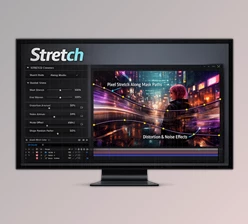
PathDragFX by Aescripts is a GPU-accelerated plugin for Adobe After Effects that lets you drag image pixels along custom mask paths. It creates a vector field based on your masks and uses that field to move pixels along the curves.
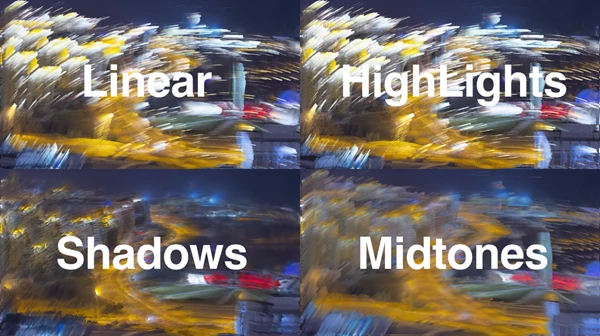
What makes this plugin interesting is how it handles brightness. Brighter and darker areas of an image can travel different distances, producing more detailed streaks and gradients than a simple directional stretch.
You can also animate the effect, introduce turbulence, and add jitter to create anything from smooth, flowing visuals to broken, glitch-style motion.
How PathDragFX Controls Pixel Movement
The main idea behind PathDragFX is straightforward: draw a mask, and the plugin uses its curve to guide the movement of pixels.
You can work with a single mask or use every mask on the layer. This gives you control over whether the effect follows one continuous path or several different curves.
The plugin includes several controls that determine how the pixels move:
Pull: Controls how far pixels are dragged along the mask path. You can animate it to extend or retract the strokes.
Travel Curve: Determines how far different brightness levels travel, allowing you to shape the relationship between image brightness and pixel movement.
Start and End Travel: Adjusts the amount of movement at different positions along the path.
Spread: Helps control how the dragged pixels spread out.
Trail Falloff: Controls how the trails fade along their movement.
These settings let you create different results from the same mask. A short pull can produce a subtle stretch, while a longer pull creates more noticeable streaks across the image.
Add Organic Movement with Turbulence
Perfectly smooth curves are not always the best choice for painterly effects.
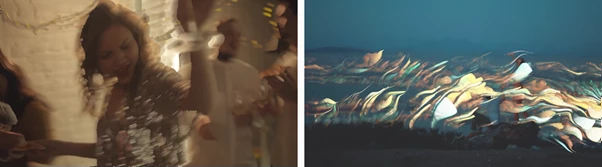
PathDragFX includes Turbulence to introduce irregular movement into the dragged pixels. You can adjust its scale and use a loopable phase to create flowing variations.
This is particularly helpful when creating effects that need a less uniform appearance, such as fluid color streaks or painterly distortions.
Create Glitch Motion with Pull Jitter
For a more digital and broken appearance, PathDragFX provides Pull Jitter.
This setting introduces variations in the pull amount, creating stuttering movement rather than a continuous, smooth drag.
You can also adjust the jitter frequency to control how these variations behave.
Combined with animated Pull, this feature can produce glitch-style streaks and irregular motion effects.
What Can You Create with PathDragFX?
PathDragFX is not limited to one visual style. Its mask-driven pixel movement can produce several distinct effects depending on the source image and the settings you choose.
| Effect | How PathDragFX Helps |
|---|---|
| Painterly Strokes | Combines curved pixel dragging with turbulence and spread to create squeegee-like strokes. |
| Fluid Gradients | Stretches colors along mask paths to generate complex, flowing gradients. |
| Light Trails | Pulls bright image areas along curves to create elongated light streaks. |
| Glitch Effects | Uses Pull Jitter to create broken, stuttering streaks and irregular motion. |
| Animated Distortions | Animates Pull to extend and retract pixel trails over time. |
One particularly interesting use is generating flowing gradients. Since pixel travel depends on brightness, different areas of the source can stretch by different amounts, creating complex color transitions along the mask.
For motion graphics, animated Pull and turbulence provide additional control over how these effects change over time.
GPU Acceleration and Color Support
PathDragFX uses GPU acceleration to process its pixel-dragging effects in After Effects.
It also supports three color depths:
8-bit
16-bit
32-bit
This makes it suitable for After Effects projects using different color-depth settings.
The plugin's main advantage is its combination of custom mask paths, brightness-based pixel movement, and animation controls. You can guide the direction of an effect by drawing a curve, then adjust how the image stretches, flows, or breaks apart along that path.
If you create abstract animations, light trails, colorful gradients, or paint-like effects, PathDragFX lets you make them using your image pixels and mask paths in After Effects.

Files Password : gfxplugin.com OR 123456