Downloadable Files
You can download 6500+ Lightroom Preset Pack for free from the bottom of this page.
Explore 6,500+ Creative Looks for Your Photos
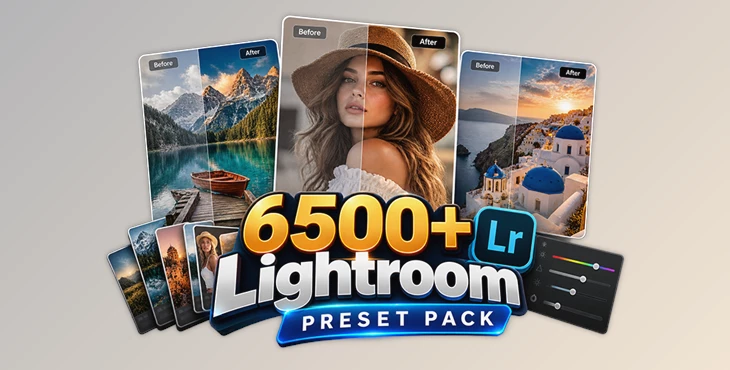
Editing hundreds of photos while keeping a consistent style can take a lot of time, especially when you're working with different lighting conditions and photography styles. The 6500+ Lightroom Preset Pack by DC Presets gives you a large collection of ready-made photo editing presets to explore different looks without building every adjustment from scratch.
With over 6,500 presets, this collection covers a wide range of photography needs, from weddings and portraits to travel, nature, and fashion.
A Large Collection of Looks for Different Photography Styles
Not every photo needs the same treatment. A wedding portrait might need soft, natural colors, while a travel photograph could benefit from a completely different mood.
This pack provides thousands of Lightroom presets, giving photographers plenty of options for finding a style that suits their images.
The collection can be used for:
Wedding Photography: Edit wedding portraits and event photos with different visual styles.
Portraits and Children's Photography: Explore looks for personal and family photographs.
Nature and Wildlife: Adjust the appearance of landscapes, outdoor scenes, and animal photography.
Travel and Documentary: Create different moods for photos captured in various locations.
Fashion and Advertising: Experiment with modern editing styles for commercial and creative projects.
Artistic Photography: Try different color treatments and visual effects.
The presets support square, portrait, and landscape image orientations, so you're not limited to a particular photo layout.
Key Features of 6500+ Lightroom Preset Pack
Beyond the number of presets, the collection includes several features designed to make photo editing more manageable.
6,500+ Lightroom Presets: A large library of ready-to-use editing styles.
Editable Adjustments: Customize the presets to match your image rather than keeping the default appearance.
Organized Folders: Presets are grouped into named folders to make browsing easier.
Preset Strength Control: Adjust the intensity of an effect using the Quantity slider.
Speed-Optimized Profiles: Designed to support a faster photo editing workflow.
Lrtemplate Format: The collection contains Lightroom preset files in Lrtemplate format.
One important feature is the ability to control preset strength. You might like the colors of a particular preset but find the effect too strong for your photo. Adjusting its intensity lets you keep the overall style while creating a more balanced result.

Getting the Best Results from Your Presets
Although these presets provide ready-made editing styles, the same preset won't look identical on every photograph.
Lighting, exposure, existing colors, and image quality all influence the final appearance. A preset that looks great on a bright outdoor portrait might need additional adjustments when applied to an indoor photograph.
After applying a preset, you can fine-tune settings such as exposure to better match your image.
Keep in mind that the presets may not work well with:
Underexposed photographs
Overexposed photographs
Low-quality images
Images containing multiple competing colors
Starting with a properly exposed, high-quality photograph generally gives you more flexibility when applying and adjusting these effects.

Files Password : gfxplugin.com OR 123456