Downloadable Files
You can download Timefield 4D for free from the bottom of this page.
Turn Your Videos into Moving 3D Sculptures
What if you could see several moments of a video at the same time, rather than watching them one frame after another?
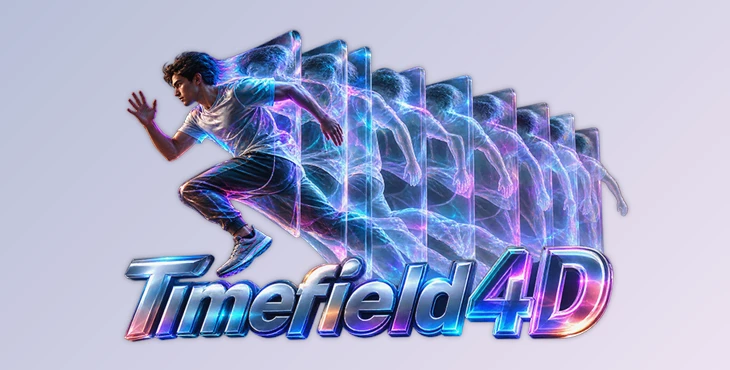
Timefield 4D is an Adobe After Effects plugin that turns video footage into interactive 3D structures by stacking its frames in space. You can rotate around them, pull them apart, slice through them, or reshape them into entirely different forms.
The interesting part is that everything stays in motion. As your video plays, new frames move through the structure, creating animated sculptures that show how your footage changes over time.
And thanks to GPU acceleration, you can explore these effects in real time.
Four Ways to Visualize Your Footage
Timefield 4D gives you four rendering modes, each offering a different way to look at time:
Solid: Turns your footage into a solid 3D block, with slit-scan patterns along its sides.
Translucent Volume: Creates a transparent, smoke-like structure where multiple moments overlap.
Separated Slices: Spreads individual frames apart like floating cards.
Cross Section: Cuts through the frame stack to show different moments within a single image.
You can also bend the entire structure into an arc or connect its ends to create a circular time ring.
Show Movement Without the Background
One of the coolest features is Motion Only. It automatically detects and removes the static background, leaving just the moving subjects and their trails.
You also get control over transparency using brightness, luminance, saturation, key color, or alpha.
This means you can decide which parts of your footage remain visible, creating everything from subtle ghost trails to abstract motion sculptures.
Customize the Look with Materials and Point Clouds
Timefield 4D goes beyond simply stacking frames. You can change how the entire structure looks using different materials and lighting effects.
Want a glass sculpture? Add reflections, refraction, and glowing edges. Prefer something softer? Use frosted materials for a blurred appearance.
You can also add shadows, ambient occlusion, and a studio floor that receives colored light from the frames.
For a completely different style, Point Cloud mode turns your footage into LiDAR-inspired scan lines or floating data points. These can be colored using the original footage or the age of each point.
Built-in glow, chromatic aberration, and grain help finish the look without needing separate effects.
Animate Time and Create Smooth Transitions
The plugin lets you control how many frames appear before and after the current moment, adjust motion trails, and loop footage.
It also includes optical-flow frame interpolation to create smoother movement between frames.
For transitions, two features are particularly handy:
Snap to Front: Aligns the 3D structure with your original video.
Transition Completion: Animates the structure back into the original footage and smoothly dissolves into it.
You can work with your existing After Effects camera or use the plugin's built-in camera controls. There are also on-screen handles for resizing and stretching the volume.
17 Presets to Get You Started
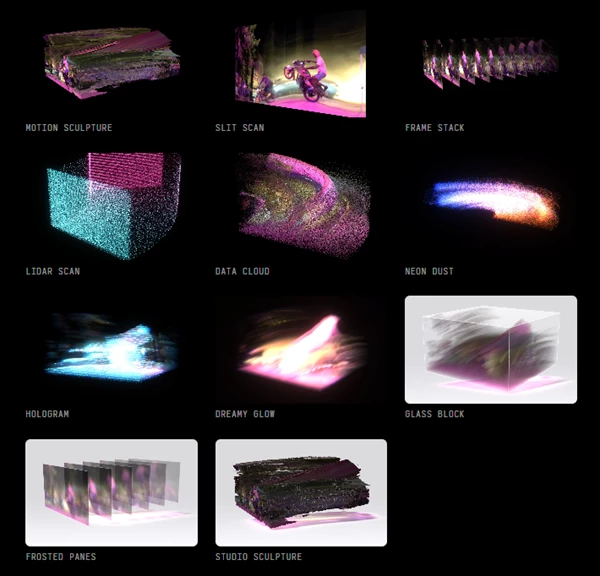
Timefield 4D comes with 17 ready-made presets, so you don't have to build every effect from scratch.
Some of the included styles are:
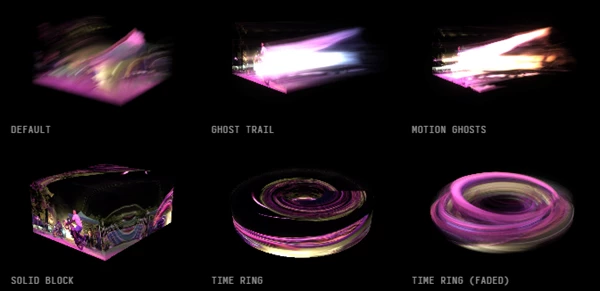
Ghost Trail and Motion Ghosts
Solid Block and Frame Stack
Time Ring and Time Ring (Faded)
Lidar Scan and Data Cloud
Neon Dust and Hologram
Glass Block and Frosted Panes
Dreamy Glow and Studio Sculpture
Every setting is keyframable, including dropdown options, so you can animate changes in the effect throughout your composition.
Who Is Timefield 4D For?
Timefield 4D is a creative option for motion designers, video editors, and VFX artists who want to do something different with ordinary footage.
It works particularly well for experimental music videos, abstract motion graphics, futuristic visuals, creative transitions, and projects that explore movement over time.
Rather than treating video as a flat sequence of images, Timefield 4D gives you a way to turn those images into something you can move around, reshape, and animate in 3D space.

Files Password : gfxplugin.com OR 123456