Downloadable Files
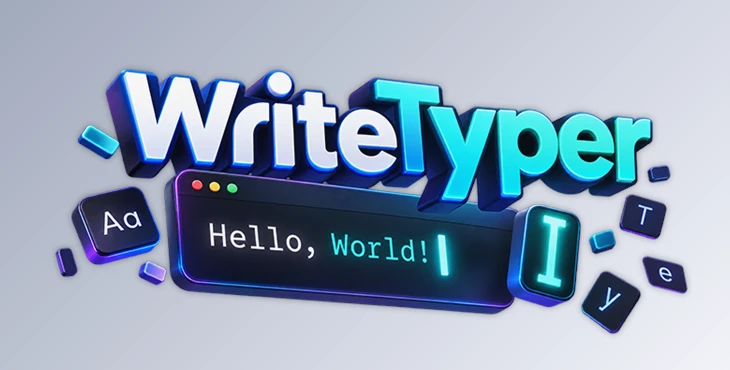
You can download WriteTyper for free from the bottom of this page.
Make Your Typing Animations Feel More Natural
Most typing animations in After Effects reveal every character at the same speed. It gets the job done, but the result often feels robotic. Real people don't type like that. They pause, speed up, slow down, and sometimes go back to fix what they've written.
WriteTyper is an After Effects extension that brings those little details into your animations. It creates a typing rig with one click and automatically adds natural variations in typing speed. You can also adjust the timing, add pauses, or create text-deleting effects without having to animate every character yourself.
Control How Your Text Gets Typed
WriteTyper gives you control over the typing rhythm without making things complicated.
You can set the base speed in two ways: Frames Per Character, which controls how long each character takes to appear, or Total Duration, which determines how long the entire text takes to type.
From there, a few extra controls help make the animation feel more human:
Variance: Adds natural differences in character timing.
Slow Down Controls: Make certain typing moments take longer.
Speed Up Controls: Increase the typing speed based on different factors.
Start and Stop: Let you pause typing or choose where the animation begins.
All these controls can be animated, too. So you can start with slow typing, gradually speed things up, or pause right before an important word.
Ready-Made Typing Styles
Don't want to adjust everything from scratch? WriteTyper includes three typing presets:
Very Fast: For quick, confident typing.
Average: For a more balanced typing rhythm.
Hunt & Peck: For slower, less consistent typing.
You can customize these presets or save your own settings to use in future projects.
Choose Between Dynamic and Stable Text Rigs
WriteTyper offers two types of text rigs, depending on how you want your text to behave.
| Dynamic Rig | Stable Rig |
|---|---|
| Automatically adjusts text alignment while typing | Keeps the text layout fixed |
| Supports automatic paragraph wrapping | Supports mixed fonts, sizes, and colors |
| Doesn't need refreshing when text changes | Needs refreshing after text changes |
| Doesn't support mixed font styles | Preserves different text styles |
If your text needs to move and wrap naturally as it's typed, the Dynamic Rig is the better choice. But if you're working with different fonts, colors, or formatting in the same text, the Stable Rig gives you more flexibility.
Edit, Delete, and Fine-Tune Your Typing
WriteTyper isn't limited to typing text from beginning to end. You can stop the animation, delete characters, change the text, and start typing again.
This is great for creating realistic chat messages, text corrections, or scenes where someone changes their mind while typing.
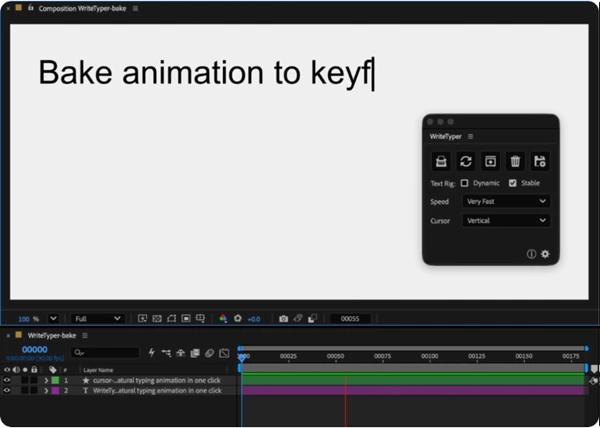
And when you need more precise timing, you can bake the animation into keyframes and adjust individual characters manually.
The baked keyframes are color-coded for letters, numbers, punctuation, and spaces, making them easier to identify in the timeline.
Customize Your Typing Cursor
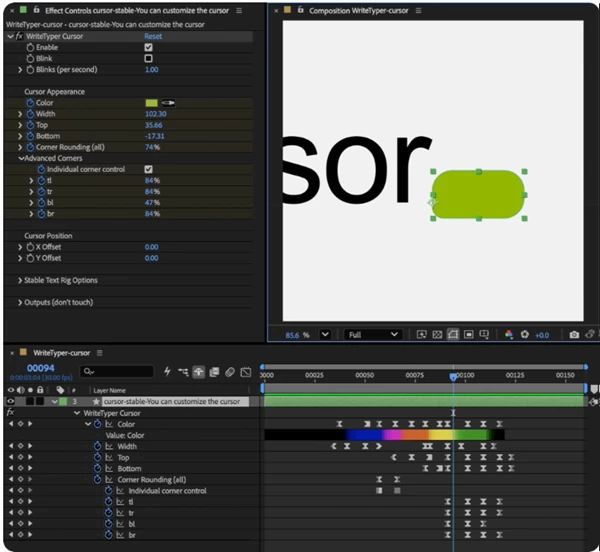
WriteTyper also creates a separate cursor layer that you can customize to match your animation.
You can change its width, height, and corner roundness, or start with one of three included cursor styles:
Vertical: A classic typing cursor.
Underscore: A horizontal cursor below the text.
Box: A block-style cursor.
You can even save your customized cursor as a preset for later.
A Better Way to Animate Typing in After Effects
WriteTyper is a practical tool for anyone creating animated conversations, text messages, typewriter effects, or other text-based motion graphics.
What makes it different is the balance between automation and control. You get natural typing behavior without manually timing every letter, but you can still step in and adjust specific moments whenever the animation needs a more personal touch.

Files Password : gfxplugin.com OR 123456