Downloadable Files
You can download FOLDED PAPER TRANSITIONS for free from the bottom of this page.
Bring a Handmade Paper Fold Effect to Your Video Edits
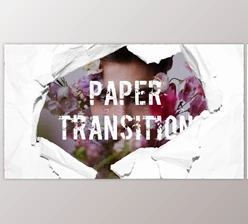
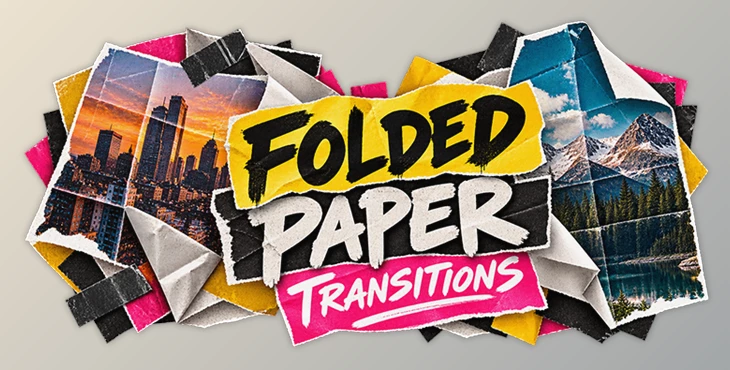
Paper folds, torn edges, and collage effects can make your video transitions look like they were made by hand. Instead of using regular cuts or digital effects, you can make your footage look like it's being folded, ripped, or moved around like real pieces of paper.
FOLDED PAPER TRANSITIONS by Sickboat is a collection of more than 35 animated paper transitions designed for Adobe After Effects and Premiere Pro. The pack combines pre-animated folding effects, paper fold images, and sound effects to create a mixed-media editing style inspired by physical paper and scrapbook designs.
The collection is available as an editable After Effects template and as drag-and-drop Motion Graphics Templates (MOGRTs) for Premiere Pro. This gives editors two ways to incorporate the same paper-inspired visual effects into their projects.
How the Paper Fold Transitions Work
The main concept behind this collection is to transform an ordinary transition between clips into an animated paper movement.
Instead of simply fading or sliding between two shots, the footage becomes part of a paper-inspired animation. The transitions use folding, ripping, and tearing movements to introduce the next visual element.
These effects are particularly suited to videos that combine photography, typography, textures, and layered graphics.
The pack provides more than 35 transition variations, giving editors different paper movements to choose from without having to animate each effect from scratch.
Because the transitions are pre-animated, the primary editing task is replacing the placeholder content with the desired footage or image.

Two Editing Options: After Effects and Premiere Pro
One of the important characteristics of FOLDED PAPER TRANSITIONS is its support for two Adobe editing workflows.
Although both options provide access to the paper transition effects, their implementation is different.
Editing option | How it works |
|---|---|
After Effects Template | Uses pre-animated compositions with editable media placeholders |
Premiere Pro MOGRTs | Provides drag-and-drop Motion Graphics Templates for adding paper transitions to edits |
Working with the After Effects Template
The After Effects template is designed around ready-made media placeholders.
Users can insert a video clip or image into the designated placeholder and use the existing paper animation to create the transition.
The basic process follows three steps:
Choose a transition
Replace media
Export result
The template also uses a modular structure, providing flexibility when customizing the included animations.
Completed transitions can be exported for use in other video editing software, making the After Effects workflow suitable for projects that are not edited entirely within Adobe's motion graphics environment.
Using MOGRTs in Premiere Pro
For Premiere Pro editors, the collection includes more than 35 Motion Graphics Templates.
These MOGRT files provide a drag-and-drop approach to incorporating paper transitions into an editing project.
This option is especially relevant for editors who primarily work in Premiere Pro and want to use the included paper animations without building them individually in After Effects.
What's Included in FOLDED PAPER TRANSITIONS?
The collection contains animated templates alongside supporting visual and audio assets.
35+ After Effects Paper Fold Transitions: Pre-animated paper effects with editable media placeholders.
35+ Premiere Pro MOGRTs: Motion Graphics Templates designed for a drag-and-drop editing workflow.
35+ Paper Fold JPG Images: Still-image paper assets included with the collection.
4K Resolution: Transitions are built at 3840 × 2160 pixels.
Paper Sound Effects: Audio elements that can accompany the folding and tearing animations.
Modular Design: A template structure intended to support customization.
No Third-Party Plugins: The After Effects template does not require additional plugins or scripts.
The combination of animated transitions, JPG assets, and paper-related audio makes the package more than a collection of isolated visual effects. Its elements can contribute to a consistent paper-inspired editing style.

Creating Scrapbook and Mixed-Media Video Styles
Paper fold transitions work particularly well in projects where the visual presentation is intended to feel assembled from physical materials.
For instance, a photo collage video can use folding transitions to move between images while maintaining the appearance of a handmade composition. In a scrapbook-style edit, these animations can connect different visual elements without introducing a conventional digital transition.
Potential uses include:
Photo collage videos: Connect photographs using animated paper movements.
Scrapbook-style edits: Introduce folded and torn-paper effects between scenes.
Mixed-media motion graphics: Combine paper transitions with layered images and graphics.
Creative social media videos: Add handcrafted visual movement between short clips.
Artistic promotional edits: Use paper-inspired transitions to establish a collage-based visual identity.
The transitions can also be combined with other mixed-media resources, including paper textures, tape graphics, animated markers, graffiti elements, and photo film effects.
These additional assets are suggested combinations rather than confirmed contents of the transition package.
A Practical Choice for Paper-Inspired Transitions
FOLDED PAPER TRANSITIONS focuses on a specific visual style: turning transitions between images and footage into animated paper movements.
Its main advantage is the combination of ready-made paper animations and separate editing options for After Effects and Premiere Pro. The included paper images and sound effects further support the handcrafted aesthetic.
For projects built around collage art, scrapbook visuals, or mixed-media editing, the collection provides a consistent set of paper fold effects that can be incorporated into an existing video workflow.

Files Password : gfxplugin.com OR 123456