Downloadable Files
You can download Animated Captions | SRT Subtitle Import & Word Highlight for free from the end of this page.
Turn Standard Subtitles into Dynamic Word-by-Word Captions
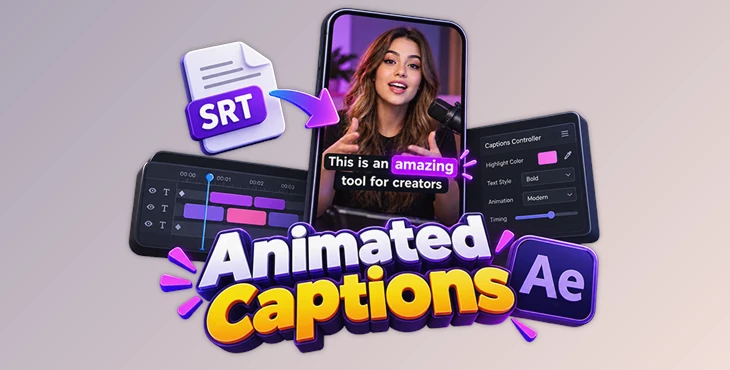
Animated Captions is an After Effects template built for creating modern subtitle animations for short-form and social media videos. Rather than manually timing and styling individual words, it can import an SRT subtitle file, build the captions, and create word-level highlighting that follows the dialogue.
The template is particularly suited to videos where spoken content is a major part of the presentation. Podcasts, interviews, talking-head clips, educational videos, and creator content can use animated highlighting to visually emphasize individual words while the speaker is talking.
SRT Import and Word-Level Caption Timing
One of the central features of Animated Captions is its SRT subtitle import. Existing subtitle files can be brought into the project and used as the basis for creating the captions.
The workflow combines this import process with word-level caption timing, removing the need to manually set the timing for every individual word. Once the captions are created, animated highlighting can emphasize words as they are spoken.
The core process can be summarized as:
Import SRT → Build Captions → Apply Word-Level Timing → Animate Word Highlights → Customize
This approach is designed for videos containing a significant amount of dialogue, where manually building each caption animation would involve considerably more repetitive editing.
Animated Word Highlighting
Instead of displaying subtitles only as static lines of text, the template adds dynamic subtitle animations and animated word highlighting.
Individual words can receive visual emphasis as the caption progresses, creating the type of active subtitle presentation commonly used in vertical social content. The result keeps the text visually connected to the spoken dialogue rather than treating subtitles as a separate static element.
This style is particularly relevant for:
- TikTok videos
- Instagram Reels
- YouTube Shorts
- Podcasts
- Interviews
- Talking-head videos
- Educational content
- Creator videos
- Vertical social media content
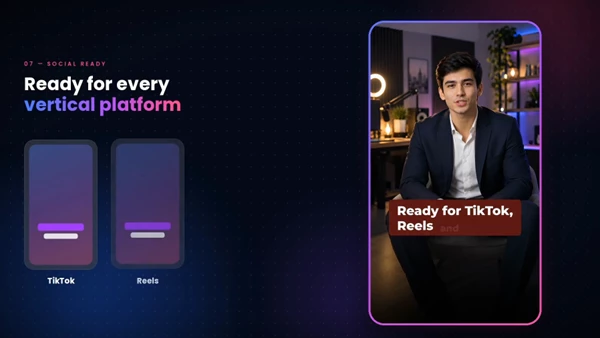
The template is specifically designed around a modern social media caption style and vertical-video workflows.
Editing and Caption Customization
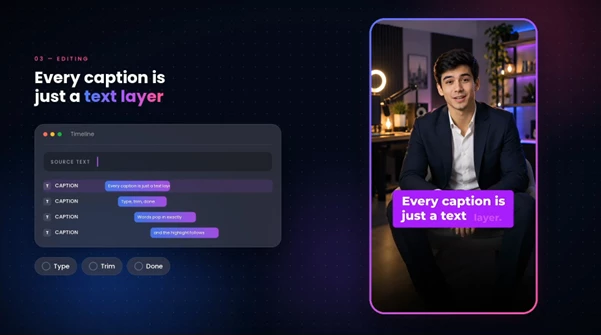
Automated caption creation does not prevent the text from being adjusted afterward. Animated Captions includes type and trim editing, allowing the generated captions to be refined when necessary.
Text can also be customized, while a centralized controller brings the main customization options into a simpler control system. This helps keep caption adjustments manageable after importing the SRT file and generating the initial animation.
The combination of automatic caption building and editable controls provides a workflow where automation handles much of the initial setup while the final appearance and text can still be adjusted for the project.
A Workflow Built for Short-Form Video
Animated Captions turns regular subtitles into more dynamic captions for your videos. You can import an SRT file, edit the text, highlight individual words, and control the caption style from one place.
Instead of creating every animated word by hand, you can start with your existing subtitles and let the template handle most of the caption animation in After Effects. This can be especially useful for vertical videos with lots of dialogue.
Animated Captions requires Adobe After Effects 2026 or newer.

Files Password : gfxplugin.com OR 123456